هذا المقال متوفر باللغة العربية — اقرأ بالعربية
Most cafes, dine-in spots, and cloud kitchens across Egypt, Saudi Arabia, and the Gulf start out on Instagram stories and delivery apps. That works until hungry regulars cannot find your updated branch hours, get stuck downloading a heavy PDF on mobile data, or ask on chat for a dish you removed months ago. Planning a proper restaurant website WordPress setup gives your brand a home you actually own and control.
Your website does not have to replace every marketplace overnight to pay off. Even a lean site puts your live Arabic and English menu, Google Maps pins, WhatsApp contact, and direct ordering options in one fast place. Here is how to choose the right tools and structure without overcomplicating daily operations for your kitchen staff.
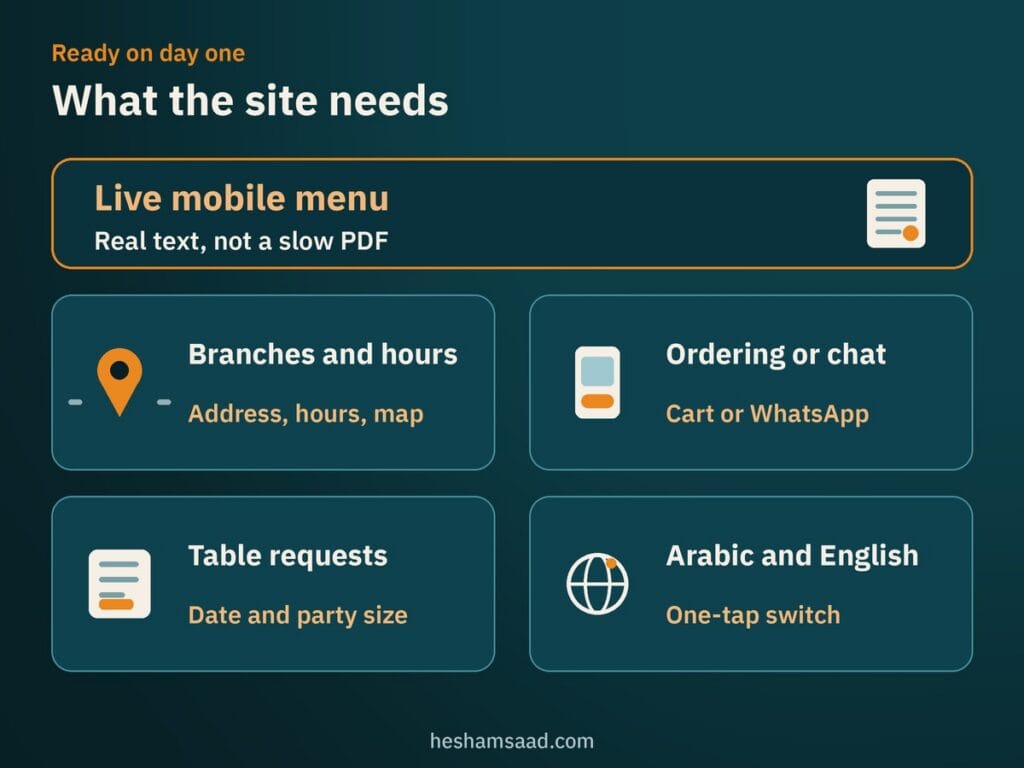
What a restaurant website WordPress build needs on day one
Hungry visitors arrive on a food site with urgent, practical questions rather than time to read a long brand story. They want to see what you serve, confirm whether your nearest branch is open right now, and place an order or head to your door. Every element on day one should serve those immediate actions on a mobile screen.
- Live mobile menu: Clear dish names, descriptions, allergens, and portion options written as real web text rather than a slow PDF download.
- Branches and daily hours: Separate street addresses, weekday and weekend opening times, pickup instructions, and tap-to-open map directions.
- Direct ordering or chat: Either an online cart for pickup and delivery or a structured WhatsApp button for neighborhood orders.
- Dine-in table requests: A simple date and party-size form when your dining room holds tables on busy evenings.
- Fast bilingual switching: One-tap navigation between Arabic and English so every guest reads the menu comfortably.
If your venue focuses on dine-in service and takes advance seating requests, you do not need heavy custom software just to hold tables. A focused plugin such as Five Star Restaurant Reservations adds a table booking system to your site, and our guide to building a WordPress booking website covers scheduling rules in detail. Keeping table requests separate from takeout orders prevents confusion at the host stand.
Three ways to publish your food menu online
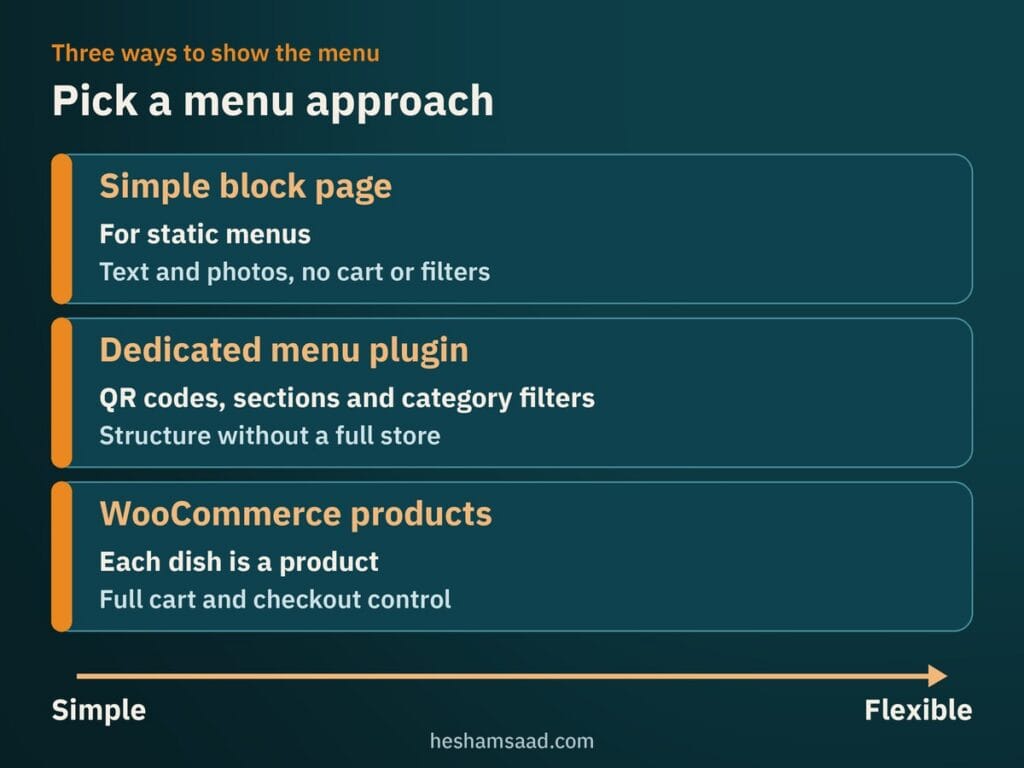
How you build the menu shapes everything else on your site, from daily kitchen edits to checkout speed. WordPress gives you three practical paths depending on whether you only display dishes, take straightforward takeout orders, or sell customized meals. Choosing the lightest option that fits your kitchen saves hours of dashboard maintenance later.
A simple block page for static menus
A specialty coffee shop or fine-dining room that never takes web orders can build its menu with native WordPress headings, columns, and lists. Real text and compressed photos load rapidly on mobile browsers, and search engines index every dish name directly. Whenever the chef updates a seasonal plate, a manager edits the text block in seconds without uploading PDFs.
The limit of a plain block page is that dishes remain static text rather than catalog entries. Guests cannot filter items by dietary category or add meals to a cart, so this suits counter-service spots or dine-in rooms best.
Dedicated menu plugins for QR codes and takeout
Dedicated restaurant plugins add structure without requiring a full retail store. Five Star Restaurant Menu and Food Ordering organizes sections and items with photos, category filters, Gutenberg blocks, shortcodes, and block theme patterns. It also creates a QR code for table scanning and outputs full restaurant menu schema structured data, while direct on-site food ordering sits in its paid Ultimate version alongside the Five Star Restaurant Manager mobile app.
WPPizza focuses on takeout workflows, offering categorized menus with multiple portion tiers per item, daily opening and closing schedules, new order notifications, and cash on delivery out of the box. Last updated in June 2026, it is marked as WPML compatible for multilingual sites. Adding online payment gateways like PayPal or Stripe and extra features requires paid extensions.
WooCommerce products for customizable dishes
When diners customize burger toppings, pizza crusts, extra sauces, or combo drinks, setting up each dish as a product in WooCommerce gives you full cart and checkout control. Adding the paid WooCommerce Product Add-Ons extension brings radio buttons, checkboxes, dropdowns, quantity fields, headings, file uploads, date pickers, and short or long text fields for kitchen notes, including global add-ons restricted by product category. It also pairs cleanly with the options covered in our guide to WooCommerce payment gateways in Egypt and Saudi Arabia.
Keep two official WooCommerce Product Add-Ons constraints in mind when structuring complex meals. Add-ons act as modifiers rather than standalone products, meaning they carry no SKU or separate inventory tracking. On a variable product, add-ons are also inherited by every variation equally, so you cannot natively assign different add-ons per individual variation.
Balancing third-party delivery apps with direct orders
Third-party apps such as Talabat, HungerStation, and Jahez play a major role in restaurant discovery across Cairo, Riyadh, Jeddah, and Dubai. Diners open those platforms when browsing neighborhood options without a specific kitchen in mind. Treating marketplaces as a discovery channel while running your own direct site protects your brand presentation and customer relationships.
On a marketplace listing, your menu sits beside dozens of competitors, and you have limited control over dish grouping or repeat guest communication. On your own WordPress site, you control photography, family platter bundles, branch pickup instructions, and preparation notices. Regulars get a clean link they can bookmark without competing promotions around your menu.
Shifting regulars to your site works best gradually rather than turning off delivery apps overnight. Print a clear QR code on delivery bags, takeout boxes, and paper receipts pointing straight to your online menu. Over time, loyal neighborhood households order directly while apps continue introducing first-time diners.
Taking orders through WhatsApp or full checkout
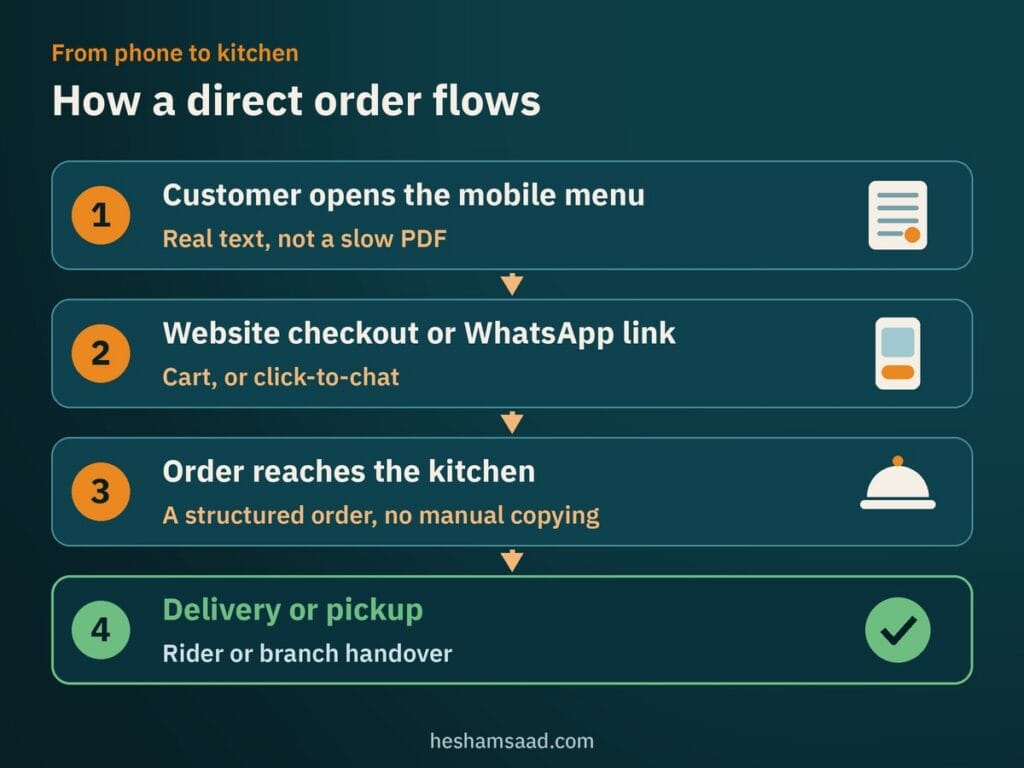
Not every food business in MENA needs automated cart checkout on day one. Bakeries handling custom cake orders, catering teams, and new cloud kitchens testing a menu often prefer chatting directly with customers on WhatsApp first. High-volume burger, fried chicken, or pizza branches usually need automated checkout so cashiers never copy street addresses manually during dinner rush.
For chat ordering, use WhatsApp’s official click-to-chat link format (https://wa.me/ followed by your full phone number) so guests can message your branch without saving your number first. Write the full number with your country code using digits only, omitting any plus sign, leading zeros, spaces, or dashes. Appending ?text= with a URL-encoded pre-filled message lets the chat open with the branch name or pickup request already typed.
Once daily volume outgrows manual chat replies, WPPizza or WooCommerce checkout replaces manual copying with a structured order form. WPPizza supports cash on delivery out of the box, and card payments depend on the gateway you add, which is where the payment gateways guide above helps.
Getting found on Google Maps and local search
When someone searches for grilled seafood in Alexandria or specialty coffee in Riyadh, your website and your map listing both tell Google who you are. Keeping them consistent, as covered in our WordPress local SEO guide, gives search engines the same branch addresses, cuisine, and menu URL in both places.
Google Search Central advises using the specific Restaurant subtype of LocalBusiness structured data. Name and address are required properties, while recommended fields include menu (the fully qualified URL of your menu page), openingHoursSpecification, servesCuisine, telephone, geo, priceRange, and url. Test your markup in Google’s Rich Results Test, noting that Google does not guarantee rich results and limits its visual Restaurant carousel to a small set of providers rather than ordinary sites.
In your verified Google Business Profile, open Food Ordering to manage where diners click to order. Depending on regional support, you can add custom ordering links, set a preferred provider for pickup or delivery, or turn off Accept orders on your profile to hide all order links. You can also request removal of unwanted third-party providers, who must remove their links within 5 business days.
Remember that Order online buttons, Place an order links, and Order with Google features vary by country and region and differ for businesses outside the United States. Always check inside your own verified profile in Egypt, Saudi Arabia, or the Gulf to confirm which options appear for your branches.
Keeping food photo menus fast on mobile networks
Appetizing dish photography helps guests choose meals, yet uploading heavy camera files slows mobile menus to a crawl. Most diners open your link on cellular data from Instagram bios or table QR codes, so sluggish pages lose orders before the menu finishes rendering.
Google measures real-world page experience through three Core Web Vitals metrics covered on web.dev. Largest Contentful Paint (LCP) tracks loading performance for your main visible content, Interaction to Next Paint (INP) measures responsiveness when guests tap category filters or cart buttons, and Cumulative Layout Shift (CLS) tracks visual stability so buttons never jump mid-tap.
Keeping photo-heavy menus fast takes practical WordPress image optimization rather than removing food pictures. Compress files into modern web formats and include explicit width and height attributes so browsers reserve space before images download, protecting CLS. Use native browser-level lazy loading (loading=”lazy”) on below-the-fold dish thumbnails while keeping your top hero image eager so LCP stays quick.
Setting up Arabic and English menus without broken RTL
Across MENA dining markets, a restaurant website needs both Arabic and English working smoothly side by side. Families, office lunch organizers, and expat diners switch languages constantly, and accurate bilingual dish names prevent misunderstandings over ingredients or spice notes.
WPML is a paid WordPress plugin with 65 pre-configured languages and URL options for language directories, separate domains, or parameters. It respects each language’s default text direction automatically when switching to Arabic, provided your WordPress theme handles right-to-left (RTL) styling properly. For owners seeking a free multilingual plugin on WordPress.org, Polylang is a common alternative for bilingual pages.
Translation plugins manage language routing, while your theme governs whether the Arabic menu actually aligns from right to left. Poorly tested themes often flip item totals awkwardly, clip modifier checkboxes, or push sticky mobile cart drawers off screen. Running through the checks in our guide on fixing WordPress RTL issues catches those layout flaws before launch.
What drives project scope and when a developer helps
Owners comparing proposals often wonder why one restaurant build wraps up quickly while another requires custom engineering. Scope depends less on colors and fonts and far more on menu structure, branch count, bilingual cart flows, and payment setup, mirroring the broader factors in our breakdown of WordPress website cost drivers.
A single-location cafe publishing hours, an embedded map, a WhatsApp button, and a static block menu goes live fast with light maintenance. Complexity rises when you configure variable WooCommerce dishes with category add-ons, separate operating hours or delivery zones per branch, bilingual modifier translations, and local payment gateway verification.
If your venue only needs a clean brochure site and static menu, an organized manager can run a block theme internally. Once direct online ordering, RTL checkout stability, validated Restaurant structured data, and mobile Core Web Vitals affect daily kitchen orders, hiring a specialist in WordPress development prevents costly checkout failures during peak hours.
Start by listing your menu categories, dish modifiers, and branch hours in one document, then decide whether day-one orders will use WhatsApp click-to-chat or full online checkout. Check the Food Ordering tab inside your verified Google Business Profile as well to confirm which link controls appear in your country. When you are ready to turn that list into a fast bilingual site, book a free consultation so we can plan the right setup for your branches.
Frequently asked questions
Can a WordPress restaurant site take orders without delivery apps?
Yes, your WordPress site can accept direct pickup and delivery orders alongside or without third-party marketplaces. Depending on your menu complexity, you can collect orders through a structured WhatsApp click-to-chat link, a takeout plugin like WPPizza with cash on delivery, or a full WooCommerce checkout connected to local payment gateways. Many restaurants keep marketplace apps for discovery while guiding repeat regulars to order directly from their website.
Do I need WooCommerce just to show my restaurant menu?
No, you do not need WooCommerce if you only want guests to read your menu on their phones. A simple WordPress block page works well for static cafe menus, while Five Star Restaurant Menu adds category filters, a table QR code, and built-in menu schema without setting up a full store. WooCommerce is best saved for online cart checkout and dish modifiers.
Does a restaurant website help with Google Maps visibility?
A structured website gives Google clear confirmation of your restaurant name, branch addresses, opening hours, cuisine type, and official menu URL through Restaurant structured data. You can also add custom ordering links inside your verified Google Business Profile, although available food ordering buttons vary by country and Google never guarantees rich search results.
How long before my restaurant website can go live?
Launch timing depends mainly on your menu structure, branch count, and whether your food photos and Arabic translations are ready. A single-branch cafe publishing operating hours, a map pin, a WhatsApp link, and a static block menu goes live much faster than a multi-branch brand configuring WooCommerce variations, category add-ons, and online payment gateway approvals.
References
- Five Star Restaurant Menu and Food Ordering on WordPress.org
- WPPizza on WordPress.org
- Five Star Restaurant Reservations on WordPress.org
- WooCommerce on WordPress.org
- Managing Products, WooCommerce Documentation
- Product Add-Ons, WooCommerce Documentation
- Local Business Structured Data, Google Search Central
- Structured Data Search Gallery, Google Search Central
- Manage Online Ordering Options, Google Business Profile Help
- How to Use Click to Chat, WhatsApp Help Center
- Web Vitals, web.dev
- Largest Contentful Paint (LCP), web.dev
- Browser-level Image Lazy Loading for the Web, web.dev
- Language Setup, WPML Documentation
- Editing WPML’s Languages Table, WPML Documentation
- Does WPML Have RTL Support, WPML FAQ
- Polylang on WordPress.org