هذا المقال متوفر باللغة العربية — اقرأ بالعربية
When a property developer in Riyadh, a factory manager in Cairo or a villa owner in Dubai receives a contractor’s name through a referral or tender shortlist, their next move is searching that company on Google. They want to inspect similar jobs your crews have completed, confirm your engineering or finishing scope, check your office details and request a price without chasing scattered WhatsApp folders. A well-structured construction company website WordPress build puts that proof in one dependable place.
Many small and mid-size contracting, fit-out and building companies across Egypt, Saudi Arabia and the Gulf rely strictly on personal networks and forwarded PDF profiles because they assume websites only suit giant holding groups. In practice, a focused WordPress website for contractors acts like an always-ready pre-qualification file that proves site capability, filters out mismatched inquiries and brings clear quote requests to your estimating desk.
Core pages every construction company website WordPress build needs
Project owners, consultants and procurement engineers often review contractors on a phone between site visits or budget meetings. Much like building a local clinic website on WordPress, a contracting company earns immediate confidence when essential operational details take one tap to find. Start with six core sections before adding company news.
- Home: State what construction, finishing or electromechanical work you deliver, which cities or industrial zones you serve and one clear button to request a quote.
- Services: Separate capabilities into distinct disciplines such as structural works, commercial fit-out, turnkey finishing or MEP execution so buyers see where you fit.
- Projects: Present real completed or active jobs with scope notes, city or district locations and genuine site photos rather than generic architectural renders.
- Company profile and team: Introduce your managing engineers, site supervision habits, safety standards and real licences or classifications only where your company holds them.
- Quote request: Provide a short intake page where prospects share project type, location and readiness details for your estimating team.
- Contact and office location: Show your physical office address if clients visit you, working hours, clickable phone numbers, map directions and a WhatsApp option.
Skip auto-playing drone videos, spinning counters and stock photos of workers in spotless hard hats from another continent. Effective contractor website design relies on legible typography, clear navigation and verifiable site work.
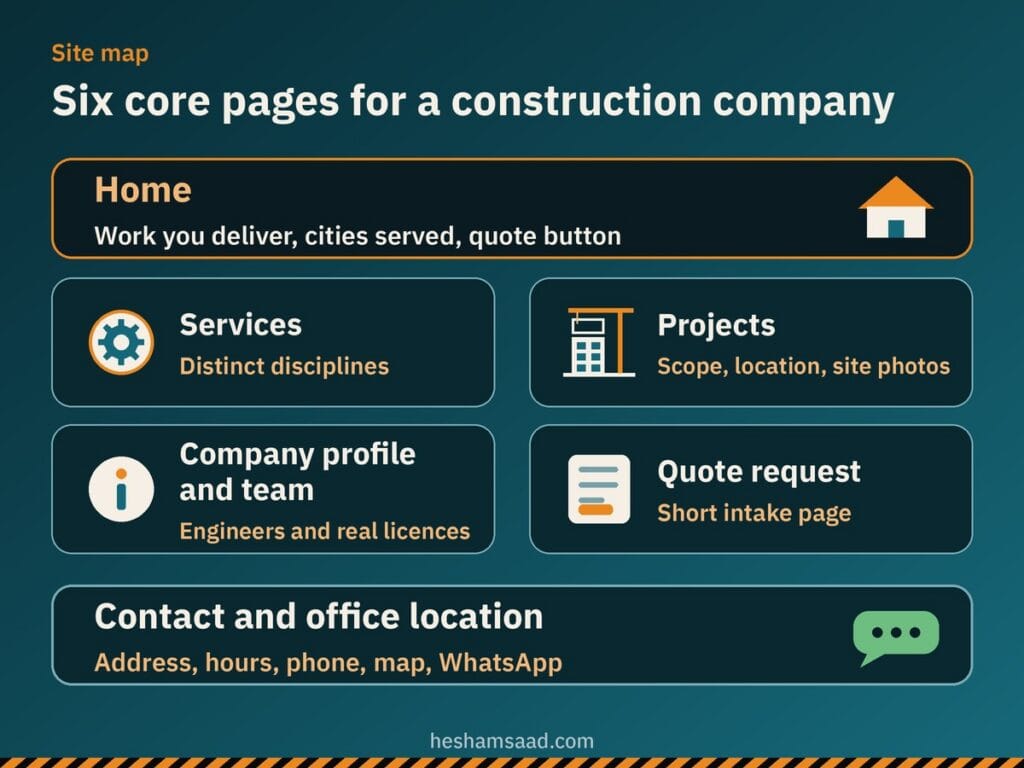
Keeping this six-part structure consistent in both languages also makes your building company website simple for an office coordinator or business development engineer to update whenever your team hands over a finished site.
Dedicated service pages, real projects and company licences
A common mistake in construction website design is squeezing civil works, interior fit-out, steel structures and facility maintenance onto a single bulleted page. Someone searching Google for warehouse construction in Dammam, office fit-out in New Cairo or villa finishing in Jeddah wants a page built around that specific scope. Giving each core discipline its own URL lets every service rank independently in search and reassures buyers that your crews handle that work regularly.
Write every service page in plain business language rather than copying tender boilerplate. Explain which property types the service covers, whether you work from consultant drawings or turnkey briefs, how site supervision runs and which cities your teams cover. Connect each service page directly to completed projects in that category and finish with one clear prompt to request a quote.
Your project portfolio carries the strongest proof on the site, so publish only real projects your company actually executed and is allowed to show. Always ask the client’s permission before naming a client or showing photographs of an occupied home, office or commercial property, and never invent a client name, a year, a contract figure or a result. Give each project page structured fields covering the project name or property type, city or district location, year, scope of work, your company’s specific role and real photos.
You do not need to upload every picture sitting on a site engineer’s phone. As practical editorial advice rather than a strict rule, a few strong, clearly labelled photos per project showing conditions before work, neat progress during execution and the finished handover beat a huge unlabelled gallery that visitors stop scrolling through on mobile.
Apply the same honesty on your company profile page when mentioning contractor licences, classifications or quality certificates. Show a licence, classification or certificate on the site only if your company really holds it, writing the number or issuing body accurately as it appears on the official document. Because requirements differ per country and contracting activity, check directly with the relevant authority in your market.
Comparing quote request forms, booking plugins and WhatsApp
Contracting inquiries arrive at different stages of readiness: a consultant may have a bill of quantities ready for pricing, while a property owner may want an initial discussion before drawings exist. Match your intake setup to how your estimating engineer reviews leads. Most contracting firms across Egypt, Saudi Arabia and the Gulf use one or a combination of three setups.
A structured quote request form
For most builders, finishing contractors and MEP firms, a structured quote request form works best as the primary path because pricing requires project context first. Ask for the visitor’s name, company name if commercial, phone number, email, project city or district, service needed, property type and stage such as drawings ready or site visit needed. Your technical office reviews the request and calls back to arrange drawing transfer through official company channels.
Scheduling plugins for fixed consultation slots
Design-and-build studios or showroom contractors offering fixed-hour office or discovery consultations can install scheduling plugins from WordPress.org such as Amelia or Bookly. The free Amelia Lite plugin provides a booking calendar, services, staff, email notifications and automatic prevention of double booking, with forms built using Gutenberg blocks, Elementor or Divi. Note that certain integrations, unlimited employees, custom notifications, reminders and multilingual support are not included in Amelia Lite.
Bookly also offers a free scheduling plugin on WordPress.org for online bookings, a calendar, services and a client base where customers choose a category, service and employee. Review free limits early because online payments, unlimited staff members and services, and add-ons are not included in the free version. We compare calendars, deposits and Arabic setup in our guide to building a WordPress booking website.
WhatsApp click-to-chat for quick initial contact
Property owners and site consultants in MENA routinely open WhatsApp first to confirm whether your crews serve their district or project type. Add a direct chat button using WhatsApp’s official https://wa.me/ link format with your country code and digits only, plus an optional ?text= parameter for a short starter message. As practical editorial advice, do not ask clients in pre-filled text or chat messages to send ID numbers, contracts or private documents.
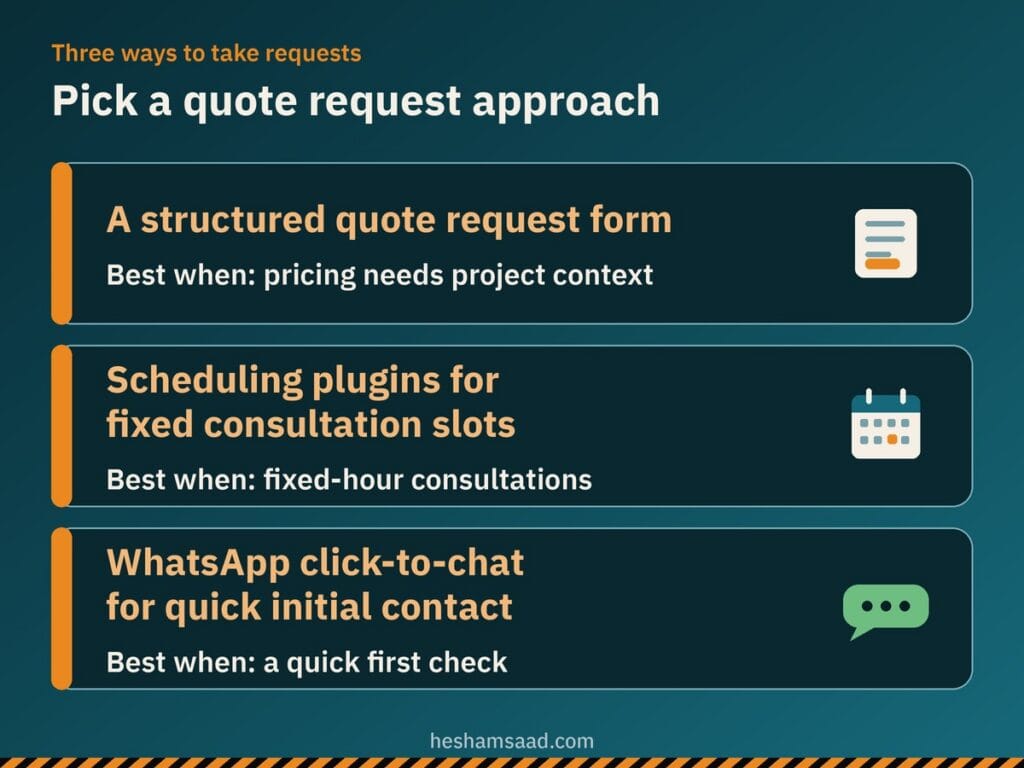
Pairing a structured quote request form on service and project pages with a secondary WhatsApp button suits most contracting companies cleanly. State your office working hours beside both options so prospects know when your estimating desk replies.
Local search, Google Business Profile and service areas
Your website and your Google Business Profile reinforce each other whenever local buyers search Google or Google Maps for contractors nearby. Google Business Profile documentation explains that local results are based mainly on relevance, distance and prominence, where prominence also reflects web links and reviews alongside algorithm details Google keeps confidential. Nobody can promise rankings, yet keeping complete, accurate company details builds local consistency, as covered in our WordPress local SEO guide.
Read Google Business Profile representation and service-area rules carefully, since contracting companies operate differently from retail shops. Maintain one profile per business matching your real-world signage and stationery, with accurate address or service-area boundaries. If your company visits client sites and does not serve customers at its office, set up a service-area business and remove the street address from the profile, whereas a hybrid business serving clients at its office and visiting sites can show its address and up to 20 service areas, noting that edits may take up to 48 hours to show.
If your company has a real public office address where clients can visit, a developer can also add LocalBusiness structured data to your pages. Google Search Central advises using the most specific subtype possible, requiring business name and address while recommending telephone, openingHoursSpecification, geo and url. Schema.org places GeneralContractor under HomeAndConstructionBusiness and LocalBusiness, and while Google does not guarantee rich results, your developer should check markup with the Rich Results Test. Remember too that Google Maps user-generated content policy states reviews must reflect a genuine experience, so never post fake reviews.
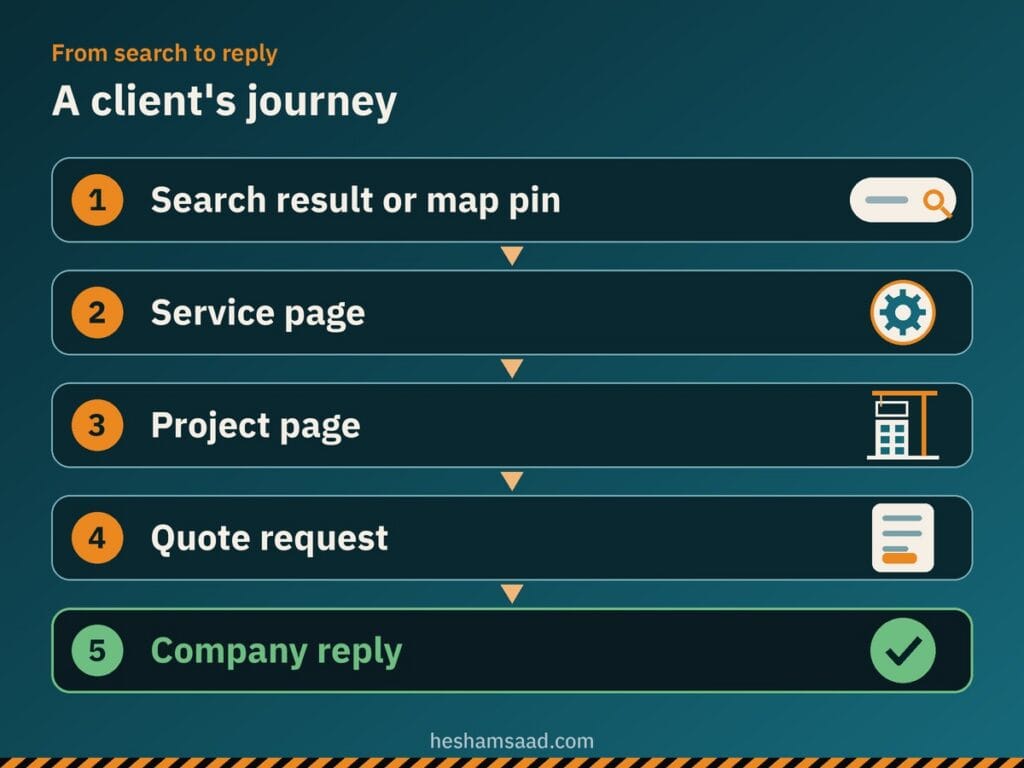
When your map listing, dedicated service pages and documented project portfolio align, prospects move naturally from a search result or map pin to verifying similar jobs in nearby districts and submitting a clear quote request.
Building Arabic and English pages without RTL layout bugs
Contracting teams across MENA frequently speak to local property owners in Arabic while presenting capabilities to international consultants, franchise brands and corporate tenants in English. Relying on unreviewed automatic translation widgets on an Arabic RTL company profile website damages credibility quickly when engineering and finishing terms get translated word by word. Human-written copy in both languages shows the precision clients expect on site.
The free Polylang plugin on WordPress.org translates posts, pages, media, categories, tags and custom post types, and RTL scripts are supported. You can set the language by URL code, subdomain or separate domain per language and add a language switcher using blocks, a widget or a menu item, with more features offered in Polylang Pro.
Switching between English and Arabic flips menu order, project detail tables, gallery arrows and form alignment, so inspect every template on an actual smartphone. If you install Amelia Lite, note that while Arabic is among its available translations, you should test the front booking form in Arabic yourself before launch. Our guide to fixing WordPress RTL issues walks through the font, direction and phone field checks that keep bilingual pages tidy.
Keeping heavy site photography fast on mobile connections
Site progress photos taken on modern phones are large enough to stall portfolio pages when prospective clients browse on cellular data. On web.dev, Google centers Core Web Vitals on Largest Contentful Paint (LCP), Interaction to Next Paint (INP) and Cumulative Layout Shift (CLS), noting that LCP measures the time until the largest visible image or text block renders, with a good score of 2.5 seconds or less for at least 75% of page visits.
Choose appropriate web image formats and resize project photographs before uploading so portfolio pages render quickly. Do not lazy-load the main hero image above the fold so top-of-page rendering stays responsive, and apply browser-level image lazy loading to project gallery images and thumbnails further down the page, following our WordPress image optimization guide. A similar project-first structure for design studios is covered in our interior design website WordPress guide.
Protecting quote inquiries and WordPress security
Keep public quote request forms restricted to contact and basic scope fields rather than asking visitors to upload confidential tender drawings, signed contracts or personal ID documents on an open web page. Add a clear note beside the submit button explaining how your office uses those contact details solely to review and reply to the inquiry.
Back up clean intake habits with official WordPress.org security practices: run both your public pages and administration dashboard over HTTPS, keep WordPress core, plugins and themes updated strictly from official WordPress.org releases, maintain regular backups and give staff editors limited roles rather than administrator accounts, using our checklist for running a WordPress security audit.
What drives project cost and when a developer helps
The budget for a contracting website depends on practical scope rather than an arbitrary template figure. Key cost drivers include the number of individual service and project pages, how much written copy and sorted photography is ready, Arabic and English versions, quote form routing logic, integrations, photo gallery needs and ongoing care and maintenance after launch.
How soon you go live follows the same logic rather than a fixed number of days or weeks: timing depends on content readiness across service descriptions, project photos, official licence documents and Arabic copy, plus internal approvals and quote setup testing. Investing in custom WordPress development pays off when you want structured project templates, clean bilingual RTL typography, fast photo galleries and a dashboard your team can update safely.
As your concrete next step, list your core contracting services, pick real completed projects you have client permission to display, gather any official licence details your company holds and decide whether leads should reach you through a quote form, scheduled consultation slots or WhatsApp. Bring those notes when you book a free consultation, and we will map out a practical WordPress plan built around your contracting company.
Frequently asked questions
Does a contracting company need a website if it gets work by referral?
Yes, because referred property owners, consultants and procurement teams still look up your company online before requesting a price. They want to confirm your core services, inspect real completed projects, check your office or service areas and verify how to contact your estimating team. A clear website backs up warm referrals with organized proof and connects directly with your Google Business Profile.
Can WordPress handle quote requests?
Yes, WordPress supports three practical ways to collect contracting inquiries depending on how your team reviews leads. Most builders use a structured quote request form for project location, scope and service type, while firms offering fixed-hour consultations can add WordPress.org booking plugins such as Amelia Lite or Bookly alongside WhatsApp click-to-chat. Review free plugin limits early because online payments, certain reminders and unlimited staff require paid upgrades.
How do I show an Arabic and English site?
You can manage linked Arabic and English pages on WordPress using the free Polylang plugin from WordPress.org. Polylang supports right-to-left scripts, assigns separate URLs by language code, subdomain or domain, and places a language switcher in your menu, header block or widget area. Use human-written copy for both languages rather than automatic translation, and test forms, project pages and booking screens on mobile in right-to-left view.
How many project photos should the site show?
There is no fixed rule, and as practical advice, a few strong labelled photos per project beat a big unlabelled gallery that slows mobile pages down. Show real before, during-execution and finished handover views where available, paired with the city, scope of work and your company role. Always get client permission before naming a client or showing an occupied property, and compress images before uploading.
How long before I can go live?
Your launch timeline depends mainly on content readiness, internal approvals and how complex your quote request setup needs to be. A contractor launching with ready service descriptions, sorted project photos and a straightforward quote form goes live much sooner than a company still gathering site photography, official licence documents, reviewed Arabic copy and booking calendars. Preparing your approved project list and bilingual text early prevents avoidable delays.
References
- Amelia Booking for Appointments and Events Calendar on WordPress.org
- Bookly Responsive Appointment Booking and Scheduling Tool on WordPress.org
- Polylang Multilingual Plugin on WordPress.org
- Google Search Central: Local Business Structured Data
- Schema.org: GeneralContractor Type
- Schema.org: HomeAndConstructionBusiness Type
- Google Business Profile Help: Guidelines for Representing Your Business on Google
- Google Business Profile Help: Manage Service Areas for Service-Area and Hybrid Businesses
- Google Business Profile Help: Tips to Improve Your Local Ranking on Google
- Google Maps User-Generated Content Policy: Fake and Misleading Content
- WhatsApp Help Center: How to Use Click to Chat
- web.dev: Web Vitals
- web.dev: Optimize Largest Contentful Paint
- web.dev: Browser-Level Image Lazy Loading for the Web
- web.dev: Choose the Right Image Format
- WordPress Developer Resources: Hardening WordPress
- WordPress.org Documentation: HTTPS for WordPress