هذا المقال متوفر باللغة العربية — اقرأ بالعربية
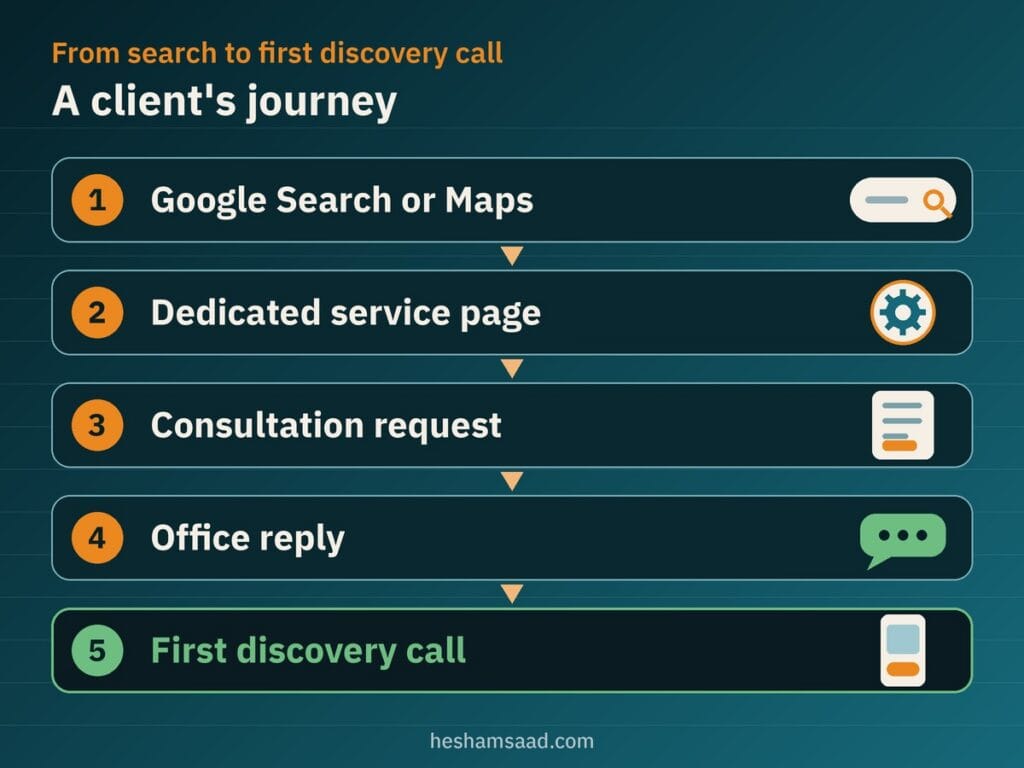
Most partners planning an accounting firm website WordPress build already get most of their clients through referrals from fellow business owners, bankers, or corporate lawyers. Yet even a strong personal recommendation rarely leads to an immediate phone call. When a founder or finance manager in Cairo, Riyadh, or Dubai hears your firm’s name, they search for you online first to check what services you handle, who runs the practice, and where your office operates.
If they land on an outdated page, a broken form, or nothing at all, doubt creeps in before you ever speak. Much like building a law firm website on WordPress, an accounting or audit website wins inquiries through clarity, discretion, and verifiable facts rather than flashy effects. Below is what your site needs to turn referral lookups and local searches into real consultation requests.
Core pages for an accounting firm website WordPress project
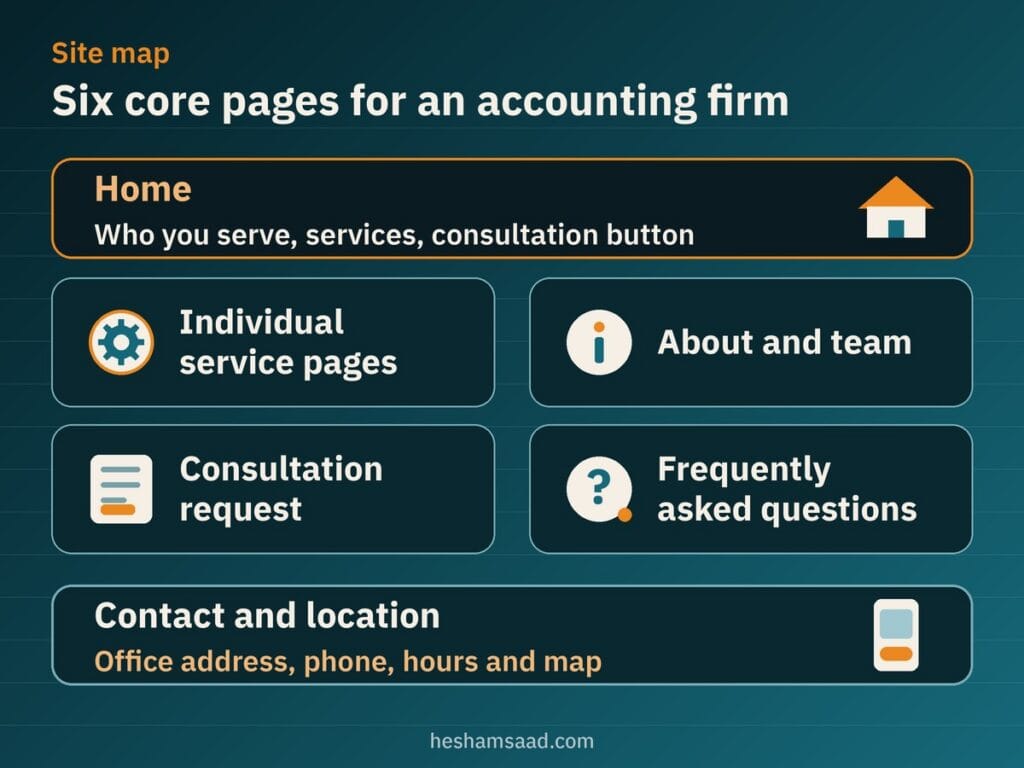
Company owners comparing bookkeeping or audit practices want to confirm quickly whether your office handles their situation. A clear site structure moves visitors straight from your home page to the right service description and shows them how to request an introductory conversation without digging through cluttered menus.
- Home: states clearly what types of businesses your office serves, outlines your core services, and leads to a visible consultation button.
- Individual service pages: gives every service you genuinely provide its own page instead of lumping everything into one bullet list.
- About and team: introduces your partners and senior staff, explains how you work with clients, and shows verified credentials.
- Consultation request: provides one straightforward page to send an inquiry or book a call, explaining what happens next.
- Frequently asked questions: answers practical questions on onboarding, supported languages, and communication before the first call.
- Contact and location: lists your real office address, phone lines, working hours, and map directions.
Giving each service a dedicated page helps each offering appear in search and speaks directly to a business owner’s immediate need. Depending on what your practice truly delivers, those pages might cover bookkeeping, payroll, company setup support, audit support, or tax filing support, provided you publish pages only for services your office genuinely offers.
Organize every service page around who the service is for, what deliverables are included, how the engagement starts, and one clear consultation button. Leave fee tables off the page when scope depends on company size, and avoid stating tax rules, filing deadlines, or VAT rates on your site; whenever tax regulations come up, tell readers to check directly with their official tax authority.
Building real trust and presenting team credentials honestly
Handing financial statements, payroll records, or audit working papers to an external practice requires real confidence. Business owners look right past stock photos of calculators and handshakes because they want proof that an accountable local team stands behind the website. Real trust signals come from publishing your actual office address and telephone number, real partner and staff names with their roles, the services you truly deliver, and a clear explanation of what happens after someone requests a consultation.
Apply the same honesty to partner profiles and professional titles. Show a qualification, membership, or licence only when that person or your office genuinely holds it, written exactly as it appears on the official document together with the issuing body. Because accounting titles and licensing requirements differ across countries in MENA, always check with the relevant authority before listing credentials on your site.
Never pad your pages with invented client counts, unverified badges, exaggerated history, or fictional quotes, and display real client names or logos only with explicit permission. If you showcase client reviews from Google, follow the Google Maps User Generated Content Policy so every rating and review reflects a genuine experience with your office.
How to take consultation requests without friction
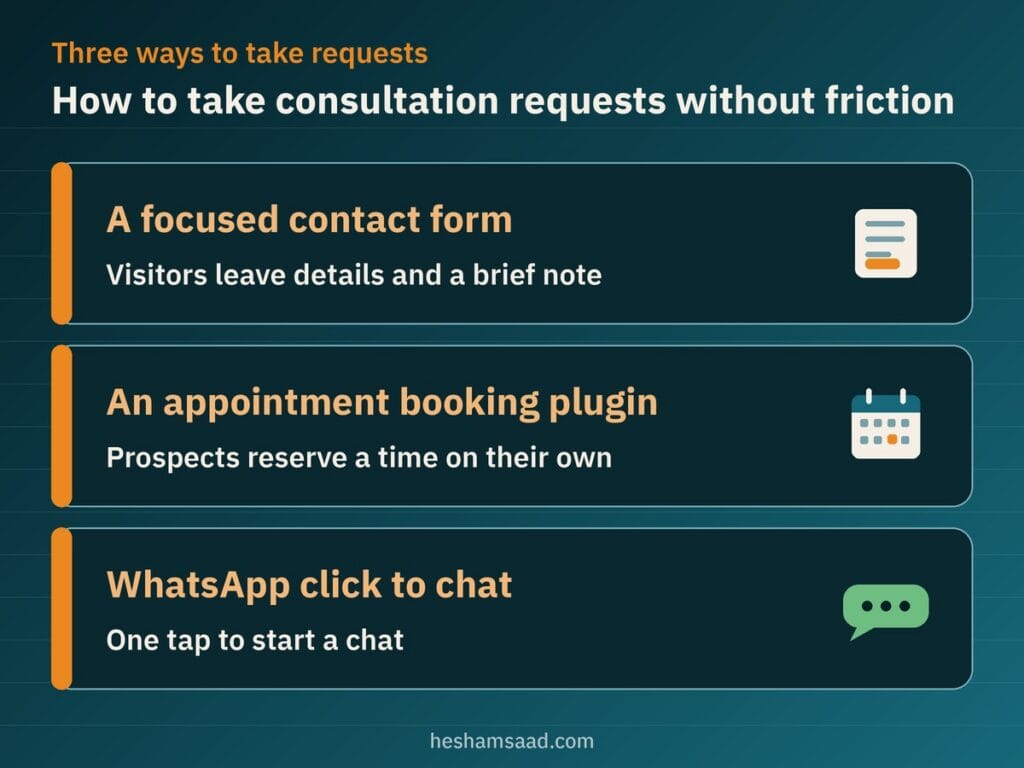
Once a founder reads your service page and checks your partners, asking for an introductory conversation should be straightforward. Different offices handle new inquiries differently depending on partner schedules and how prospective clients are screened. On WordPress, you can choose between a simple inquiry form, a booking plugin, or an official WhatsApp chat link.
A focused contact form
A short consultation request form works best when a partner prefers reviewing the company profile and service interest before offering a meeting slot. Visitors leave their contact details and a brief note, and your office replies by phone or email to schedule the call.
An appointment booking plugin
When partners set aside dedicated weekly slots for discovery calls, a scheduling plugin lets prospects reserve a time on their own. Amelia offers a free Amelia Lite plugin on WordPress.org with a booking calendar, services, staff profiles, email notifications, automatic prevention of double booking, and forms placed using Gutenberg blocks, while certain integrations, unlimited employees, custom notifications, reminders, and multilingual support belong to the premium version.
Bookly is another free scheduling plugin on WordPress.org with an online calendar, services, and a client base where customers choose a category, service, and employee, though online payments, unlimited staff members and services, and add-ons are not in the free version. For a full comparison of scheduling options, Arabic configuration, and pre-launch checks, read our guide to building a WordPress booking website.
WhatsApp click to chat
Many business owners in Egypt and the Gulf prefer opening a quick WhatsApp message to ask about availability. Using WhatsApp’s official click to chat link format, written as https://wa.me/ followed by your full phone number with country code in digits only and an optional ?text= pre-filled greeting, prospects can reach your desk in one tap. As practical advice from our side, keep pre-filled text limited to requesting a call and never ask visitors to send ID numbers, contracts, or private documents in chat.
Protecting client inquiries and avoiding risky document uploads
Accounting inquiries touch sensitive company affairs from the very first message, so restraint in your forms is essential. As practical editorial advice, collect only what your team needs to reply to an initial inquiry: the person’s name, their preferred contact method, the service they are interested in, and a short message. Do not ask for tax numbers, ID copies, bank details, or financial statements in a first website form.
Partners often ask whether prospective or active clients can upload balance sheets, receipts, or contracts directly on the website. Our practical advice is to leave file upload fields off public inquiry forms and treat client document uploads as a separate project altogether. Before accepting documents through your site, plan with a developer and your office’s own data protection advisor where files are stored, who can open them, how long they are kept, and how they are removed, rather than assuming any plugin handles uploads securely on its own.
Pair minimal inquiry forms with WordPress’s own documented security fundamentals. Run the entire site over HTTPS, follow official Hardening WordPress documentation by keeping WordPress updated using official releases from WordPress.org only, and review our WordPress security audit guide before going live. WordPress’s security handbook also includes dedicated guidance on backups, and as practical advice you should test restoring a backup periodically so you know recovery works.
You should also publish a clear Privacy Policy page explaining how contact inquiries are handled. Since WordPress 4.9.6, administrators can visit Settings and then Privacy to create a new Privacy Policy page or choose an existing one. While WordPress provides helpful prompts and suggestions on that screen, it remains the site owner’s responsibility to use them properly, supply the accurate details the privacy policy requires, keep it up to date, and link the page clearly across your site since theme support varies.
Helping local business owners find your office on Google and Maps
Whether a company founder already has your name from a colleague or searches for an accounting office in their district, Google Search and Google Maps are usually where they check your location and opening hours. Setting up your local presence properly connects those searches directly to your service pages. For a complete walkthrough, see our guide on WordPress local SEO.
Start with one accurate Google Business Profile that represents your firm just as it appears in the real world on your office signage and stationery. Google’s guidelines require an accurate and precise address or service area, allow a profile whether clients visit your office or your team travels to clients, and permit only one profile per business. Google Business Profile documentation notes that local results depend mainly on relevance, distance, and prominence, including complete business info, web links, and genuine reviews, while algorithm details remain confidential and rankings can never be guaranteed.
If your practice operates from a real public office address, a developer can also add Schema.org AccountingService structured data, a specific subtype under FinancialService and LocalBusiness. Google Search Central advises using the most specific LocalBusiness subtype, requires your business name and address, recommends fields such as telephone, openingHoursSpecification, geo, and url, and provides the Rich Results Test for validation without promising rich results in search.
Running an Arabic and English accounting website cleanly
Across Egypt, Saudi Arabia, and the Gulf, an accounting or audit office often deals with Arabic-speaking founders alongside international shareholders or English-speaking finance managers. Presenting both languages clearly lets every decision-maker read your service scope and consultation process in the language they work in every day.
On WordPress, the free Polylang plugin translates posts, pages, media, categories, tags, and custom post types, supports RTL scripts, sets the language by URL code, subdomain, or separate domain, and offers a language switcher through blocks, a widget, or a menu item, with additional features in Polylang Pro. Write both Arabic and English pages naturally with accurate accounting terminology instead of relying on unedited machine translation.
Always test your forms and layouts after switching between English and Arabic. For example, while Arabic is among the available translations for Amelia, you should test the front booking form in Arabic yourself rather than assuming every step displays cleanly in right to left mode. If alignments, menus, or form fields flip the wrong way, check our guide to fixing WordPress RTL issues.
What shapes your project scope and launch timeline
Partners budgeting for an accounting website will find that effort depends on practical project choices rather than a generic package. Key scope drivers include the number of individual service pages, how much written copy, partner profiles, and real photography is already prepared, whether you publish in both Arabic and English, your consultation or booking setup, form and privacy configuration, external integrations, and ongoing care after launch. For a clear look at how scope affects project planning, read our breakdown of WordPress website cost in the AI era.
Launch timing follows the same logic instead of a fixed calendar promise. How quickly your office goes live depends mainly on content readiness, including approved service descriptions, verified partner credentials, authentic office photos, and bilingual copy, alongside partner sign-off and testing your consultation request workflow.
When working with a WordPress developer helps your office
Managing client engagements leaves partners with little time to troubleshoot Polylang URL structures, RTL booking layouts, AccountingService structured data, or WordPress hardening rules. Investing in professional WordPress development gives your practice a fast, clean website with restrained inquiry forms, verified local search markup, and a back end your team can update safely as services grow.
As your concrete next step, write down the exact services your office provides today, gather the verified titles and issuing bodies for each partner, and decide whether new prospects should fill out a brief inquiry form, book a call slot, or reach out via WhatsApp. Once you have those notes ready, request a free consultation and we will map out the right WordPress structure for your accounting practice.
Frequently asked questions
Does an accounting office need a website if clients come by referral?
Yes, because business owners who receive a referral still look up your office online before making contact. A clear website confirms your services, real partner credentials, office address, and phone number so referred prospects feel confident reaching out. It also gives local companies searching on Google and Maps a direct way to request an introductory consultation with your team.
Can WordPress take consultation requests?
Yes, WordPress supports several practical ways to receive consultation requests depending on how your partners manage their schedule. You can use a short inquiry form that collects basic contact details and service interest, add a scheduling plugin such as Amelia or Bookly for calendar slots, or place an official WhatsApp click to chat link for quick messaging.
Is it safe to let clients upload documents through the site?
As practical advice, the safe default is to not collect client documents, ID copies, or financial statements in a first inquiry form. Keep your initial form limited to basic contact details and the service requested. If your office wants online file uploads later, plan storage, access permissions, retention, and removal with a developer and your data protection advisor first.
How do I show an Arabic and English site?
You can run both languages on WordPress using Polylang, which translates pages, posts, media, categories, and tags while supporting right to left scripts and adding a language switcher. Write each service page naturally in both Arabic and English with accurate accounting terms instead of raw machine translation. Before going live, test your layouts and booking forms carefully in Arabic.
How long before I can go live?
There is no fixed timeline because going live depends mainly on how ready your office content is when work begins. Gathering clear service descriptions, verified partner credentials, real office photos, and approved copy in both Arabic and English takes the most preparation. Partner reviews and choosing between a simple inquiry form or calendar booking also shape the launch schedule.
References
- Schema.org: AccountingService Type
- Google Search Central: Local Business Structured Data
- Google Business Profile Help: Guidelines for Representing Your Business on Google
- Google Business Profile Help: Tips to Improve Your Local Ranking on Google
- Google Maps User Generated Content Policy
- WhatsApp Help Center: How to Use Click to Chat
- WordPress Advanced Administration Handbook: Hardening WordPress
- WordPress Documentation: HTTPS for WordPress
- WordPress Documentation: Settings Privacy Screen
- WordPress Advanced Administration Handbook: WordPress Backups
- WordPress.org Plugin Directory: Amelia
- WordPress.org Plugin Directory: Bookly
- WordPress.org Plugin Directory: Polylang