هذا المقال متوفر باللغة العربية — اقرأ بالعربية
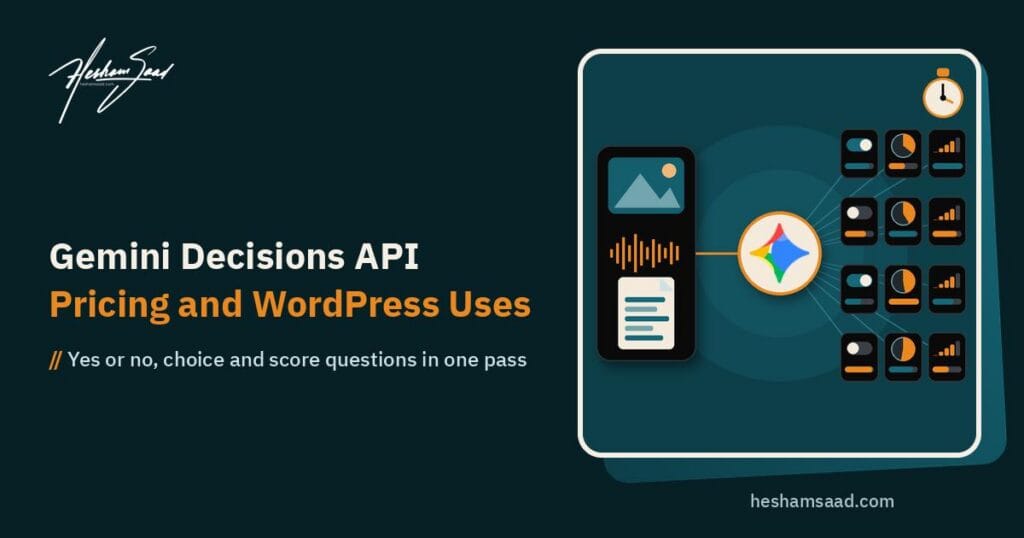
On November 11, 2026, Google DeepMind Product Manager Min Choi and Principal Scientist Felix Yu introduced the Gemini Decisions API, a new endpoint in Google AI Studio powered by the Gemini Decision 1 model (gemini-decision-1). Instead of generating text token by token like a chat model, this endpoint takes one multimodal input along with up to 1,000 closed-set questions and returns calibrated probabilities and confidence scores in a single forward pass. It is built specifically for bounded software choices such as policy checks, support routing, rubric grading and tool selection where you want a clean number rather than a paragraph of prose.
For business owners and developers running WordPress sites and WooCommerce stores in Egypt, Saudi Arabia and the wider Gulf, this separates two very different jobs that teams previously forced through one text generator. While many store owners are preparing their catalogs for external AI discovery after recent updates for businesses in ChatGPT, daily store operations rely on quiet back-office checks: filtering form spam, routing customer tickets, reviewing product photos and deciding which inquiries need a human agent. Below is a full breakdown of how the endpoint works, what it costs, how it compares with rivals, what limits still apply, and how a developer can wire it into WordPress and WooCommerce.
How the Gemini Decisions API differs from a normal generative call
In a standard large language model request, you ask a question and pay the model to generate output tokens one by one, even if all you want is a single category label or a yes-or-no flag. Developers often wrap those calls in strict prompt rules or schema validators just to stop the model from adding conversational filler, and they still pay for output generation and extra latency. When your feature actually needs written paragraphs, custom JSON generation, tool calls with arguments, or multi-step reasoning, Google directs you to use the Interactions API and a full generative model such as the one we covered in our guide to Gemini 4 Carbon.
The Gemini Decisions API removes text generation altogether. On the model specification page for gemini-decision-1, the output token limit is literally 0, and features like text generation, structured outputs, function calling, thinking, search grounding and the Live API are not supported. Instead of predicting the next word in a sentence, the model evaluates your predefined options in one forward pass over the shared input and outputs a probability distribution between 0 and 1.
Crucially, every question you attach to a request is scored in parallel and in complete isolation. Questions cannot see one another, so adding, editing, or removing Question B will never shift the probabilities returned for Question A. That makes it practical to evaluate dozens of independent business rules against a single customer message or uploaded document in one round trip.
How a request works: multimodal inputs, question types and confidence
Developers call the endpoint through REST at POST https://generativelanguage.googleapis.com/v1beta/decisions or through version 3.2 or later of the official SDKs (google-genai for Python and @google/genai for JavaScript). In Python, you initialize genai.Client(http_options={"api_version": "v1beta"}) and call client.decisions.create(model="gemini-decision-1", input=..., questions=...). The input field uses the exact same Content block format as the Interactions API, while the questions field contains between 1 and 1,000 text-only question definitions.
One request can combine multiple media types inside a single 262,144-token context window (referred to as 256K tokens in Google’s launch post) shared across the input and all questions:
- Text blocks, such as a customer support message, product description, or serialized account metadata.
- Images in
png,jpeg,webp,heic,heif,gif,bmpandtiffformats. - Audio files in
wav,mp3,aac,ogg,flac,m4a,opusand additional supported formats. - Video clips in
mp4,mpeg,mov,avi,webmand other supported formats, plus PDF documents.
You can pass media as inline base64 payloads up to 100 MB per request (capped at 50 MB for PDFs), via Files API URIs, or through public or signed HTTPS URLs up to 15 MB per external URL. To control visual detail and token usage on images and videos, developers can set media resolution to low, medium, high, or ultra_high (with ultra_high available for images only). For example, a single call can inspect a recorded phone call alongside customer account metadata, or check a scanned PDF claim together with damage photos.
Each question in the request uses one of three structured types, and because the model never sees the dictionary keys you use to label your questions, you must write the full question inside the instruction text:
noul: A yes-or-no question that accepts optionaltrueandfalsecriteria to define what counts as a positive match. The returned probability always falls between0.01and0.99, and the confidence score equals the maximum ofnouland1minusnoul.choice: A multiple-choice question with 2 to 255 options. The API sorts option keys alphabetically before evaluation and returns the winning key plus normalized probabilities across all options. Because those probabilities always sum to1even when none of your options fit the input, Google recommends combiningchoicewith a confidence threshold, an independent yes-or-no scope question, or a catch-all option namedother(specifically notnone_of_the_above).score: An ordered rubric starting at index0with 2 to 255 levels (Google recommends keeping rubrics between 2 and 10 levels). The API returns per-level probabilities as well as a continuous score calculated as the probability-weighted average of the level indices.
Pricing, free tier privacy rules and worked cost math
According to Google’s official pricing documentation, the paid tier for gemini-decision-1 costs 0.10 USD per 1 million input tokens across text, image, video, audio and PDF inputs, and 0 USD for output tokens. There are no output-token charges, no thinking-token charges, and no separate fees for audio transcription or optical character recognition. Importantly, the shared input is billed once per request regardless of how many questions you ask; each additional question only adds the tokens contained in its own instruction and criteria text.
To see how that translates to a busy website, here is a simple example using our arithmetic. Suppose an online store or content platform sends 2,000 input tokens per request (such as a product submission with a photo or a detailed customer inquiry) across 100,000 requests in a month. Multiplying 2,000 tokens by 100,000 requests equals 200 million input tokens, which costs 20 USD on the paid tier. If your developer asks 10 separate policy and routing questions about each comment or ticket inside that same request, the 2,000-token input is still billed only once per submission rather than 10 times, and you only pay a small fraction more for the instruction tokens of those 10 questions.
Google AI Studio also includes a free tier where input tokens are free of charge for prototyping. However, Google’s pricing page explicitly states that data sent on the free tier is used to improve Google products, whereas data sent on the paid tier is not used to improve Google products. In our view, any business website handling real customer messages, contact details, or store documents should attach a paid billing account before moving past dummy test data.
Rate limits and regional availability in MENA
Google’s rate limits documentation defines four usage tiers for Gemini Decision, measured per project in requests per minute (RPM), tokens per minute (TPM) and requests per day (RPD):
- Free tier: 200 RPM, 50,000 TPM and 10,000 RPD.
- Tier 1: 1,500 RPM, 1,000,000 TPM and 50,000 RPD.
- Tier 2: 5,000 RPM, 4,000,000 TPM and unlimited RPD.
- Tier 3: 15,000 RPM, 10,000,000 TPM and unlimited RPD.
Daily request quotas reset at midnight Pacific time, and Google notes that specified rate limits are not guaranteed. In our view, Tier 1 capacity of 1,500 requests per minute and 50,000 requests per day covers the moderation and routing volume of most small and mid-sized stores, but check your own peak traffic first.
On regional access, the general Gemini API and Google AI Studio available regions list includes Egypt, Saudi Arabia, the United Arab Emirates, Kuwait, Qatar, Jordan and Morocco. That said, Google has not published a Decision-specific region list, data residency options, or a service level agreement, and support for Gemini in Google Cloud is only marked as coming soon without a confirmed release date.
What Google claims about speed, calibration and internal use
In its launch announcement, Google reports that the endpoint delivers 150 to 250 milliseconds of end-to-end latency, with median model compute taking 50 to 100 milliseconds across multimodal inputs and contexts up to 16K tokens. According to Google, that latency stays nearly flat whether you attach 1 question or 100 questions to the request.
On accuracy and cost efficiency, Google claims that across its internal benchmark suite covering agent routing, reasoning, ranking and multimodal understanding, Gemini Decision 1 leads the suite with the lowest calibration error. Because zero output tokens are billed, Google states that running those benchmarks on gemini-decision-1 is nearly 5 times cheaper than using Gemini 3.5 Flash-Lite with the Interactions API.
Google also shared four examples of how its own product teams use the model internally. According to Google, Gemini Notebook uses it as a real-time router to select model tiers and thinking levels, serving everyday queries with up to 40 percent lower latency; the Stitch rapid canvas experiment uses it to build playable wireframes and apply voice or tap edits almost instantly; CC from Google Labs picks an emoji reaction from over 200 options in a fraction of a second; and Google Search uses it as a safety layer for MCP tools to detect adversarial behavior. Alongside the launch, Google pointed developers to demo apps (Doorstep Parcels, Speed Sketch and Find the Zoo Keeper, plus a Decisions Playground linked from the docs) and announced ecosystem integrations rolling out for OpenRouter, LangChain, Vercel, LiteLLM, Pydantic AI, Pipecat, LiveKit and OpenCode alongside the google-genai SDKs, with support for Gemini in Google Cloud described only as coming soon.
Pros and cons for website owners and developers
Looking at the official technical documentation, here is our view of the main strengths and trade-offs when evaluating this API for a production website.
- Strength: Predictable unit economics at 0.10 USD per 1 million input tokens and zero output charges, with shared input billed only once across up to 1,000 questions.
- Strength: Native multimodal evaluation in one pass, letting a developer check text, product photos, voice notes, videos and PDFs together without stitching separate OCR or audio transcription tools.
- Strength: Calibrated probabilities and per-question confidence scores that give developers a clean mathematical cutoff for when to automate an action and when to ask a human staff member.
- Strength: Strict isolation between parallel questions, so adding a new moderation rule does not accidentally skew existing routing rules.
- Trade-off: Available only on the Gemini Developer API in
v1beta, with no Google Cloud integration, no SLA and no regional data residency controls yet. - Trade-off: No context caching and no Batch API support, so any repeated reference text or question definitions sent across separate requests are billed in full every time.
- Trade-off: Zero text output means the model cannot explain why it flagged an item or rewrite a messy field, and Google has not published Arabic-specific accuracy or calibration numbers.
How it compares with the OpenAI Decisions API and structured outputs
Google is not the only provider offering a dedicated closed-set decision endpoint. No independent head-to-head benchmark comparing Gemini Decision 1 with rival endpoints has been published, so we will compare them strictly using each vendor’s official documentation and label any practical takeaway as our view.
The closest direct competitor is the OpenAI Decisions API, which is generally available at POST /v1/decisions and runs exclusively on gpt-6-luna. Both Google and OpenAI charge the exact same base rate of 0.10 USD per 1 million uncached input tokens, charge nothing for output tokens, and evaluate three parallel question styles (Google calls them noul, choice and score; OpenAI calls them predicate, choice and score). OpenAI states in its documentation that its endpoint is about 10 times faster than its Responses API.
Where they diverge is media support, caching and maturity. According to Google’s docs, gemini-decision-1 accepts up to 1,000 questions per call and handles text, images, audio, video and PDF files, but runs in v1beta without context caching and requires conversation history or tool calls to be serialized as plain text. According to OpenAI’s docs, gpt-6-luna accepts 1 to 400 questions per call, supports native conversation history with tool calls alongside text, images and JSON, and discounts repeated prefixes through standard gpt-6-luna prompt caching, but does not support audio or file inputs.
Before dedicated decision endpoints existed, developers used generative workarounds. OpenAI Structured Outputs constrains a generative model response to match a supplied JSON Schema (including enums), and an archived OpenAI cookbook recipe shows how developers used the logprobs parameter in Chat Completions to extract class probabilities for classification. Similarly, Anthropic’s structured outputs documentation shows how JSON outputs constrain Claude responses to a schema and how strict tool use validates tool names and inputs, all as generative calls that produce output tokens without a separate decisions endpoint. In our view, schema-constrained generative calls are still the right tool when you need extracted text fields or written explanations alongside a label, while Google’s endpoint fits better when you need audio, video, or PDF scoring with no output token charges.
Best use cases and technical limits to know before building
In our view, the Gemini Decisions API is best suited for high-frequency classification, content moderation, rubric scoring, multimodal upload checks and request routing where every outcome is known in advance. Before writing code, however, developers need to plan around several documented technical constraints and engineering guidelines from Google’s docs:
- Endpoint restrictions: Only
gemini-decision-1on thev1betaDeveloper API is supported. It does not accept YouTube URLs orgs://URIs, does not support Flex or Priority inference, and returns HTTP 400 with a safety error code when an input is blocked by safety filters. - Atomic questions and positive phrasing: Google advises writing small, single-purpose questions with positive phrasing and combining their probabilities in your own code, while sending only the input fields required for the decision.
- Keep math and dates in code: Because the model scores closed sets rather than computing exact values, Google’s docs say to compare numbers, dates and durations in your application code, then pass the result or a named bucket in the input.
- Untrusted user input: Visitor comments, form entries and support tickets can contain text that deliberately argues for its own classification (prompt injection). Treat user input as untrusted and keep a human reviewer or second verification step in place for high-stakes actions.
- Local threshold calibration: Rather than guessing whether
0.75or0.90is a safe cutoff, Google advises setting thresholds using labeled examples from your own traffic and weighing the cost of false positives against false negatives. Because Google has not published Arabic calibration numbers, testing against real Arabic and bilingual inquiries from your own site is essential.
Practical WordPress and WooCommerce workflows a developer can build
Google does not mention a WordPress or WooCommerce plugin for the Gemini Decisions API, and we found none at launch. Any business that wants to use gemini-decision-1 needs a developer to build a custom integration. Based on the capabilities in Google’s documentation, here is our view of five practical ways a developer can apply it on a WordPress or WooCommerce site.
1. Comment and contact form moderation
In our experience, basic spam filters can miss polite link-building spam or misfile genuine Arabic sales inquiries as junk. When a visitor submits a WordPress comment or a contact form entry, a background hook can send the text to gemini-decision-1 with three isolated questions: a noul check for spam or promotional links, a noul check for abusive content, and a choice question classifying the message as a sales lead, support request, or general comment. High-confidence spam goes straight to trash, high-confidence sales leads trigger an instant notification for your sales team, and low-confidence items wait in the WordPress moderation queue.
2. Multimodal support ticket triage
Customers often attach voice notes, phone screenshots, or PDF invoices when reporting an order issue. Because a single request accepts audio, images, PDFs and text together, your support form handler can bundle the customer’s message and attachments into one call. The API can pick the right department via choice, grade issue urgency from 0 to 4 via score, and verify whether a readable receipt or damaged-item photo is actually attached via noul.
3. Product image quality assurance for WooCommerce
On stores with large catalogs or multiple vendors, merchants often upload blurry images, photos with competing watermarks, or pictures that do not match the product title. A developer can hook into the media upload workflow and ask several parallel questions over the image and product title at medium or high resolution, holding products in draft status if confidence falls below your store threshold.
4. WooCommerce product review screening
Store reviews can mix genuine product feedback with shipping complaints or suspicious attacks. A single decision call can evaluate the review text and any buyer-uploaded photos to check policy compliance, rate sentiment on a rubric, and flag delivery complaints so customer service can step in before the review goes live.
5. Smart routing for store chatbots and AI tools
If your site uses a WordPress AI chatbot, sending every simple greeting or order-tracking tap to a large generative model wastes money and slows down replies. A developer can place gemini-decision-1 at the front of the pipeline to classify the visitor’s intent in milliseconds: simple order-status lookups go straight to a deterministic WooCommerce database query, routine catalog questions route to a fast generative model like Gemini Omni 1.2 Flash, and sensitive refund disputes go directly to a human agent.
When building any of these workflows, two engineering rules matter most. First, keep your Gemini API key strictly on the server in environment variables or protected configuration, never inside front-end JavaScript. Second, run the API call asynchronously through Action Scheduler, WP-Cron, or a server-side background job so customer form submissions never stall waiting on an external network call. If you want these safeguards built cleanly into your checkout, catalog, or support system, it makes sense to hire a WooCommerce developer who understands both WordPress hooks and API error handling.
How to plan your next step on WordPress
Before writing any integration code, list the repetitive yes-or-no checks, category assignments, or routing decisions your team currently handles by hand every week. Gather 50 to 100 real examples from your own store (especially Arabic and mixed-language messages), test them in Google AI Studio on a paid billing account so your data stays private, and check where the confidence scores land on borderline cases.
If you want to connect AI routing, automated moderation, or custom back-office checks to your site without slowing down your pages, our WordPress development team can design and build a secure server-side integration tailored to your workflow. Book a free consultation today to discuss your store, review your options and get a clear implementation plan.
Frequently asked questions
What is the Google Gemini Decisions API?
The Google Gemini Decisions API is a specialized endpoint in Google AI Studio powered by the Gemini Decision 1 model that evaluates closed-set questions over multimodal inputs. Instead of generating text replies, it scores yes-or-no, multiple-choice and rubric questions in one forward pass and returns calibrated probabilities and confidence scores between 0 and 1. One request can evaluate up to 1,000 independent questions across text, images, audio, video and PDF documents.
When should I use the Gemini Decisions API instead of a generative model?
Use the Decisions API when your code needs to pick from fixed options, check policy compliance, score content on a numbered rubric, or route requests using calibrated probabilities. It cannot write text, extract free-form fields, or call tools with arguments because its output token limit is zero. Whenever your workflow requires written replies, summaries, custom JSON extraction, or multi-step reasoning, you should call a generative Gemini model through the Interactions API instead.
How much does the Gemini Decisions API cost and is the free tier safe for client data?
On the paid tier, the API costs 0.10 USD per 1 million input tokens across all supported media types, with zero charges for output tokens. Shared input is billed once per request even when you bundle many questions, and each question only adds its own instruction tokens. Google provides a free tier in AI Studio, but free tier inputs are used to improve Google products, so live business sites should use the paid tier.
How does the Gemini Decisions API compare with the OpenAI Decisions API?
Both endpoints charge 0.10 USD per 1 million uncached input tokens, charge nothing for output tokens, and score yes-or-no, choice and rubric questions in parallel. Google supports up to 1,000 questions per call and accepts text, images, audio, video and PDFs, but is currently in v1beta without context caching. OpenAI is generally available on gpt-6-luna with prompt caching and up to 400 questions per call, but accepts only text, images, JSON and conversation history.
Is there a WordPress or WooCommerce plugin for the Gemini Decisions API?
Google does not mention a WordPress or WooCommerce plugin for the Gemini Decisions API, and we found none at launch. To use it on your website, a developer must connect to the REST endpoint or the Google GenAI SDK from your server and store the API key securely outside the browser. Common custom uses include comment and review moderation, support ticket triage, product photo quality checks, and routing chatbot prompts based on confidence thresholds.
References
- Google Blog: Gemini Decisions API: Fast, calibrated multimodal decisions
- Google AI Studio Documentation: Decisions API guide
- Google AI Studio Documentation: Gemini Decision 1 model specifications
- Google AI Studio Documentation: Gemini API pricing
- Google AI Studio Documentation: Gemini API rate limits
- Google AI Studio Documentation: Gemini API available regions
- OpenAI Developer Documentation: Decisions API guide
- OpenAI Developer Documentation: Structured Outputs guide
- OpenAI Cookbook: Using logprobs for classification
- Anthropic Claude Documentation: Structured outputs