هذا المقال متوفر باللغة العربية — اقرأ بالعربية
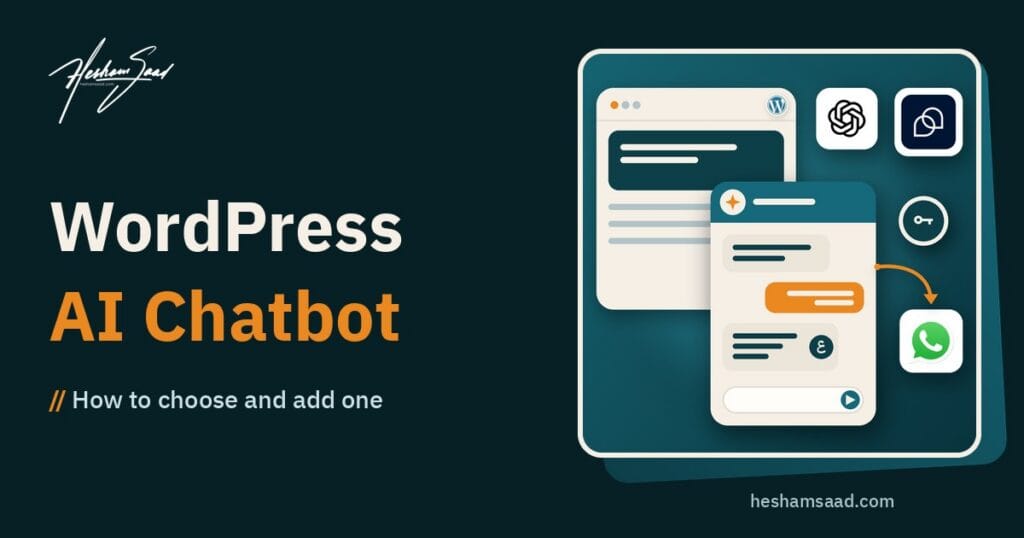
If you run a clinic, shop, training company or agency site in Egypt, Saudi Arabia or the Gulf, visitors still expect a fast answer after hours. A WordPress AI chatbot can collect leads, answer FAQs from your own pages, and hand a warm conversation to a human on WhatsApp when the question is too specific. This guide helps you choose between a WordPress chatbot plugin and a custom build, keep Arabic and RTL working, store API keys safely, and know when to hire a developer instead of experimenting on the live site.
The goal is not to put a talking bubble on every page for the sake of looking modern. The goal is a clear visitor path: ask, get a useful reply, leave a contact detail, or continue with a person. Everything below is written for business owners who compare tools and agencies before they spend money.
What a WordPress AI chatbot should do for a MENA business site
An AI chatbot for WordPress sits on your site, reads a limited set of content or knowledge you approve, and replies in natural language. Some products also open a live chat with your team. Others stay fully automated until a human takes over on another channel. For MENA sites, three jobs matter most.
Lead capture without a long form
Many visitors will not fill a ten field form on mobile. A short chat that asks what they need, their city, and a phone or email often converts better than a static contact page. Store those answers in your CRM, email list or a simple WordPress form entry so sales can follow up the next morning.
FAQ answers from your real content
Price ranges, working hours, delivery areas, course schedules and warranty rules should come from pages you already publish, not from a model that invents numbers. Plugins such as AI Engine (Meow Apps) are built to connect WordPress with models from OpenAI, Anthropic, Google, Mistral and others, and to build chatbots that work from your site content. WPBot on WordPress.org likewise supports OpenAI ChatGPT, Gemini, OpenRouter and DialogFlow, and can run with or without an external LLM for simpler FAQ and lead flows. Treat vendor marketing claims carefully: verify each integration on the plugin page before you buy a plan.
WhatsApp handoff when a human must take over
In Egypt and the Gulf, many buyers finish the conversation on WhatsApp. Your chatbot should collect context (product, budget band, preferred time) and then pass that summary to a human channel. Hosted products such as Tidio document WhatsApp chatbot and automation options on their chatbots product pages, and ship a free Tidio Live Chat WordPress plugin for the on-site widget. For a fully custom handoff, Meta publishes the WhatsApp Cloud API overview. Do not invent a WhatsApp feature for a plugin unless the vendor documents it.
Plugin vs custom: how to choose an AI chatbot for WordPress
You will see three common patterns. They look similar on the front end and behave very differently in cost, control and risk.
| Approach | Best when | Main trade-off | Who maintains it |
|---|---|---|---|
| Hosted SaaS widget (WordPress plugin installs a script) | You want live chat plus AI fast, and you accept vendor hosting for conversations | Visitor data and chat logs sit with the vendor; pricing and limits follow their plan | Vendor, with light work from your team |
| Self-hosted WordPress chatbot plugin (keys on your site) | You want replies grounded in your posts and pages, and you can manage API keys | You own key security, model bills and Arabic quality checks | You or your developer |
| Custom chatbot on the WordPress REST API | You need unique workflows, strict data rules or deep CRM and WhatsApp logic | Higher build cost and longer timeline | A developer or agency |
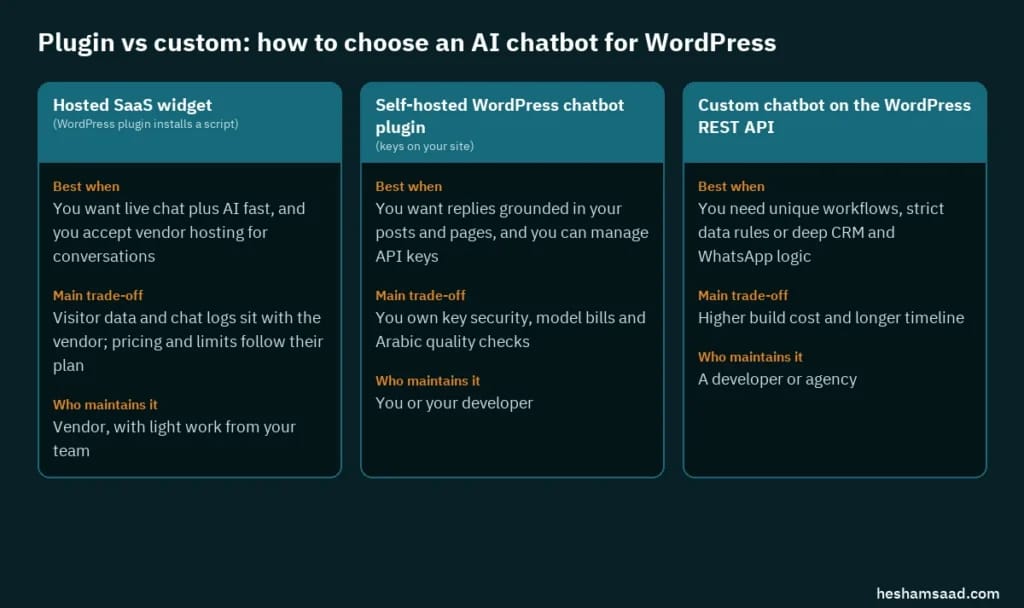
Browse the official WordPress.org chatbot tag to compare free plugins, last update dates and support replies. Prefer plugins that live in the WordPress.org directory or come from a company with clear documentation. That matches the trusted-sources advice in the WordPress hardening guide.
When a plugin is enough
A WordPress chatbot plugin is enough when your use cases are lead capture, FAQ answers from public pages, and a simple handoff to email or a vendor channel. Install on staging first, connect one model or vendor account, and test with ten real questions from your sales team. If replies stay accurate and the widget does not break your theme, you can move to production without a custom build.
When custom work pays off
Choose custom when you need Arabic replies that follow a fixed script for regulated services, when chat must write into a private CRM, when WhatsApp handoff must carry structured fields, or when you refuse to send conversation logs to a third-party SaaS. Custom work usually means a small front-end widget, server-side calls to a model provider, and WordPress endpoints protected with proper authentication. The WordPress REST API handbook is the starting point for that path.
If you are still deciding how much AI should touch the whole site build, not only the chat widget, read our guide on building a WordPress site with AI tools. Chatbots solve visitor questions. Site building tools solve design and content production. Mixing the two into one purchase often creates a messy stack.
Arabic chatbot WordPress requirements: language, RTL and tone
An Arabic chatbot WordPress setup fails in ways English demos never show. Test these points on a phone before you pay for a yearly plan.

- Reply language: Force Arabic for Arabic pages and English for English pages. A bilingual site that answers Arabic questions in English loses trust fast.
- RTL layout: The widget must mirror correctly. Check the open panel, the close button, and long Arabic lines that wrap. Broken padding on the left edge is a common theme conflict.
- Dialect vs MSA: For public FAQs, Modern Standard Arabic is safer. Light Egyptian or Gulf phrasing can sit in suggested quick replies if your brand already speaks that way.
- Numbers and currency: Tell the bot never to invent prices. Point it to a pricing page or a fixed reply that sends the visitor to sales.
- Names and cities: Add your real city list (Cairo, Giza, Riyadh, Jeddah, Dubai) so the bot does not send visitors to the wrong branch.
WPBot documents multilingual chatbot support as a Pro feature on its WordPress.org listing. AI Engine focuses on model choice and content-grounded chatbots on the Meow Apps site. Neither fact replaces a live Arabic test on your theme. Always open the widget on an Arabic URL and ask five questions that only a local client would ask.
Privacy, API keys and safe connection patterns
Every AI chatbot for WordPress that calls an external model needs credentials. Treat those credentials like production database passwords.
Where API keys should live
AI Engine’s official tutorial explains that after install you add an API key to an environment (OpenAI is prepared by default without a key until you enter one) and that you can add more environments for other providers. Whatever plugin you pick, avoid pasting keys into a page builder HTML block or a public JavaScript file. Prefer the plugin’s settings screen, server environment variables, or a private configuration path your host supports. Rotate keys if a staff laptop is lost or a contractor leaves.
Application Passwords for REST access
If a custom chatbot or external tool must call WordPress over HTTPS, use Application Passwords rather than sharing your main login password. As of WordPress 5.6, Application Passwords can be created from Users, Edit User, and sent with Basic Authentication over HTTPS, as documented in the REST API authentication handbook and the Application Passwords integration guide. Create one password per integration, name it clearly, and revoke it when the project ends.
Privacy notice and data minimization
Chat logs can include phone numbers, medical hints, student IDs or payment complaints. Show a short notice near the widget: what you store, how long you keep it, and whether a third-party AI vendor processes the text. Collect only what sales needs. OWASP’s API Security project and the REST Security Cheat Sheet are useful checklists when your chatbot exposes or consumes APIs. For plugin-level AI risk (prompt injection into admin tools, over-permissioned keys), see our separate guide on WordPress AI plugin security.
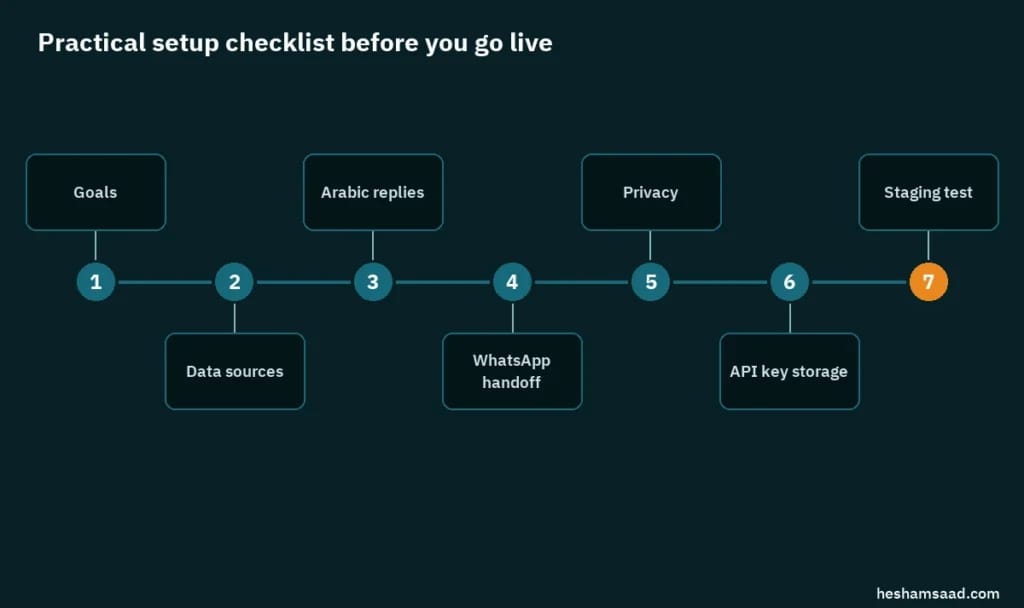
Practical setup checklist before you go live
Use this list before you turn the widget on for the public.
- Goals: Write one sentence. Example: “Qualify course leads after 6 PM and send WhatsApp to the sales phone.” If you cannot write the sentence, you are not ready to install.
- Data sources: List the URLs or PDFs the bot may use. Exclude draft pages, internal price sheets and staff-only notes.
- Arabic replies: Prepare twenty sample questions in Arabic and English. Mark the ones that must never be answered by the bot (legal, medical diagnosis, exact custom quotes).
- WhatsApp handoff: Decide the phone number, the greeting template, and which chat fields travel with the handoff. Test that a human receives the summary.
- Privacy: Add the notice, update your privacy page if needed, and decide retention (for example, delete raw transcripts after 90 days).
- API key storage: Store keys only in plugin settings or server config. Restrict wp-admin users who can see those screens. Confirm HTTPS on the whole site.
- Staging test: Install on a staging copy first. Check mobile RTL, contact forms next to the widget, cart pages if you use WooCommerce, and page speed with the widget open and closed.
Teams that already run maintenance through a care plan should add chatbot key rotation and plugin updates to the monthly pass. Our SiteCare maintenance plans are built for that kind of recurring work. If you are exploring admin-side AI assistants that talk to WordPress through MCP rather than a public chat bubble, that is a different product: see connecting AI assistants with the MCP Adapter.
When to hire a developer for chat and handoff
Hire help when any of these are true:
- Your theme breaks the widget on Arabic pages and you cannot fix CSS safely.
- You need the bot to write leads into a CRM, ERP or WhatsApp Business API with structured fields.
- You must keep transcripts inside your hosting account or in a country-specific store.
- Sales depends on accurate Arabic answers for regulated offers (finance, health, education admissions).
- You want a custom UI that matches the brand and does not look like a generic SaaS bubble.
- A previous DIY install already leaked an API key or answered with wrong prices.
A good developer engagement for this topic usually includes staging, a written list of allowed knowledge sources, Arabic QA with your team, key storage hardening, and a rollback plan. It is not the same as buying a plugin license. Ask for a short discovery call, a fixed checklist, and ownership of credentials in your account, not theirs.
If your customers prefer calling over typing, the next step after a text chatbot may be voice agents that answer by phone with the same scripted flows and handoff rules.
Frequently asked questions
Do I need ChatGPT to run a WordPress chatbot plugin?
No. Some plugins can answer from built-in FAQ trees without an external LLM. Others connect to OpenAI, Anthropic, Google, Mistral or OpenRouter-style gateways. Pick the model only after you know which provider your plugin documents and what billing account you will use.
Will an AI chatbot for WordPress replace my sales team?
No. Treat it as a night desk that qualifies and routes. Complex quotes, complaints and custom projects still need a person. The win is fewer missed after-hours messages and cleaner lead notes.
Is a free WordPress chatbot plugin safe for a business site?
It can be, if it is updated regularly, comes from WordPress.org or a known vendor, and you review permissions and API key storage. Free never means zero risk. Read recent support threads, test on staging, and remove plugins you no longer use.
Can I use one chatbot for Arabic and English?
Often yes, but only if you control language per page or per visitor choice and you test both. Many teams run one widget with language detection, or two knowledge sets. Measure wrong-language replies for a week before you call the setup done.
Start with one clear chatbot job
Pick one job (after-hours leads, FAQ deflection, or WhatsApp handoff), prove it on staging in Arabic and English, then expand. A small WordPress AI chatbot that answers honestly beats a loud widget that invents prices. If you want a developer to install, harden keys and wire the handoff for you, book a free consultation and bring your current plugin list plus five real customer questions.
References
- AI Engine plugin on WordPress.org
- AI Engine official site (Meow Apps)
- AI Engine tutorial (environments and API keys)
- WPBot AI ChatBot plugin on WordPress.org
- Tidio Live Chat WordPress plugin
- Tidio chatbots product page
- WordPress.org plugins tagged chatbot
- WordPress REST API handbook
- WordPress REST API authentication (Application Passwords)
- Application Passwords integration guide
- Hardening WordPress
- OWASP API Security project
- OWASP REST Security Cheat Sheet
- WhatsApp Cloud API overview (Meta)