هذا المقال متوفر باللغة العربية — اقرأ بالعربية
Google has released Gemini Omni 1.2 Flash, a new version of its video generation and editing model. The announcement went live on the Google blog on November 5, 2026, and the Gemini API release notes list the model as generally available on the same day under the model ID gemini-omni-1.2-flash.
The headline changes are simple: clips can now run up to 15 seconds instead of 10, video output costs 30% less than Gemini Omni 1.1 Flash, and you can edit a clip through several conversational turns without regenerating it from scratch. Google also says reference adherence and consistency are better.
This article is a practical briefing for site owners, marketers and developers. We checked the Google announcement, the Gemini API pricing page, the model page, the Omni Flash developer guide, the video generation overview and the release notes. Speed and quality statements from Google are labeled as vendor claims. Where Google has not published a detail, we say so.
Gemini Omni 1.2 Flash: what changed from Omni 1.1
According to the announcement and the API release notes, these are the main changes:
- Longer clips: native generation and editing up to 15 seconds, up from 10 seconds in Omni 1.1. Duration can be set in one-second steps from 3 to 15 seconds. The default in the API is 10 seconds.
- Lower price: video output drops from 17.50 dollars to 12.00 dollars per 1M output tokens, which Google describes as a 30% cut. Google states this works out to about 0.07 dollars per second of 720p video.
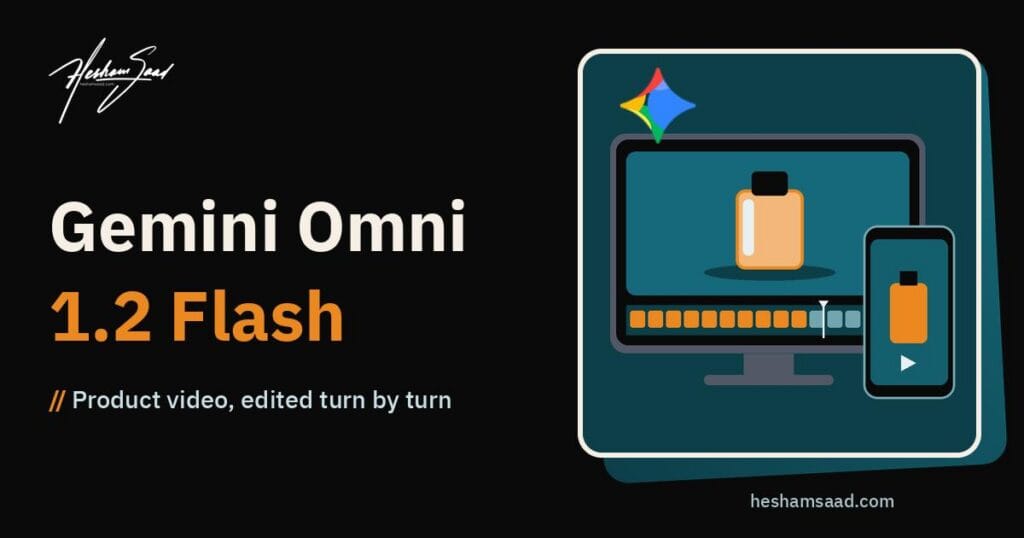
- Multi-turn conversational editing: you can swap a product or background, change lighting or weather, or switch aspect ratio turn by turn, across full 15-second clips.
- Stronger references (vendor claim): Google says faces, garments, packaging typography and brand colors stay more consistent across camera angles. The developer guide allows up to 6 reference images.
- Better dialogue and camera control (vendor claim): Google cites clearer lip-sync, multi-speaker conditioning, and continuous camera moves with fewer unwanted jump cuts.
- General availability: Google says this is the first time Gemini Omni is generally available, on the Gemini API paid tier and on Google Cloud.
- Higher rate limits: the release notes say paid-tier rate limits are doubled. The exact numbers sit on the rate limits page and depend on your usage tier.
Is the release real? How we verified it
We did not rely on social posts or news coverage. The announcement exists on blog.google with a publish timestamp of November 5, 2026 at 17:00 UTC, which is 19:00 Cairo time. The same facts appear in four separate Google developer pages: the pricing page lists a dedicated Gemini Omni 1.2 Flash section, the model page lists gemini-omni-1.2-flash as stable, the release notes for November 5 describe the GA launch, and the Omni Flash guide uses the new model ID in every code sample.
That match between the blog and the documentation is what makes this a confirmed release rather than a rumor.
Model ID, availability and where to use it
Developers call the model as gemini-omni-1.2-flash through the Interactions API in the Gemini API. Google AI Studio has a direct “Try it” link. Google Cloud access is also mentioned in the announcement for enterprise use.
For non-developers, Google says the model is rolling out across its own apps:
- Google Vids, for directing scenes and multi-turn edits.
- The Gemini app, where Google says 15-second videos are rolling out to Google AI Ultra subscribers.
- Gemini for business and Google Workspace tools for scaling video campaigns.
Rollout timing per country and per app is not published in detail, so expect access to vary for a while.
What happens to Omni 1.1 Flash
The model page and pricing page say that from December 3, 2026, every API request to gemini-omni-1.1-flash will automatically route to gemini-omni-1.2-flash and be billed at the new rates. No code change is required. The older gemini-omni-flash-preview is already shut down.
If you built a workflow on 1.1, plan a test pass before December 3. Output style can change even when the code does not.
Technical specs from the official docs
- Input: text, image and video. Input video can be up to 15 seconds for editing, with a 10-second lookback for extension.
- Output: video with native audio, plus text.
- Token limits: 131,072 input tokens and 65,536 output tokens.
- Duration: 3 to 15 seconds per generation.
- Resolution: 360p, 720p, 1080p and 4K, at 24 frames per second. Google describes 1080p and 4K as upsampled.
- Aspect ratios: 16:9 by default and 9:16 for portrait.
- Interpolation: first and last frame interpolation supports 3 to 10 seconds.
- Extension: 3 to 10 seconds per turn, up to 30 seconds of total length.
- References: up to 6 reference images. Clips of 11 to 15 seconds accept 1 reference video of up to 3 seconds; clips of 3 to 10 seconds accept up to 3 reference videos.
- Watermarking: every generated video carries an invisible SynthID watermark.
Pricing in detail
The Gemini API pricing page lists these Standard paid-tier rates for Gemini Omni 1.2 Flash. There is no free tier for this model.
- Input: 1.50 dollars per 1M tokens for text, image and video.
- Output: 9.00 dollars per 1M tokens for text and 12.00 dollars per 1M tokens for video.
Video is billed by output tokens. Google publishes the conversion rates and the effective per-second prices:
- 360p: 1,931 tokens per second, about 0.023 dollars per second.
- 720p: 5,792 tokens per second, about 0.07 dollars per second, roughly 0.70 dollars for 10 seconds and 1.04 dollars for 15 seconds.
- 1080p with upsampling: 8,688 tokens per second, about 0.104 dollars per second.
- 4K with upsampling: 17,376 tokens per second, about 0.209 dollars per second.
For comparison, Omni 1.1 Flash video output was 17.50 dollars per 1M tokens, about 0.10 dollars per second at 720p. Google recommends drafting at 360p or 720p, fixing details with follow-up edits, then upscaling only the best take. That advice matters: a 4K clip costs about nine times a 360p draft of the same length.
Google AI Ultra and Workspace pricing for app usage is not part of this API price list. Google says 15-second clips come at no additional cost in Google Vids for eligible accounts, but app quotas are not spelled out in the announcement.
Limits you should know before you build
The Omni Flash guide has a clear limitations list. The most relevant points for business use:
- Editing or extending uploaded videos is not available in the European Economic Area, Switzerland and the United Kingdom. Editing model-generated videos is supported there.
- Uploading or editing images with certain recognizable people is not supported. Images with minors are not supported in the EEA, Switzerland and the UK.
- Audio inputs and audio references are not supported in the current API, and voice editing is not supported.
- Extension only appends to the end of a clip. You cannot prepend or extend the middle.
- Reasoning across multiple input videos is not supported.
- System instructions, temperature, top_p, stop sequences and negative prompts are not supported. Put negatives in the regular prompt.
- Provisioned throughput is not supported, and YouTube URLs cannot be used as a media source.
- English is fully supported. Google says other languages have not been evaluated, so Arabic prompts and Arabic dialogue may work but results can vary.
Google also notes in the announcement that fast sports action, rapid script changes and complex physics still need work.
Omni 1.2 Flash is built for video. For heavier text and code work, such as long debugging sessions or large migrations, Google now offers Gemini 4 Carbon, which became generally available on November 10, 2026.
Pros and cons
Pros
- Clear, published per-second pricing that is 30% lower than the previous version.
- 15-second clips cover a full social ad spot in one generation.
- Conversational editing cuts the cost of variants, because you change a detail instead of paying for a new clip.
- GA status and Google Cloud backing make it easier to justify for production.
- Native audio and SynthID watermarking are built in.
- Automatic migration from 1.1 with no code change.
Cons
- No free API tier.
- Only two aspect ratios are documented, 16:9 and 9:16.
- Regional limits on editing uploaded footage in Europe and the UK.
- No audio upload, no voice editing and no negative prompt parameter.
- Arabic and other non-English languages are not evaluated by Google.
- Quality gains are vendor claims. Google has not published a public benchmark table in the sources we checked.
How it compares with official alternatives
We compared only against facts published on official pages, and pricing models differ, so this is a guide rather than a final ranking.
- Veo 3.1 in the Gemini API: Google’s video page says the Veo 3.1 previews in the Gemini API were shut down on October 22, 2026, and recommends Gemini Omni Flash as the video model for the Gemini API. For Gemini API developers, Omni is now the main path.
- xAI Grok Imagine Video 1.5: xAI’s docs state durations from 1 to 15 seconds, resolutions of 480p, 720p and 1080p, and prices starting at 0.02 dollars per second. xAI also says video editing keeps the original duration, capped at 8.7 seconds. Omni 1.2 Flash documents conversational editing on full 15-second clips and output up to 4K with upsampling.
The honest summary: entry prices across vendors are now close, and the real differences are editing depth, reference control, resolution ceiling and regional rules. Test your own prompts before you commit.
For a different multimodal use case, our Meta Muse voice and avatars guide covers live assistant conversations rather than generating and editing standalone video clips.
For text and code work rather than video, our Claude Fable 5.2 guide covers the Anthropic release from November 9, 2026 and what its lower API prices mean in practice.
Google is also pushing Gemini beyond screens: Google’s robotics model, Gemini Robotics 2.5, controls physical robots and is currently limited to selected robotics partners, with no public API or published price.
If your task is a fixed set of questions rather than open-ended generation, Google’s Gemini Decisions API is a narrower option: it answers up to 1,000 yes or no, choice or score questions about one image, audio file or PDF per request, with output tokens free and input at $0.10 per million.
Best use cases
- Product ads for e-commerce: turn existing product photos into short spins, unboxing scenes or try-on clips while keeping packaging and brand colors stable.
- Ad variants: one base clip, then turns that swap background, season or aspect ratio for different placements.
- Explainers: 15 seconds is enough for a short feature or process walkthrough with callouts.
- Social content: 9:16 reels and stories with native audio.
- Storyboards and pre-visualization: cheap 360p drafts before a real shoot.
What it means for WordPress sites and businesses
For most WordPress sites, the practical win is cheaper short video for product pages, landing pages and social campaigns. A WooCommerce store could generate a 10-second 720p clip per product for about 0.70 dollars in API output cost, before any edits or upscaling.
Some practical points:
- Do not autoplay heavy 4K files. Host video on a proper video host or CDN and lazy-load it, or your Core Web Vitals will suffer.
- Keep generation server-side. Call the API from a plugin or a backend job, never expose the API key in the browser, and cap spend per day.
- Review before publishing. Add a human approval step for brand, legal and claims accuracy.
- Arabic content needs testing. If you run a bilingual site, check Arabic voice, lip-sync and any on-screen text yourself. Overlaying Arabic captions in your editor is often safer.
- Plan for the 1.1 cutover. If your plugin uses 1.1, test it against 1.2 before December 3, 2026.
If you want this built into your site, our WordPress development team can wire the API into WooCommerce or your custom post types. You can also start with a free consultation. For more on recent Google models, read our coverage of Gemini 4 Carbon and Gemini file editing.
What Google has not published yet
- Exact generation times. The guide only says time varies with duration, resolution and API load.
- Public benchmark scores comparing 1.2 with 1.1 or with rivals.
- Full per-country rollout dates for the Gemini app and Workspace.
- Usage quotas for Google AI Ultra and Workspace plans.
- Any evaluation of Arabic prompts, dialogue or text rendering.
- Google Cloud Vertex AI pricing specifics, which are not part of the Gemini API pricing page.
Our take
Gemini Omni 1.2 Flash is a meaningful update rather than a cosmetic one. Longer clips, a 30% lower price and turn-by-turn editing address the three things that slowed real use of AI video: length, cost and rework. The quality claims still need your own tests, and the regional limits and missing Arabic evaluation matter for MENA teams. For product video and ad variants, it is worth a pilot now.
Frequently asked questions
What is Gemini Omni 1.2 Flash?
Gemini Omni 1.2 Flash is Google’s video generation and editing model, released as generally available on November 5, 2026. It creates videos with native audio from text, images and video, supports clips from 3 to 15 seconds, and lets you refine a clip through multi-turn conversational edits. The API model ID is gemini-omni-1.2-flash.
How much does Gemini Omni 1.2 Flash cost?
On the Gemini API paid tier, input costs 1.50 dollars per 1M tokens and video output costs 12 dollars per 1M tokens. Google says that is about 0.07 dollars per second at 720p, around 1.04 dollars for a 15-second clip. 360p is about 0.023 dollars per second and 4K is about 0.209 dollars per second. There is no free API tier.
How long can Gemini Omni 1.2 Flash videos be?
A single generation runs from 3 to 15 seconds, set in one-second steps, with 10 seconds as the API default. First and last frame interpolation is limited to 3 to 10 seconds. You can extend a clip by 3 to 10 seconds per turn, up to 30 seconds of total length, but extension only appends to the end.
What happens to Gemini Omni 1.1 Flash?
Google says that from December 3, 2026, all API requests to gemini-omni-1.1-flash will automatically route to gemini-omni-1.2-flash and be billed at the new, lower rates. No code change is required. Output can still look different, so test your existing prompts and workflows on the new model before that date.
Does Gemini Omni 1.2 Flash support Arabic?
Google’s guide says English is fully supported and other languages have not been evaluated. Arabic prompts and Arabic dialogue may work, but results can vary. For bilingual sites, test Arabic voice, lip-sync and on-screen text yourself, and consider adding Arabic captions in your video editor instead of relying on the model.
What are the main limits of Gemini Omni 1.2 Flash?
Editing uploaded videos is unavailable in the EEA, Switzerland and the UK. Certain recognizable people are blocked, audio uploads and voice editing are unsupported, and only 16:9 and 9:16 are documented. Negative prompts, temperature and system instructions are not supported. Google also says fast sports, rapid script changes and complex physics still need work.