هذا المقال متوفر باللغة العربية — اقرأ بالعربية
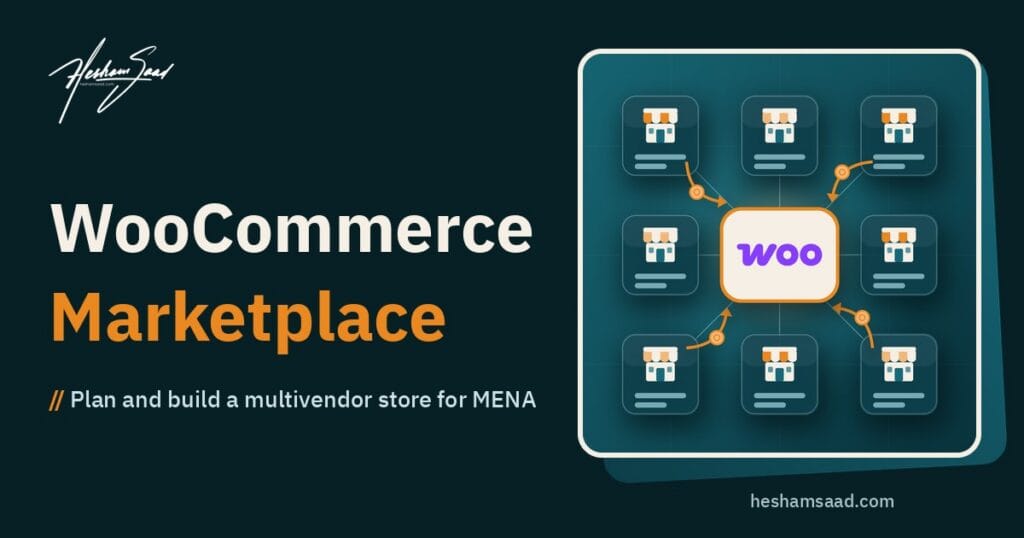
A WooCommerce multivendor marketplace lets other sellers open their own stores inside your website, list their products, and receive orders, while you run the platform and earn a commission or a fee on each sale. Many business owners in Egypt, Saudi Arabia and the Gulf ask us about this model after watching large marketplaces grow, or because they already know a group of local sellers who want one place to sell. The idea is simple. The details behind it are not, and they decide whether the platform makes money or turns into a support headache.
This guide is for owners who are thinking about building a marketplace on WordPress and want to understand what is involved before they talk to a developer. It covers the business decisions you need to make first, the main marketplace plugins for WooCommerce and how they differ, payments and payouts in the region, shipping and cash on delivery, Arabic and right-to-left details, and the questions to ask before you sign a contract. If you already have a plan and want a team to build it, this is the kind of project we handle in our WordPress website development service.
What a multivendor marketplace is, and what it is not
A normal WooCommerce store has one seller: you. You add the products, receive the money, ship the orders and handle the returns. A marketplace adds a layer on top. Each vendor gets an account, a store page, and a dashboard where they manage their own products and orders. The platform owner sets the rules, approves vendors, takes a share of each sale, and pays vendors their part.
It helps to separate three models that people often mix up:
- Single-seller store with many suppliers. You buy from suppliers or drop-ship, but the customer buys from you. This is a regular store, and it does not need a marketplace plugin.
- Listing or directory site. Sellers publish listings and customers contact them directly. No payment passes through your site. A directory plugin or a custom post type is usually enough.
- True marketplace. Customers pay on your site, orders are split by vendor, and you calculate commissions and payouts. This is where WooCommerce marketplace plugins come in.
If your plan fits the first or second model, you can save a lot of build and running effort. If it fits the third, read on.
Business decisions to make before choosing any plugin
Most marketplace projects that struggle do so because the rules were never written down. The plugin then gets configured by guesswork, and every exception becomes a manual task. Before you compare tools, answer these questions on paper:
- How do you earn? A percentage of each sale, a fixed fee per order, a monthly subscription for vendors, a listing fee, or a mix.
- Who ships? Each vendor ships their own orders, or vendors drop items at your warehouse and you ship everything.
- Who handles returns and refunds? And who pays for the return shipping.
- When do vendors get paid? After delivery, after the return window closes, weekly, monthly, or on request.
- Who approves products? Can vendors publish instantly, or does each product need your review first.
- What can vendors sell? Physical products only, or also digital downloads, bookings and services.
- Who is the seller of record? This affects invoices, VAT and your legal responsibility, so discuss it with your accountant or lawyer early.
These answers shape the plugin choice more than any feature list. A marketplace where vendors ship and get paid weekly needs very different settings from one where you hold stock and pay monthly.
WooCommerce multivendor marketplace plugins compared
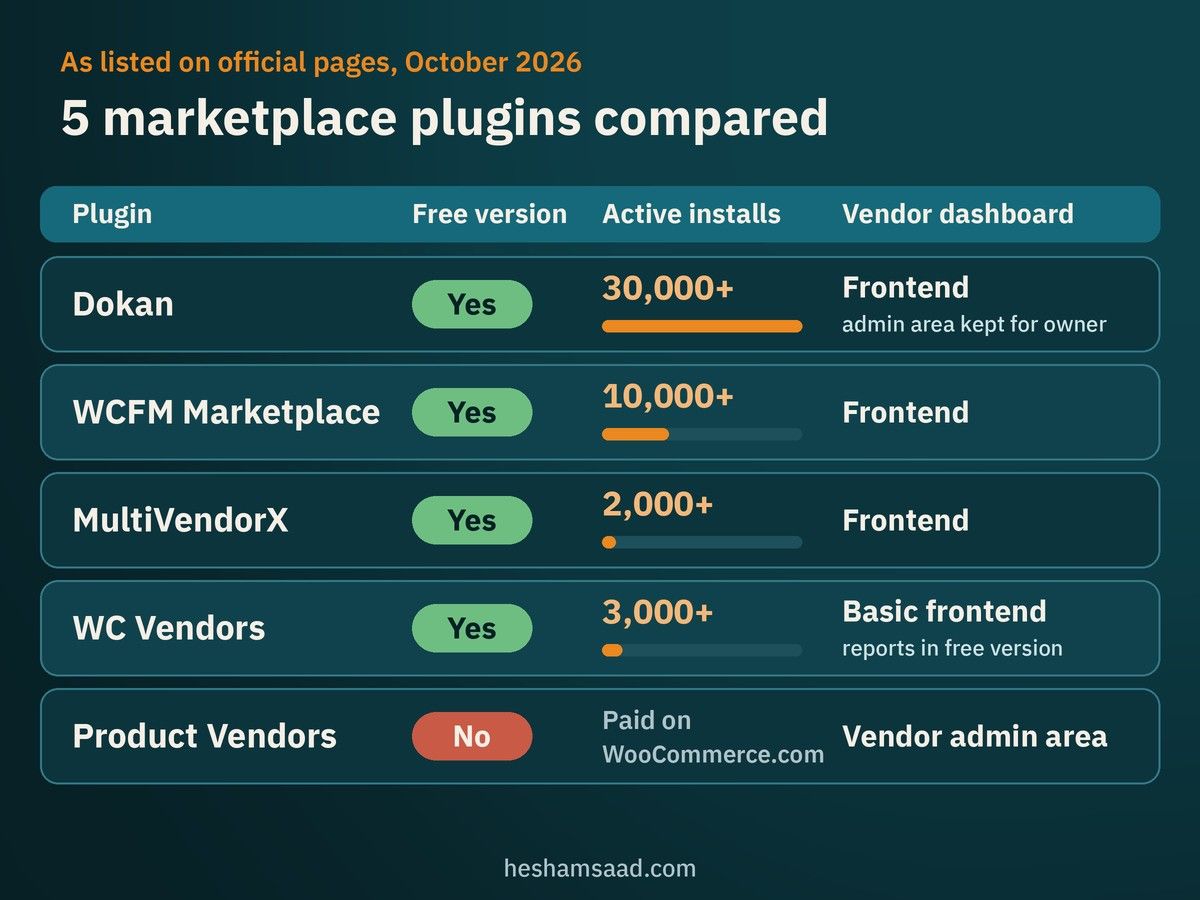
WooCommerce does not include marketplace features on its own, so you add them with a plugin. The table below covers the main options as their official pages described them when we checked in October 2026. Install counts and features change, so always check the current plugin page before you decide.
| Plugin | Free version | Vendor dashboard | Commission options (from official page) | Notes |
|---|---|---|---|---|
| Dokan | Yes, on WordPress.org (30,000+ active installs) | Frontend, admin area kept for the site owner | Flat or percentage, with per-vendor override | Reverse Withdrawal to collect commission on cash on delivery orders |
| WCFM Marketplace | Yes, on WordPress.org (10,000+ active installs) | Frontend | Fixed, percentage, percentage plus fixed, by category, by membership and more | Stripe split payments and several payout gateways listed |
| MultiVendorX | Yes, on WordPress.org (2,000+ active installs) | Frontend | Product, category, vendor, fixed, percentage and combinations | Requires PHP 8.0 or newer |
| WC Vendors | Yes, on WordPress.org (3,000+ active installs) | Basic frontend reports in the free version | Percentage in free, more types in Pro | Free version publishes products through the WordPress admin |
| Product Vendors | No, paid extension on WooCommerce.com | Vendor admin area | Set amount or percentage, per vendor, per product or store-wide | Built by Woo, can pay commissions only after an order is completed |
Dokan
Dokan is the most installed option on the WordPress.org directory among these. In the free version, every vendor gets a store page with its own URL and a frontend dashboard to manage products, orders and withdrawal requests, while the WordPress admin area stays with the site owner. Commissions can be a flat amount or a percentage, with a different rate per vendor if you need it. One feature matters a lot in our region: Reverse Withdrawal, which helps the admin collect commission when a vendor ships an order paid with cash on delivery, since the money never passed through the platform. Features such as vendor table rate shipping, vendor analytics and letting several vendors sell the same product are in the Pro version.
WCFM Marketplace
WCFM focuses on flexible commission and payout rules. Its official page lists commission by fixed amount, percentage, both combined, vendor sales, product price, category or membership tier, with overrides per vendor or per product. It also lists Stripe split payments and payout options including PayPal, MangoPay, Skrill, bank transfer and cash, plus withdrawal schedules and reverse withdrawals. It suits marketplaces with complex fee structures, but more options also mean more settings to test.
MultiVendorX
MultiVendorX offers a setup wizard, a custom vendor registration form, several commission types, and shipping by zone, country or distance. Vendor membership plans and real-time payouts through Stripe or PayPal are in the Pro version. Note that its current version requires PHP 8.0 or newer, which is good practice anyway, but older hosting may need an upgrade first.
WC Vendors
WC Vendors gives you a vendor role, a store URL per vendor, percentage commissions and a basic sales dashboard in the free version. Full frontend product and order management, more commission types and automatic Stripe payouts are part of Pro. It can work for a small marketplace that wants to start simple.
Product Vendors by Woo
Product Vendors is the official extension from the WooCommerce team. It lets you sell your own products next to vendor products, set commission per vendor or per product, require approval for each vendor’s products, and assign commissions only when an order is completed. It also integrates with WooCommerce Bookings for time-based services. It is a paid extension, and its vendor experience is lighter than the dedicated marketplace plugins, so it fits best when the marketplace is a side channel of an existing store.
Payments and vendor payouts in Egypt and the Gulf
Payments are where marketplace plans meet reality. Several plugins advertise automatic split payments, where the customer pays once and the gateway sends each vendor their share. That only works if the gateway supports split payments for merchants in your country. Before you choose a plugin, confirm with your payment provider which of these it supports for your business:
- Accepting cards, wallets and local payment methods your customers use.
- Splitting one payment between the platform and several vendors.
- Paying out to vendor bank accounts or wallets, and in which currencies.
- Refunds on split payments, and who carries the gateway fee.
If your gateway settles everything into your account, which is common, the plugin calculates each vendor’s balance and you pay them on a schedule through bank transfer or another method. This is perfectly workable, but it needs a clear withdrawal policy and someone responsible for running payouts. Our guide to WooCommerce payment gateways in Egypt and Saudi Arabia covers the local options in more detail, and taxes on platform fees are covered in our post on WooCommerce VAT settings for Egypt and Saudi Arabia.
Shipping and cash on delivery
When one order contains products from three vendors, it usually becomes three shipments. Customers do not always expect that, so explain it on the cart and checkout pages. Decide early whether each vendor sets their own shipping rates, or whether you set one rate table for everyone. Dokan Pro, WCFM and MultiVendorX all list vendor-level shipping options, which helps when vendors are in different cities.
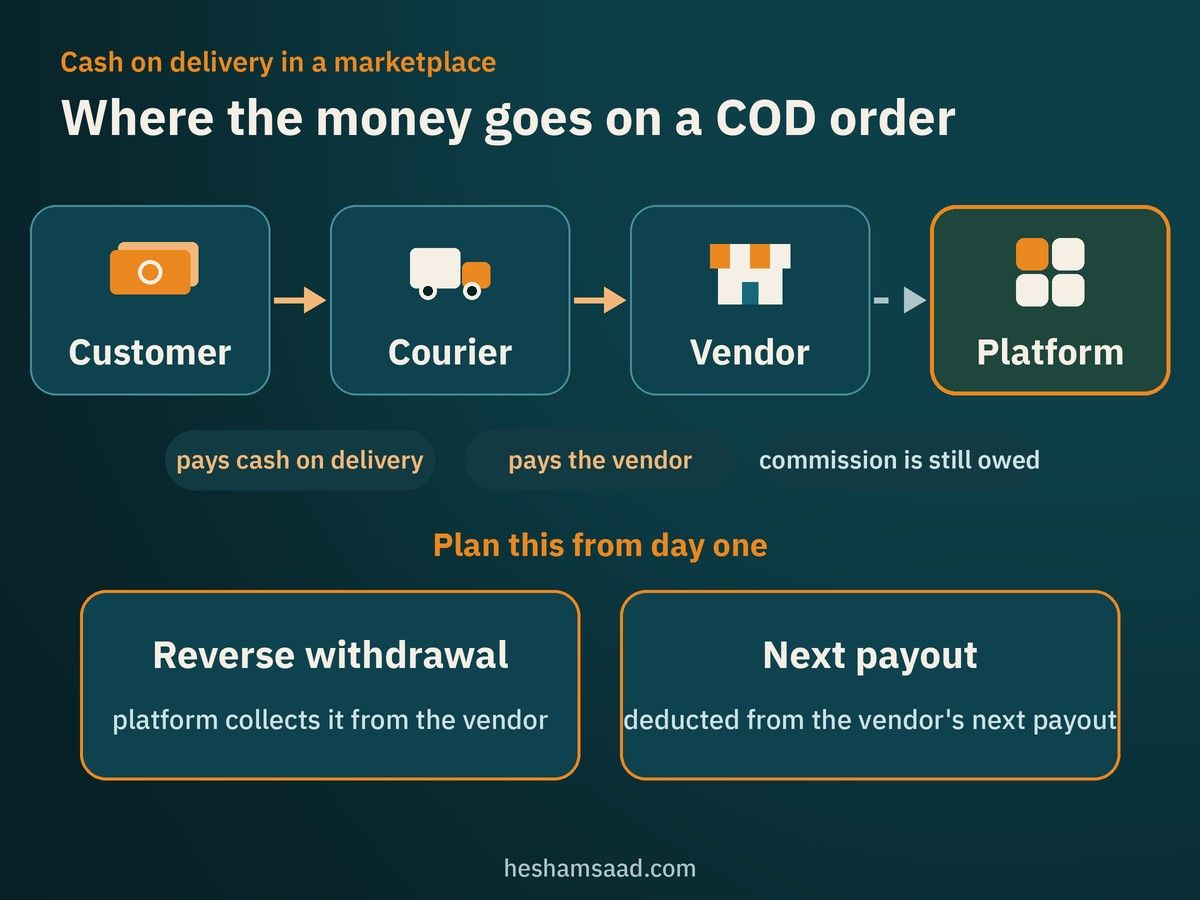
Cash on delivery adds another layer. The courier collects money for the vendor, so the platform’s commission sits with the vendor until it is collected. Plan for this from day one, either with a reverse withdrawal feature or with a policy that deducts the commission from the vendor’s next payout. Our posts on WooCommerce shipping zones for Egypt and the Gulf and courier plugins for Egypt and Saudi Arabia help with the shipping side.
Arabic, RTL and the vendor experience
Your customers see the storefront, but your vendors spend their day inside the vendor dashboard. If that dashboard is half translated or breaks in right-to-left layout, vendors will call you instead of using it. None of the plugin pages we checked list full Arabic support as a headline feature, so treat Arabic as something to test, not assume. Before launch, check:
- The vendor registration form, dashboard, product editor and order screens in Arabic.
- Right-to-left layout on mobile, since many vendors manage their store from a phone.
- Email notifications to vendors and customers in both languages.
- Store pages and product pages when the site runs in Arabic and English together.
For bilingual sites, our guide on how to translate a WordPress site to Arabic explains the translation side, and do this testing on a WordPress staging site, not on the live store.
Vendor onboarding and quality control
A marketplace is only as good as its weakest listings. Poor photos, missing sizes and wrong prices reflect on your brand, not the vendor’s. Set up quality control from the start:
- Require approval for new vendors, and for new products at least during their first weeks.
- Write a short vendor guide with photo rules, required product fields and shipping times.
- Publish clear terms for vendors covering commissions, payouts, returns and account suspension.
- Show vendor ratings and reviews so customers can judge sellers.
- Decide what happens when a vendor stops answering orders.
Hosting, performance and security
A marketplace has more logged-in users, more orders and more product edits than a normal store, and logged-in pages are harder to cache. Shared hosting that works for a small catalog can struggle once dozens of vendors are active. Plan for hosting that can grow, regular backups, and a staging copy for testing updates. Our guide on managed WordPress hosting explains what to look for.
Security also matters more, because every vendor account is another login that could be weak. Enforce strong passwords, limit what vendors can access, and keep the marketplace plugin and its add-ons updated, since they handle money and personal data.
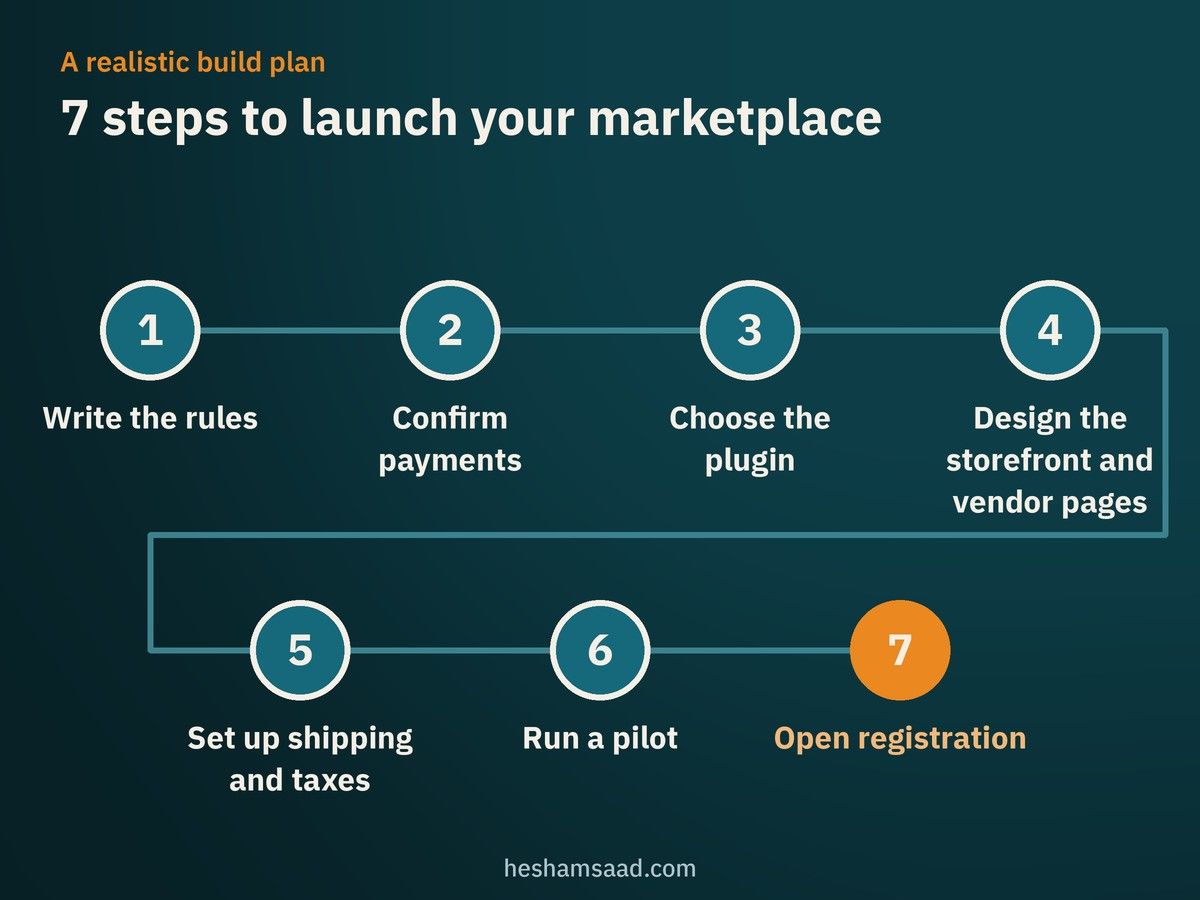
A realistic build plan
- Write the rules. Commission model, shipping, returns, payouts and vendor terms.
- Confirm payments. Get written confirmation from your gateway about split payments, payouts and refunds.
- Choose the plugin. Test two options on staging with your real rules, not demo data.
- Design the storefront and vendor pages. Including Arabic and mobile layouts.
- Set up shipping and taxes. With your accountant’s input on who issues invoices.
- Run a pilot. Start with a small group of trusted vendors and real orders.
- Open registration. Only after payouts, returns and support work smoothly in the pilot.
Questions to ask a developer before you hire
- Which marketplace plugin do you recommend for my rules, and why not the others?
- Have you tested the vendor dashboard in Arabic and right-to-left on mobile?
- How will commissions be collected on cash on delivery orders?
- What happens to vendor balances when an order is refunded?
- Which features need paid add-ons, and who owns those licenses?
- What hosting do you recommend for the expected number of vendors and orders?
- Who handles updates and support after launch?
Our article on how to hire a WooCommerce developer adds more questions, and our guide to WordPress website cost explains what drives the budget of a project like this.
What affects the budget
A marketplace usually costs more to build and run than a single-seller store of the same size. The main drivers are the number of paid add-ons you need, custom payout or shipping logic, how much the vendor dashboard needs to be customized or translated, the design of store pages, hosting, and the ongoing time spent on vendor support and payouts. Compare marketplaces with your alternatives honestly: if you only have a handful of suppliers, a normal store may be the faster path. Our WooCommerce vs Shopify comparison can help if you are still choosing a platform.
Frequently asked questions
Can I turn my existing WooCommerce store into a marketplace?
Yes. All the plugins above install on an existing WooCommerce site. Product Vendors by Woo explicitly supports selling your own products alongside vendor products. Test on a staging copy first, because a marketplace plugin changes order handling and user roles.
Do I need the paid version of a marketplace plugin?
It depends on your rules. Free versions cover vendor stores and basic commissions. Features such as vendor shipping tables, advanced reports, memberships and automatic payouts are often in paid versions, so map your required features to each plugin’s free and Pro lists.
Can vendors manage their stores from a phone?
The frontend dashboards of these plugins are designed to work in the browser, including on mobile, but test the main tasks, such as adding a product and updating an order, on real phones and in Arabic before launch.
How long does it take to launch?
It depends on your rules, design and payment setup more than on the plugin. Plan time for a pilot phase with a few vendors, because that is where most issues appear.
Plan your marketplace with an experienced team
A WooCommerce marketplace can be a strong business, but only when the rules, payments and vendor experience are planned together. If you want help turning your idea into a working platform in Arabic and English, see our WordPress and WooCommerce development service, or book a free consultation to review your marketplace plan before you commit to a plugin.