هذا المقال متوفر باللغة العربية — اقرأ بالعربية
Updated 21 October 2026, 5:40 PM Cairo time: the fix is out. PHP released 8.5.12, 8.4.27, 8.3.36 and 8.2.35 on 21 October and published an official security advisory. According to PHP, every version before those releases is affected, on all setups that serve web requests, including PHP-FPM, Apache with mod_php, php-cgi, FrankenPHP and LiteSpeed. Update now.
Updated 21 October 2026, 2:55 PM Cairo time: attacks have started. Patchstack received reports of active exploitation from multiple hosting partners at 07:34 UTC (10:34 AM Cairo), and Cloudflare’s CTO reported early attacks at 07:43 UTC (10:43 AM Cairo). We added the expected fixed versions, partial mitigations and precautionary steps below.
Update notice: this post was first published before the official fix for php2shell, the two critical PHP flaws CVE-2026-109618 and CVE-2026-109619. PHP has now released the fix, and the affected and fixed versions below come from php.net.
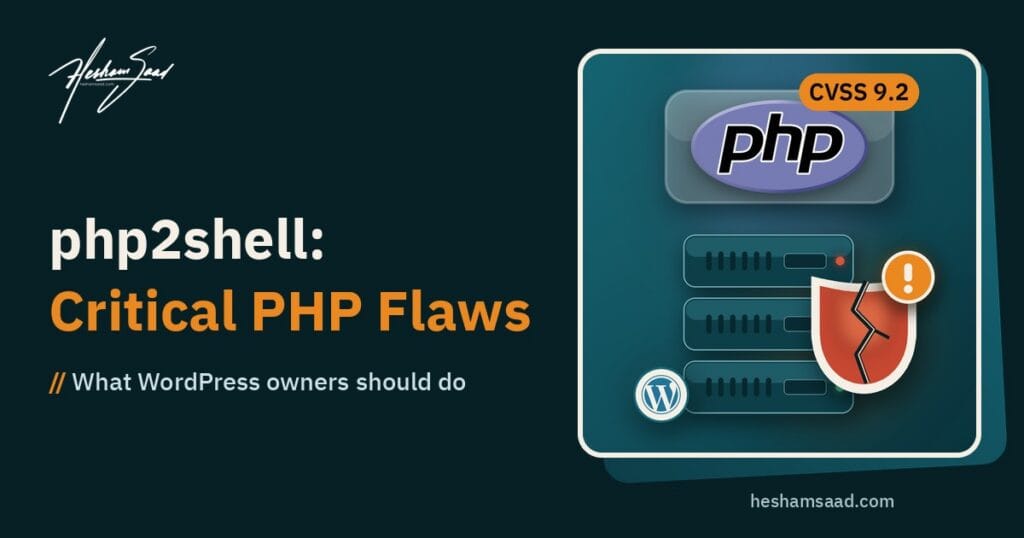
Two critical remote code execution flaws in PHP itself, tracked as CVE-2026-109618 and CVE-2026-109619, leaked online on 20 October before their coordinated disclosure and before any patch existed. Researchers are calling the pair php2shell. PHP’s security team confirmed the problem in an official advance notice, rated both flaws CVSS v4.0 9.2, and moved the security release forward. If you run a WordPress site, a WooCommerce store, or any business website on PHP, this is the week to know exactly which PHP version you run and who is responsible for upgrading it.
This post sticks to what PHP and named security researchers have published so far. PHP has now published the affected and fixed versions, and we list them exactly as php.net gives them. What we can do is explain what is known, what it means for your site, and the concrete steps to take before and after the fix lands.
What happened
According to the Huntress rapid response report, a post on Hacker News on the morning of 20 October claimed that two critical PHP vulnerabilities were headed for public disclosure. The post was taken down, but screenshots spread on social media. Within hours, the research team at watchTowr confirmed the vulnerabilities were real, said they had reproduced CVE-2026-109618, and noted that everyone had been expected to wait until Thursday at 11 AM ET for the coordinated disclosure.
Shortly after, the PHP security team posted an advance notice on php.net. The notice says the release is scheduled for Wednesday, 21 October 2026 at 14:00 UTC, that it addresses two critical vulnerabilities both rated CVSS v4.0 9.2, and that all PHP users should prepare now so they can upgrade as soon as the release is available. PHP also said it reserves the right to release earlier if details of either vulnerability become public or if evidence of active exploitation appears in the wild. Full details, affected versions and fixed versions will be published with the release.
Huntress also reported that a short exploitation video was briefly posted online and then removed, and that as of its publication it had not seen in the wild exploitation in its partner environments.
What we know and what we do not know yet
| Question | Current answer | Source |
|---|---|---|
| Are the flaws real? | Yes. PHP confirmed two critical vulnerabilities and watchTowr reproduced CVE-2026-109618. | php.net, Huntress citing watchTowr |
| How severe? | Both rated CVSS v4.0 9.2, critical. | php.net |
| What type of flaw? | Public reporting describes remote code execution in PHP’s core. | Huntress |
| When is the fix? | Released on 21 October 2026: PHP 8.5.12, 8.4.27, 8.3.36 and 8.2.35. | php.net |
| Which versions are affected? | Official: all PHP versions before 8.5.12, 8.4.27, 8.3.36 and 8.2.35, per the PHP advisories. PHP 8.1 and older no longer get updates from the PHP project. | php.net |
| Will old branches get a fix? | No official release. PHP 8.1 and older get no updates from the PHP project, but PHP’s security team published minimal source backports for 7.4, 8.0 and 8.1, and some distributions and LTS vendors ship backported fixes. | php.net |
| Is there public exploit code? | Code claiming to exploit the flaws is circulating, but Tenable has not verified it works and warns it may contain malware. | Tenable |
| Exploitation seen in the wild? | Yes. Multiple hosting partners reported active exploitation to Patchstack (07:34 UTC), and Cloudflare’s CTO reported early attacks (07:43 UTC). | Patchstack |
Huntress is clear that no technical root cause has been published. Nobody outside the coordinated group publicly knows yet which part of PHP is involved, whether it is reachable through a plain web request, or whether it depends on a particular configuration. The name php2shell hints at the worst case, where someone sends a request to your website and gets a shell on the server, but that is a name, not a confirmed attack path.
Why this matters more than a normal plugin bug
Most WordPress security news is about one plugin or one theme. You update that plugin and you are done. This is different because the bug is in PHP, the language every WordPress site runs on. As Huntress puts it, PHP quietly powers WordPress, Drupal, Joomla and Magento sites, shared hosting platforms, control panels, and plenty of software that does not even advertise it runs PHP.
That has two practical consequences. First, your security plugin, your firewall rules for WordPress, and your auto updates for plugins do not fix PHP. PHP is part of the server, so the fix comes from whoever manages your server. Second, a remote code execution flaw at the language level, if it turns out to be reachable from the web, would sit underneath every application on that server, not just WordPress.
What php2shell means for WordPress sites
For most site owners the job is simple but urgent: know your PHP version, know who upgrades it, and make sure it gets upgraded on 21 October.
Shared or managed hosting
If you are on shared hosting or managed WordPress hosting, your host controls the PHP binaries. Good hosts patch quickly, often with backported packages. Your job is to confirm your site is on a currently supported PHP branch and to ask your host directly when they will roll out the fix. If your control panel lets you choose the PHP version, do not sit on an old one.
VPS or your own server
If you run your own VPS or dedicated server, you are the host. Plan a maintenance window on 21 October after 14:00 UTC. Watch the official PHP announcement for fixed version numbers and check your Linux distribution’s security updates for backported packages, as Huntress recommends. Patch internet facing servers first.
Agencies and businesses with many sites
If you look after several client sites, build an inventory today: every site, its host, its PHP version and who has access to upgrade it. Huntress also advises looking for less obvious PHP installs, such as vendor software that bundles PHP, and control panels like cPanel and Plesk.
How to check your PHP version
There are three easy ways, depending on what access you have. For the full upgrade walkthrough, see our guide to updating PHP in WordPress.
- Inside WordPress: go to Tools, then Site Health, then the Info tab, and open the Server section. It shows the PHP version your site is running.
- In your hosting panel: most panels, including cPanel and Plesk, show the PHP version per domain, often under a PHP selector or PHP settings page.
- On the server: if you have SSH access, run the command below. Keep in mind the command line PHP and the web server PHP (php-fpm) can be different versions, so check both if you run more than one.
php -vFor context, the most recent security releases listed on php.net before this notice were for the 8.2, 8.3, 8.4 and 8.5 branches. If your version starts with 5, 7, 8.0 or 8.1, Huntress warns you may not get a fix at all.
Why end of life PHP is the real risk
The worrying part of the early reporting is not only the severity. It is the suggestion that PHP versions 5 through 8 may be affected while only supported branches get patched. If that is confirmed, every site still running an end of life PHP version would be left with a critical, publicly known flaw and no official patch.
Many WordPress sites still run old PHP because an old theme or plugin breaks on newer versions, or simply because nobody changed the default when the site was built. Huntress’s advice for these environments is direct: upgrade, take the system off the internet, or put it behind a VPN or a web application firewall until you can upgrade. For a public website, taking it offline is rarely an option, so the realistic path is to upgrade PHP and fix whatever breaks.
If you are worried about compatibility, test the upgrade on a staging copy first, update your plugins and theme, and check the error log. This is exactly the kind of work we handle in our WordPress development service.
Official fixed versions
PHP released the fix on 21 October 2026. According to the php.net security advisory, these are the fixed versions, and every earlier version in each branch is affected:
- PHP 8.5.12 (fixes all 8.5 versions before it)
- PHP 8.4.27 (fixes all 8.4 versions before it)
- PHP 8.3.36 (fixes all 8.3 versions before it)
- PHP 8.2.35 (fixes all 8.2 versions before it). PHP notes that 8.2 reaches end of life on 31 December 2026.
- PHP 8.1 and older: no official release, because these branches no longer get updates. PHP published minimal source backports for 7.4, 8.0 and 8.1, and you can ask your distribution or LTS vendor about backported packages, but the safest path is moving to a supported branch.
Partial mitigations, not a fix
According to Patchstack, early analysis points to PHP’s session upload progress feature and to multipart file upload requests. Some researchers suggest these stopgaps until you can patch. Patchstack is clear that they reduce exposure but do not stop exploitation, and PHP core developers have said the only full mitigation is updating to the patched PHP version.
- Turn off session upload progress and turn on strict session mode. Add the two lines below to php.ini, .user.ini or your host’s PHP settings, then reload PHP. Upload progress bars stop working, but uploads still go through.
- Block multipart requests where you do not need them. On a WAF or reverse proxy, reject or inspect multipart POST requests to endpoints that do not accept uploads. Test first: applied too widely, this breaks the media library, contact forms with attachments, checkout and account pages.
- Cloudflare WAF rules help only in one setup. Cloudflare has deployed rules for the known exploit vectors for all customers, including the free plan, but they only help if your server accepts traffic exclusively from Cloudflare.
- Avoid unofficial fix plugins and copied snippets. Patchstack warns they are not verified and can break your site.
session.upload_progress.enabled = Off
session.use_strict_mode = 1
Sites going offline as a precaution
Some organisations are not waiting for the patch. Patchstack reports that Dutch government services such as DigiD and MijnOverheid, the Dutch House of Representatives website, Tweakers and the Dutch National Cyber Security Centre’s own site went offline as a precaution. The UK’s NCSC gives similar advice, and CERT-EU recommends considering isolating internet facing applications where immediate patching is not feasible. For a high risk site you cannot patch quickly, maintenance mode until the update lands is a reasonable call.
What to do right now: a checklist
- Find your PHP version on every site you own, using Site Health or your hosting panel.
- Contact your host and ask when they will deploy the 21 October PHP security release.
- Take a full backup of files and database before any upgrade.
- Plan the upgrade window for 21 October after 14:00 UTC (5:00 PM Cairo), and patch public facing sites first.
- Move off end of life PHP (5.x, 7.x, 8.0, 8.1) to a supported branch, testing on staging first.
- Update WordPress core, plugins and themes so they are ready for a newer PHP version.
- Watch php.net for the official list of affected and fixed versions.
Signs to watch for
Huntress, echoing researcher Florian Roth, expects exploitation to show up as suspicious child processes launched by PHP. In plain terms, the PHP worker that serves your pages (php-fpm, php-cgi, Apache or httpd) should not suddenly start shells, scripting interpreters or download tools. The examples Huntress lists include:
- Shells such as sh, bash, cmd.exe or powershell.exe started by the web server.
- Interpreters such as python or perl started by PHP.
- Download or network tools such as curl, wget, nc or certutil.exe.
- Quick reconnaissance commands such as whoami, id or uname run straight from the web server.
For WordPress owners without server monitoring, the practical signs are the ones you can see: new unknown PHP files in your web root or uploads folder, new admin users you did not create, new cron jobs, and unexpected changes to core files. If you find something, Huntress advises isolating the server, preserving web server and PHP logs, and looking for webshells, new files, new scheduled tasks and new accounts.
No indicators of compromise have been confirmed yet. Huntress says it will publish detection rules once technical details are available.
Pros and cons of how this was handled
This is not a product launch, but the response still has clear strengths and weaknesses for site owners.
- Good: PHP issued a public advance notice quickly, gave a fixed date and time, and moved the release earlier than the original embargo.
- Good: named researchers confirmed the issue and published defensive guidance without releasing exploit details.
- Bad: the leak means attackers know a critical flaw exists before patches are out, which shortens the window between fix and attack.
- Bad: affected versions are unknown until release day, so owners have to prepare without the full picture.
- Bad: if only supported branches are fixed, sites on old PHP will be left without an official patch.
How this compares with plugin vulnerabilities
| Point | Typical WordPress plugin flaw | php2shell |
|---|---|---|
| Where the bug lives | One plugin or theme | PHP itself, under every app on the server |
| Who ships the fix | The plugin developer | The PHP project, then your host or Linux distribution |
| How you apply it | Update from the WordPress dashboard | Server level PHP upgrade |
| Does a security plugin fix it? | Sometimes it can block the attack | No, the PHP binary must be upgraded |
| Old versions | Usually fixed in the latest plugin release | End of life branches may get no fix |
Best use of this week for a business site
Treat php2shell as the push to clean up your hosting setup. Write down where every site is hosted, which PHP version it runs, who has server access, and how fast your host applies security updates. A business that can answer those questions in five minutes can patch on the same afternoon the fix lands. If your host cannot tell you when they will patch, or keeps you on an old PHP version, that is a signal to move.
If you are not sure where to start, book a free consultation and we will help you check your PHP version, plan the upgrade and test your site on a newer branch.
Frequently asked questions
Is my WordPress site vulnerable to php2shell?
Yes, unless it already runs PHP 8.5.12, 8.4.27, 8.3.36 or 8.2.35. PHP says every earlier version is affected, on all setups that serve web requests. Check your version now and update.
Will a security plugin protect me?
Not on its own. The flaws are in PHP, not in WordPress, so the real fix is upgrading PHP on the server. A web application firewall may help reduce exposure in the meantime.
When is the fix?
It is already out. PHP released 8.5.12, 8.4.27, 8.3.36 and 8.2.35 on 21 October 2026.
I run PHP 7.4. What should I do?
Plan to move to a supported PHP 8 branch. Huntress warns that end of life versions such as PHP 5, 7, 8.0 and 8.1 may not receive a fix at all. Test on staging before switching the live site.
Has anyone been attacked yet?
Yes. Patchstack received reports of active exploitation from multiple hosting partners on 21 October, and Cloudflare’s CTO said the company is seeing early attacks. Treat patching as urgent.
Will this post be updated?
It has been. The affected and fixed versions in this post now come from the official php.net advisory.
References
- PHP: Upcoming Critical PHP Security Release (php.net news)
- PHP: Security advisory, critical remote code execution vulnerabilities (php.net)
- Huntress: Rapid Response on php2shell
- Patchstack: PHP major vulnerability alert
- Tenable: php2shell frequently asked questions
- CERT-EU: Security Advisory 2026-018