هذا المقال متوفر باللغة العربية — اقرأ بالعربية
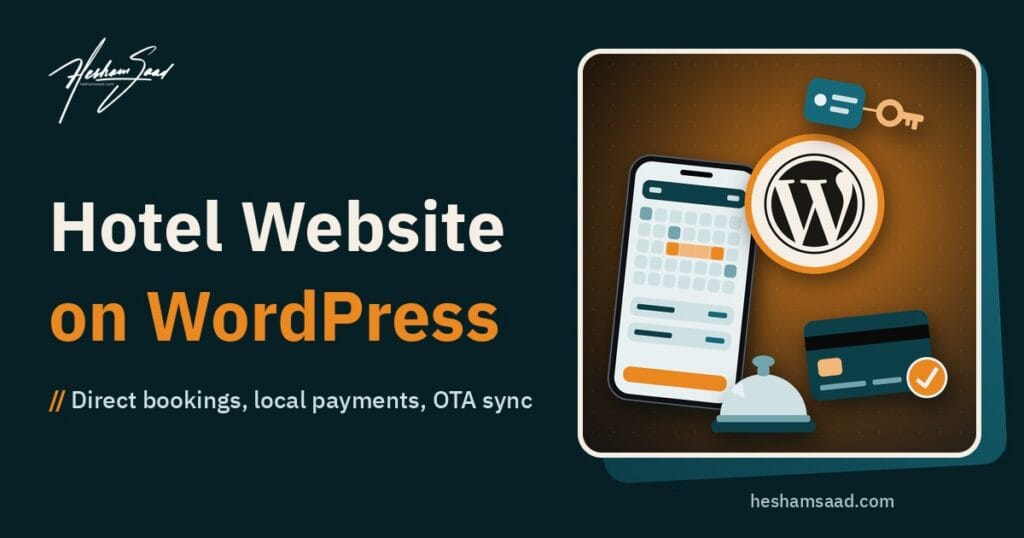
Building a hotel website WordPress platform gives your hotel or serviced apartments a property-owned channel where travelers can check real-time room availability, read your stay rules and reserve nights directly. Instead of sending a guest who already searched your property name back to a third-party directory, your site answers their practical questions and confirms the stay on your own domain.
Whether you operate a boutique hotel in Cairo, a business hotel in Riyadh, a coastal guesthouse in the UAE or serviced apartments across MENA, launching a direct booking hotel website involves far more than uploading lobby photos. Before you hire someone to build it, you need a clear picture of how room pages, seasonal rates, local payment gateways and calendar synchronization work together.
What a hotel website WordPress build needs to take direct bookings
Direct booking means the guest selects check-in and check-out dates, picks a room category and completes the reservation or payment on your hotel’s own site. Online travel agencies (OTAs) stay in place as a discovery channel for travelers comparing destinations, while your site gives returning guests, corporate visitors and people who spot your building on a map a direct place to reserve.
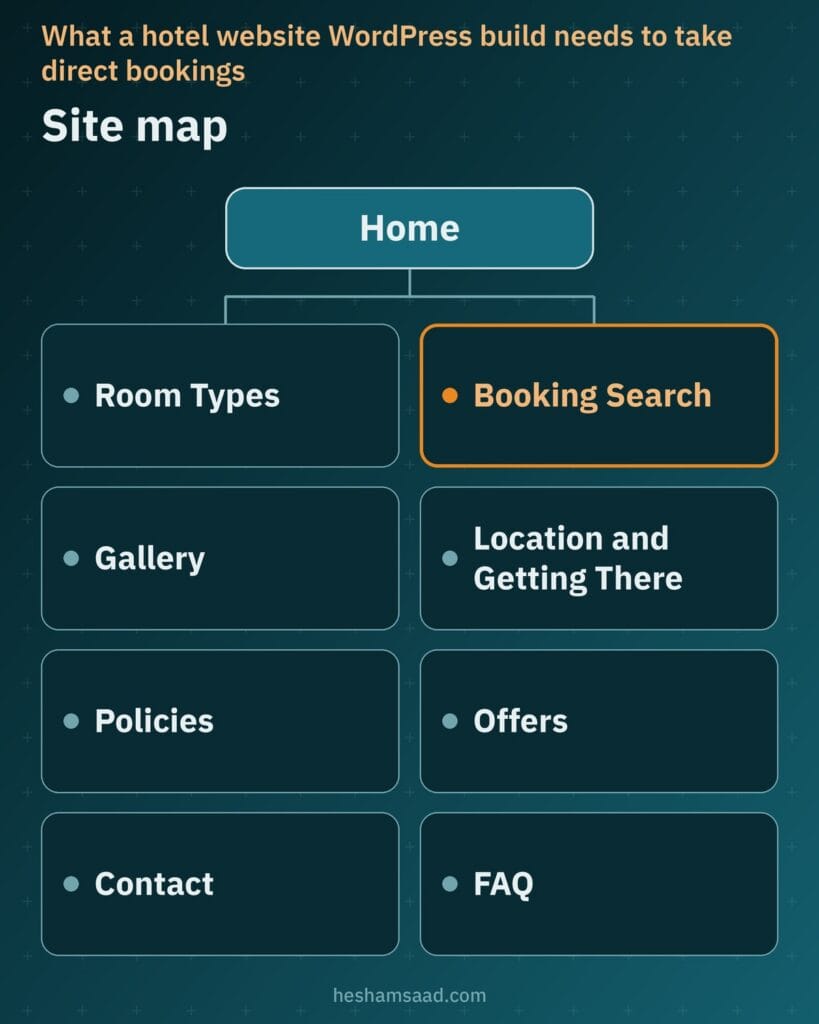
To turn browsers into confirmed arrivals without endless phone calls at the front desk, organize your site around the core pages a traveler checks before committing to dates:
- Home page featuring an immediate date-and-guest search bar, clear property positioning and straightforward navigation.
- Room type pages (or individual unit pages for apartments) detailing bed setups, occupancy limits and in-room facilities.
- Live booking search and checkout screens displaying available categories, optional extras and full price breakdowns.
- Photo gallery grouped honestly by room category, bathrooms, dining areas and exterior views.
- Location and getting there page covering map pins, airport arrival routes, parking access and neighborhood landmarks.
- Policies page stating check-in and check-out windows, cancellation rules, deposit terms and house conduct.
- Offers page published strictly when your property runs real seasonal packages or extended-stay rates, never empty placeholder deals.
- Contact and FAQ pages providing phone or messaging contact for pre-arrival questions, without asking guests to send passport numbers in a chat.
Keeping this structure focused ensures a prospective guest can move from checking your street address to confirming a room in a few predictable clicks.
If your property offers serviced apartments rather than standard hotel rooms, adapt those templates for longer stays. Give each apartment layout its own unit page explaining kitchen equipment, laundry facilities, housekeeping schedules, visitor policies and minimum stay rules so relocating professionals and families know how the building operates day to day.
Room and unit pages that answer guest questions
A traveler comparing your superior twin room with a family suite cannot walk the corridor first, so every room category deserves its own dedicated page. Combining all room types onto one long overview page leaves visitors guessing which bathroom, balcony or bed arrangement matches the rate they see at checkout.
Write every specification and policy directly from your property operations, and place house rules and cancellation terms right next to the booking button where guests cannot miss them. The table below outlines what each room or apartment unit page should display.
| Room Page Area | Details to Publish | Guest Question Answered |
|---|---|---|
| Occupancy and beds | Exact bed configuration, extra crib rules and maximum adult or child capacity | Will my travel group or family sleep comfortably in this category? |
| Space and amenities | Floor area, climate control, work desk, Wi-Fi reach, kitchenette gear and bathroom setup | Does this unit suit a quick business overnight or an extended apartment stay? |
| Floor and outlook | Courtyard, city, garden or sea view, balcony access and elevator availability | How will I reach the room with luggage and what does the window face? |
| Stay and refund rules | Check-in window, check-out cutoff, security deposit rules and cancellation terms | What happens if my flight arrives late or my travel dates change? |
Inside WordPress, MotoPress Hotel Booking (listed in the official WordPress.org directory under its free plugin name, Hotel Booking Lite) stores structured property data for every accommodation type, including a full description, photo gallery, amenities, services, bed types, maximum occupancy and room size. Whether your site handles unlimited rooms across multiple categories or rents out a single villa or apartment, each unit page links its specifications straight to live inventory.
How the room booking engine handles rates, inventory and OTAs
Hospitality reservations differ from appointment scheduling because pricing shifts across dates, multiple identical rooms share a category pool and stays span consecutive nights. If you want to compare appointment tools against accommodation engines first, read our general guide to building a WordPress booking website, then configure a room engine designed specifically for nightly inventory.
Availability search, seasonal rates and confirmation modes
MotoPress Hotel Booking works with any WordPress theme and provides a real-time availability search form alongside individual availability calendars. Your team can vary rates by season, weekends, special periods and daily or weekly stay lengths, enforce minimum and maximum stay limits, accept discount coupons and offer free or paid extras at checkout while showing taxes and fees in a clear price breakdown.
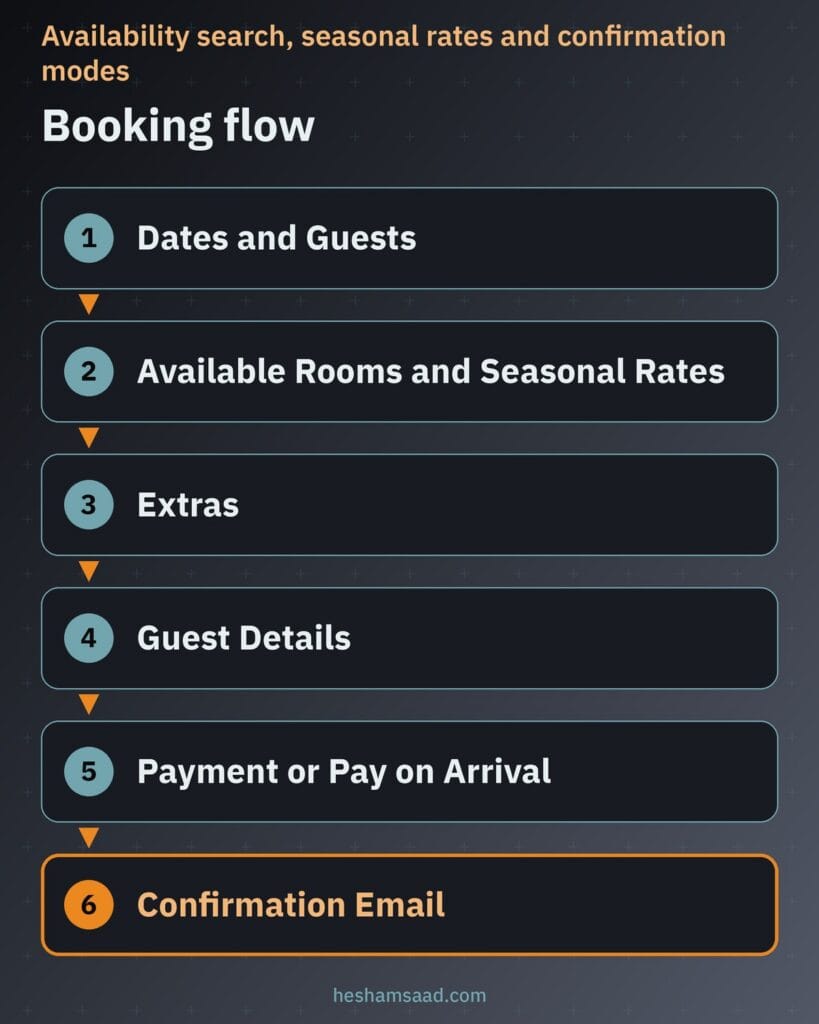
Built-in inventory control marks a reserved room unavailable automatically so simultaneous visitors on your site cannot book the same last room. Depending on how your front desk runs approvals, you can select one of three confirmation modes: manual confirmation by an administrator, customer confirmation via email link or automatic confirmation upon payment, paired with automatic email notifications for staff and guests.
Syncing calendars with OTAs via iCal
When your rooms are also listed on external booking platforms, keep your availability and rates managed from one central booking plugin rather than updating channels manually. According to the official MotoPress Hotel Booking page on WordPress.org, automatic bookings synchronization with OTAs by exchanging calendars via iCal is available as a Pro feature to help prevent overbooking.
Before opening peak-season calendars, have your developer connect the two-way iCal links on an active room category and verify how imports and exports behave. Testing confirms that a reservation placed on an OTA blocks those nights on your WordPress calendar and a direct booking blocks your external listing.
Local payment gateways, online deposits and arrival payments
Your checkout options should match how domestic and international travelers expect to confirm a room. MotoPress Hotel Booking includes PayPal for online bookings alongside Pay on Arrival and Direct Bank Transfer, and supports collecting either the full balance or a fixed or percentage deposit online.
To accept regional cards and local digital payment options across MENA, MotoPress Hotel Booking connects to additional gateways through its premium Hotel Booking WooCommerce Payments addon. That integration routes the booking payment step through WooCommerce so your site can use a regional WooCommerce gateway plugin.
One regional example is Paymob for WooCommerce, an official checkout plugin for WooCommerce stores that provides access to 20+ global and local payment methods on a PCI-compliant checkout with 3D Secure, includes multiple currency support for accepting payments in various currencies and lets your team initiate refunds from the Paymob dashboard. Because Paymob for WooCommerce requires WooCommerce, verify compatibility across the exact plugin versions with both MotoPress and Paymob before building, and run a live test payment and a test refund before launching.
Multi-currency pricing without checkout confusion
Hotels and serviced apartments in Egypt, Saudi Arabia, the UAE and nearby destinations serve domestic guests alongside visitors flying in from abroad, which brings up multi-currency pricing early in planning. While both MotoPress Hotel Booking and Paymob for WooCommerce list currency support in their official plugin documentation, showing an estimated rate and settling a card transaction are distinct steps.
Publish your base room rates in the currency your property actually charges through its bank and merchant account. If you add a secondary currency view to help international travelers gauge nightly rates, treat it strictly as an informational guide because the final charged currency always depends on your payment gateway configuration.
State the exact billing currency clearly beside the total on the checkout screen and repeat it in the booking confirmation email. Direct wording before payment avoids misunderstandings at reception when a traveler compares their card statement against an approximate display figure.
A gallery that sells the room and still loads fast
Strong hotel booking website design depends on honest visual proof of your spaces. Commission or shoot real photos of every room category, bathroom layout, window or terrace view and common area, and never substitute stock photography for your actual building. When picking a visual framework, consult our guide on WordPress tourism themes so you choose a lightweight theme that presents room galleries cleanly without heavy script bloat.
Uncompressed room galleries carry significant file weight and slow down Largest Contentful Paint (LCP), which measures the render time of the largest image or text block visible in the viewport. Guidance on web.dev sets a good LCP target at 2.5 seconds or less for at least 75% of page visits. Since WordPress 5.5, WordPress adds native browser lazy loading by default to image tags that have width and height attributes, back-filling dimensions on attachment images where possible to reduce layout shifts while serving responsive candidates via srcset and sizes attributes.
Because web.dev specifically cautions against lazy-loading images that appear inside the viewport on initial load, keep the main hero photo at the top of your home and room pages eager-loaded while letting lower gallery images lazy-load. Follow Google Search Central image SEO practices as well: place photos in standard HTML image elements using appropriate formats such as WebP, AVIF or JPEG, compress files carefully, use descriptive filenames like executive-suite-sea-view.jpg instead of camera numbers, write clear descriptive alt text without stuffing keywords and set a high-resolution property image rather than a site logo as your preferred page image.
Performance on phones and travel Wi-Fi
Guests looking up your property are frequently in transit, checking dates on a smartphone in an airport lounge, on roaming mobile data in a taxi or over shared travel Wi-Fi. Core Web Vitals measure how your pages hold up under those conditions across three metrics documented on web.dev: Largest Contentful Paint (LCP) for loading speed, Interaction to Next Paint (INP) for tap responsiveness and Cumulative Layout Shift (CLS) for visual stability.
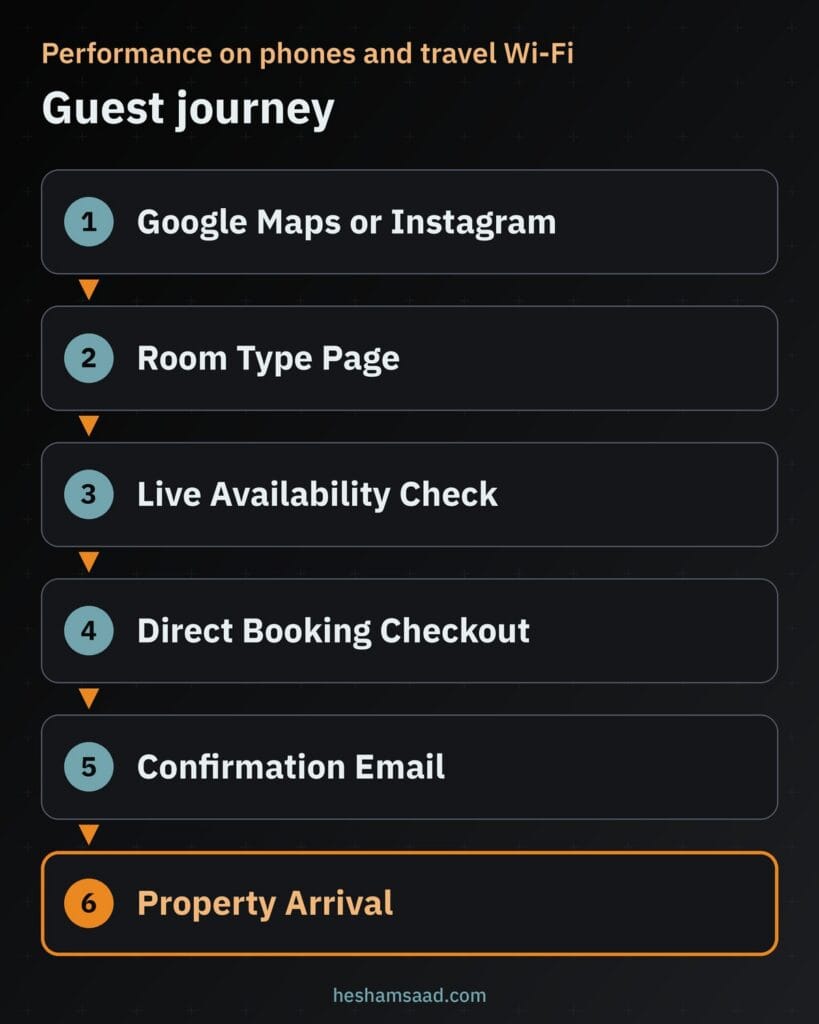
Do not limit speed checks to your home page banner. Audit an individual room page, open the date-picker calendar, select room extras and load the final checkout step in PageSpeed Insights and on physical mobile phones so interactive forms never lag or jump under a guest’s thumb.
Pair front-end speed work with foundational WordPress security before accepting guest details online. Serve every page over HTTPS and apply official WordPress hardening practices by keeping WordPress core, your active theme and every booking or payment plugin updated strictly from official releases on WordPress.org or verified vendor sources.
Arabic and English pages with local hotel schema
Serving local families and domestic corporate travelers alongside international tourists requires full Arabic and English versions of every room page, house rule, checkout label and confirmation email. MotoPress Hotel Booking is localized into 14 languages including Arabic and is officially compatible with WPML for running multilingual hospitality sites.
If you consider Polylang, its free plugin on WordPress.org translates posts, pages, media, categories, tags and custom post types, supports right-to-left (RTL) scripts, assigns language by URL code, subdomain or separate domain and includes language switcher blocks, widgets or menu items, with extended capabilities available in Polylang Pro. Whichever multilingual setup your developer configures, test the Arabic RTL booking calendar, numeric date formatting, fee breakdowns and automated emails end to end before going live.
To help search engines connect your site with a physical building, Schema.org defines Hotel as a dedicated type under LodgingBusiness and LocalBusiness. Following Google Search Central local business structured data guidelines, your developer can mark up a hotel with a real public street address using the specific Hotel sub-type, include the required property name and address properties and validate the code with the Rich Results Test, bearing in mind that clean structured data clarifies your listing details without guaranteeing rich results in search.
What shapes the scope and cost of your website
Two hospitality sites can look comparable on a home screen while requiring very different technical effort behind the scenes. Instead of comparing vague template packages, evaluate project scope around the exact operational pieces your property requires:
- Number of distinct room categories, serviced apartment units or separate properties managed inside one installation.
- Booking engine setup, seasonal rate tables and any premium addons needed for WooCommerce payment integration.
- Local payment gateway onboarding, deposit rules and end-to-end payment and refund testing.
- Two-way iCal calendar synchronization setup and verification across your active OTA listings.
- Complete Arabic and English page translation, RTL booking form styling and bilingual email templates.
- Photo selection, image compression, descriptive file naming and room-by-room gallery organization.
- Ongoing WordPress maintenance, security updates and off-site backups once direct bookings are live.
If your hospitality group also runs guest transport or a vehicle fleet that depends on date-range bookings and security deposits, read our related guide to building a car rental website on WordPress to see how fleet availability rules compare with overnight room inventory. If you sell full packages rather than rooms, see our travel agency website WordPress guide.
When a WordPress developer helps and how to start
Activating a plugin on a blank theme takes minutes, yet real hotel operations depend on edge cases working reliably when travelers book late at night. Seasonal and weekend rate overlaps, deposit calculations, WooCommerce checkout handoffs to Paymob for WooCommerce, Arabic RTL date pickers, two-way iCal calendar tests and fast eager-loaded hero photos all benefit from structured engineering and pre-launch testing.
Before speaking with a developer, prepare a clean checklist for your property: list every room or apartment type with its bed configuration and maximum occupancy, write out your check-in, deposit and cancellation policies, confirm the settlement currency on your merchant account, note which OTAs hold your inventory and gather authentic photos for each room category.
When you have that room sheet ready, explore our WordPress development services to see how we build fast, bilingual sites for MENA businesses, or book a free consultation to review your rooms, local payment setup and OTA calendar sync before development begins.
Frequently asked questions
Why take direct bookings if my hotel is already on booking platforms?
A direct booking setup lets guests check availability and reserve a room on your own domain while online travel agencies remain active as a discovery channel. Returning visitors, corporate travelers and people who find your property on a map get a clear place to read your house rules, view accurate room photos and confirm a stay directly with your team.
What does a hotel booking engine on WordPress need to do?
It needs to run live availability searches, display room calendars and adjust rates by season, weekend or length of stay. A plugin such as MotoPress Hotel Booking also enforces minimum stay rules, adds optional extras, shows taxes and fees in a price breakdown, blocks booked inventory automatically and supports manual, email or payment confirmation modes.
Can guests pay with local payment methods?
Yes, when your booking engine connects to a local gateway through WooCommerce. MotoPress Hotel Booking includes PayPal, Direct Bank Transfer and Pay on Arrival, and connects to WooCommerce gateways through its premium WooCommerce Payments addon. That setup allows Paymob for WooCommerce to process local payment methods with 3D Secure, once you confirm compatibility with both vendors and test refunds.
Can I show prices in more than one currency?
You can show room rates in the currency your property charges and offer informational currency views if needed, provided checkout stays clear. The currency actually billed to the guest card depends on your merchant account and payment gateway configuration. Always state the final charged currency next to the total on the checkout page so international guests know what their bank will process.
How do I avoid double bookings with OTAs?
Keep your room inventory in a single WordPress booking plugin and sync its calendars with your online travel agency listings using iCal. In MotoPress Hotel Booking, automatic bookings synchronization with OTAs via iCal is available as a Pro feature. Test calendar imports and exports on a real room category before launch so reservations on any channel block those dates.
References
- WordPress.org Plugin Directory: Hotel Booking Lite by MotoPress
- WordPress.org Plugin Directory: Paymob for WooCommerce
- WordPress.org Plugin Directory: Polylang
- Schema.org: Hotel Type Specification
- Google Search Central: Local Business Structured Data
- Google Search Central: Google Images SEO Best Practices
- Make WordPress Core: Lazy-loading Images in WordPress 5.5
- web.dev: Core Web Vitals
- web.dev: Optimize Largest Contentful Paint
- web.dev: Browser-level Image Lazy-loading for the Web
- web.dev: Choose the Right Image Format
- WordPress Developer Resources: Hardening WordPress
- WordPress Documentation: HTTPS for WordPress