هذا المقال متوفر باللغة العربية — اقرأ بالعربية
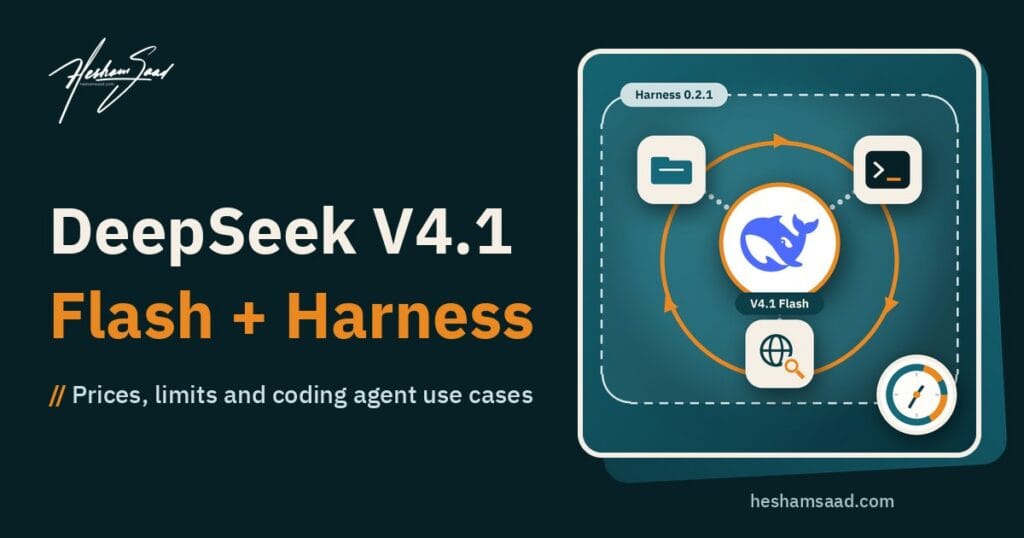
DeepSeek V4.1 Flash 1017 is the new version of DeepSeek’s smallest and cheapest model, and since October 17, 2026 it is the model that answers on DeepSeek’s website, its mobile app and its API. You do not need to change anything to use it: the API model name stays deepseek-flash, and DeepSeek says the calling method and the prices are unchanged. What changed is the model behind that name. DeepSeek trained this update to build complete software projects from a short request, and its own benchmark scores rose across coding, agent and vision tests. On the same day DeepSeek shipped DeepSeek Harness 0.2.1 release candidates, the open-source coding agent it tuned the new model for.
This article explains what the update actually changes, what DeepSeek Harness is and what 0.2.1 adds, what the model costs and where the limits are, how it compares with Claude, GPT and Gemini models in the same price class, and what it means for a business that runs a WordPress site. Prices, limits and features come only from DeepSeek’s official API documentation, pricing page and change log, the Harness repository and documentation, and from the official pricing pages of the rivals. Benchmark scores are the ones DeepSeek reported; nobody has reproduced them independently yet.
What changed on October 17
- A new model version under the same name. The API name
deepseek-flashnow points to DeepSeek-V4.1-Flash-1017. The previous V4.1 Flash, launched on September 10, is replaced. - Website and app updated too. The change log says the web and app versions were upgraded on the same day, so regular chat users get the new model as well.
- Same API calls, same prices. DeepSeek states that the API calling method and pricing did not change.
- Trained for whole projects. DeepSeek’s announcement, titled “Wish-Driven Programming Made Real”, says the model was trained with reinforcement learning using self-feedback so it can build a complete project from a request. Its demos include a 3D model of the Forbidden City, a racing game that runs in the browser and a recreation of Portal 2 in the Godot engine.
- Shorter, faster runs. DeepSeek says task runtime and output length are both reduced compared with the previous version.
- Tuned for specific agents. The model is optimized for DeepSeek Harness and for Tencent’s CodeBuddy and WorkBuddy. DeepSeek recommends Harness 0.2.1-rc.1 or later.
- Open weights again. The weights are published on Hugging Face and ModelScope under the MIT license, which allows commercial use and self-hosting.
- A new Search API. DeepSeek opened its own web Search API the same day, with a Fetch API for reading pages.
DeepSeek V4.1 Flash 1017 at a glance
| Item | Detail |
|---|---|
| API model name | deepseek-flash (model version DeepSeek-V4.1-Flash-1017) |
| Older names still accepted | deepseek-v4-flash and deepseek-v4-flash-vision-exp, both served by 1017 and billed at the Flash price |
| API formats | OpenAI format at https://api.deepseek.com and Anthropic format at https://api.deepseek.com/anthropic |
| Modes | Thinking and non-thinking; thinking is the default |
| Context length | 1 million tokens |
| Maximum output | 384K tokens |
| Features | JSON output, tool calls, Responses API, Anthropic API, Chat Prefix Completion (beta) |
| Fill in the middle (FIM) | Beta, non-thinking mode only |
| Vision (image input) | Yes. The larger V4 Pro model does not support it |
| Concurrency limit | 2,500 requests at once per account (V4 Pro: 500) |
| License | MIT, open weights on Hugging Face and ModelScope |
| Checkpoint size | Hugging Face lists about 763 billion parameters |
One detail is easy to miss. “Flash” is the cheap tier at DeepSeek, but it is not a small model you can run on a laptop. The open checkpoint is very large, so self-hosting it is a job for a GPU server, not a shared hosting plan.
How much better is it? DeepSeek’s own numbers
The change log compares 1017 with the September version of V4.1 Flash. All scores below are DeepSeek’s own.
| Benchmark | V4.1 Flash (Sep 10) | V4.1 Flash 1017 |
|---|---|---|
| Humanity’s Last Exam, no tools | 36.8 | 42.6 |
| Terminal-Bench 4.0 (run with Claude Code) | 31.2 | 42.3 |
| DeepSWE v1.1 | 74.2 | 77.0 |
| ProgramBench | 20.3 | 29.1 |
| NL2Repo-Bench | 65.4 | 68.2 |
| Automation-Bench v1.0.6 | 54.8 | 60.5 |
| Agents’ Last Exam | 31.8 | 35.4 |
| Apex Bench v1.1 | 64.6 | 72.1 |
| Chartography, with tools | 78.9 | 83.0 |
| BabyVision, with tools | 89.6 | 92.5 |
| ZeroBench, with tools | 49.0 | 51.0 |
The biggest jumps are in terminal work (about 11 points) and in ProgramBench, which tests building programs from scratch (about 9 points). That matches what DeepSeek says it trained for. The vision scores moved less, which makes sense for a minor update.
On the Hugging Face model card DeepSeek also places 1017 next to Kimi K3, GLM-5.3, GPT-5.6 Sol and Claude Opus 5. In that table 1017 beats Kimi K3, GLM-5.3 and GPT-5.6 Sol on most coding and agent tests, and Claude Opus 5 stays ahead on most of them, for example 51.8 against 42.3 on Terminal-Bench 4.0 and 75.3 against 68.2 on NL2Repo. Keep in mind that the comparison is chosen by DeepSeek, and the rival versions in it are not all the newest ones.
DeepSeek API pricing: peak and off-peak
DeepSeek is one of the few providers that charges different rates by time of day. Off-peak rates are exactly half the peak rates. All prices are in US dollars per 1 million tokens, from DeepSeek’s official pricing page.
| Item | Flash, off-peak | Flash, peak | V4 Pro, off-peak | V4 Pro, peak |
|---|---|---|---|---|
| Input, cache hit | $0.003 | $0.006 | $0.022 | $0.044 |
| Input, cache miss | $0.15 | $0.30 | $0.66 | $1.32 |
| Output | $0.60 | $1.20 | $1.98 | $3.96 |
Peak hours are 01:00 to 04:00 and 06:00 to 10:00 UTC, Monday to Friday, excluding Chinese public holidays. In Riyadh and Kuwait time (UTC+3) that is 4 AM to 7 AM and 9 AM to 1 PM. In Dubai (UTC+4) it is 5 AM to 8 AM and 10 AM to 2 PM. Cairo is on UTC+3 until Egypt’s winter time starts at the end of October, after which the Cairo hours are one hour earlier than Riyadh. Everything else is off-peak, including all of Saturday and Sunday and the whole Arab business afternoon and evening. Note that Friday counts as a working day for DeepSeek, so Friday mornings are peak hours even though they are a weekend in much of the Gulf.
Other pricing points from the same page:
- Search and Fetch APIs: $0.75 per 1,000 successful requests each. When they run as server-side tools through DeepSeek Harness, Claude Code or Codex they are free until billing starts on November 1, 2026 at 00:00 Beijing time, which is October 31 at 16:00 UTC.
- Granted balance first: any promotional balance in your account is used before paid balance.
- Prices can change: DeepSeek says it may adjust prices, so check the pricing page before you plan a budget.
A practical example: say you generate 1,000 product descriptions, each with about 800 input tokens of product data and instructions and about 400 output tokens. That is 0.8 million input tokens and 0.4 million output tokens. With no cache hits, the job costs about $0.72 at peak rates and about $0.36 off-peak. If you use thinking mode, which is the default, the model writes reasoning before the answer, so expect more output tokens than that and check the usage numbers the API returns.
DeepSeek Harness: what it is and what 0.2.1 adds
The model is only half of this release. The other half is DeepSeek Harness, the program that turns the model into a working coding agent. A harness is the layer around a model that gives it tools: it reads and edits files, runs terminal commands, keeps a plan, asks you before risky steps and feeds the results back to the model. The same model can perform very differently in two harnesses, which is why DeepSeek built its own coding agent and tuned 1017 for it and a few others.
What DeepSeek Harness is
- Open source from DeepSeek. The code is on GitHub at deepseek-ai/deepseek-harness under the MIT license. The command name is
dsh. - Built from plugins. DeepSeek describes it as “everything is a plugin”: tools, model providers, memory and even the interface are plugins you can turn on, swap or write yourself.
- Easy to start. With Node.js installed,
npx @deepseek-ai/dsh webstarts a web interface at http://127.0.0.1:3080. You add your DeepSeek API key under Settings, then Models, pick a project folder as the workspace and start a session. - Not tied to DeepSeek models. The model settings also list providers such as Anthropic, OpenAI, Moonshot AI (Kimi) and Z.ai (GLM), plus any custom OpenAI-compatible endpoint, for example a company gateway or a self-hosted model.
- More than a chat window. The documentation covers a Python SDK, a desktop app, an MCP client for outside tools and memory servers, scheduled tasks, plugin markets, publishing the web interface behind a reverse proxy, and an experimental setup that starts a review session when a GitHub pull request is marked ready for review.
- Still a developer preview. The README warns in capital letters that there will be compatibility-breaking changes, and the safety notice says it has not had a security audit and must not be treated as secure or production-ready.
What version 0.2.1 adds
On GitHub, 0.2.1 is still a release candidate. Release candidate 1 was published on October 17 at 05:22 UTC, and release candidate 2 followed at 08:16 UTC the same day. When this article was written, the repository had no final 0.2.1 release yet. The main changes:
- Support for V4.1 Flash 1017 (release candidate 2).
- DeepSeek Search and Fetch APIs as the agent’s web search, switched on from the Web Search settings (release candidate 2).
- Claude Code and Codex bundles. The official plugin list can install Claude Code and Codex bundles that match the current release, for headless, SDK and ACP profiles.
- Plugin markets. You can add custom plugin index sources, browse a Discover tab and install plugins after a confirmation, or ask the agent to create a plugin for you.
- Per-model reasoning levels for custom model APIs, set from the interface instead of a config file.
- AGENTS.md support. Global instructions can be loaded from AGENTS.md in a shared agents folder.
- Secret masking. Keys and tokens you paste into a message are detected and hidden by default.
- Remote work over SSH. New helper runtimes handle remote files, processes, terminals and sandboxing.
- Experimental extras: a Git Worktrees plugin so the agent works in a separate checkout, a Claude Code Mods compatibility layer, developer tools with raw session logs, and a plugin that translates the model’s reasoning.
- Smaller improvements: image reading and automatic context compaction in minimal mode, a
/compactcommand, better subagent delegation, and many fixes for Windows, terminals and session recovery.
How 1017 was tuned for Harness
DeepSeek’s change log says it “specifically optimized” 1017 for DeepSeek Harness, Tencent CodeBuddy, WorkBuddy and other platforms, and recommends Harness 0.2.1-rc.1 or later “for the best experience with the new model”. The concrete changes it names are shorter outputs and shorter task runtimes, so each agent task costs less and finishes sooner, plus reinforcement learning with self-feedback aimed at building complete projects. DeepSeek also used the Harness minimal mode as the test framework for the coding agent benchmarks of earlier V4 models. DeepSeek has not published further technical detail on how the tuning works, so it is best read as “tested and tuned in this environment” rather than a feature that only works inside Harness.
Harness compared with other coding agents
DeepSeek documents several ways to use its models inside coding agents. The table sums up what DeepSeek’s own guides say about each one.
| Coding agent | How it connects to DeepSeek | Worth knowing |
|---|---|---|
| DeepSeek Harness | Native: enter the DeepSeek API key in the model settings | Open source (MIT), plugin based, the setup DeepSeek tuned for. Developer preview with no security audit yet |
| Claude Code | Anthropic-format endpoint at https://api.deepseek.com/anthropic, set through environment variables | DeepSeek’s guide uses deepseek-flash[1m] for the full 1M context. DeepSeek ran its Terminal-Bench 4.0 score with Claude Code |
| Codex | Responses API, with a one-click setup script from DeepSeek | One configuration covers Codex CLI, the ChatGPT desktop app and the VS Code extension. The script backs up your old config and can restore it |
| OpenCode | Built-in DeepSeek provider through the /connect command | Open source. DeepSeek recommends version 1.18.30 or later |
| WorkBuddy and CodeBuddy (Tencent) | OpenAI-compatible Chat Completions through a local models.json file | Named by DeepSeek as tuned for 1017. DeepSeek’s sample config sets 128K input and 8K output, far below the model’s limits |
The short version: if you already use Claude Code or Codex every day, pointing it at DeepSeek is the smallest change, and you keep the workflow you know. Harness makes sense if you want an open-source agent you can extend with plugins, run on your own machine and connect to several model providers, and you are comfortable with preview software. Since DeepSeek’s own safety notice says it is not production-ready, run it in a container, a virtual machine or a disposable copy of your project, with backups.
Pros and cons
Pros
- Large context at a flat price. 1 million tokens of context and up to 384K tokens of output, with no higher rate for long prompts.
- Very cheap repeated context. A cache hit costs $0.006 per million tokens at peak and $0.003 off-peak, which is very low for apps that send the same long instructions or documents again and again.
- Off-peak discount. Batch jobs scheduled outside peak hours cost half.
- Open weights under MIT. If you cannot send data to an outside API, you can host the same model yourself or through a cloud provider.
- An open-source agent of its own. DeepSeek Harness is MIT licensed and works with other model providers too, so you are not locked in.
- Drop-in compatibility. OpenAI and Anthropic API formats, tool calls, JSON output and the Responses API mean little code changes.
- Vision included. Flash reads images; the more expensive V4 Pro does not.
- High concurrency. 2,500 requests at once per account, and DeepSeek says it raises the limit for free on request.
Cons
- Peak rates are not the cheapest in its class. At peak, regular input costs $0.30 per million, three times the base rate of GPT-6 Luna or Claude Haiku 5.5.
- Peak hours overlap with the Gulf and Egyptian working morning. If your users are active from 9 AM to 1 PM, live traffic will be billed at the higher rate.
- Self-reported benchmarks. All scores come from DeepSeek, and the rival list was chosen by DeepSeek.
- Data location and policy. The hosted API is run by a company based in China. Read DeepSeek’s terms and privacy policy before sending customer data, and check what your own clients and local rules require.
- Self-hosting is heavy. The open checkpoint is around 763 billion parameters, so running it yourself needs serious GPU hardware.
- Harness is preview software. DeepSeek Harness 0.2.1 is a release candidate, breaking changes are expected and it has not had a security audit.
- Some features are beta. FIM completion and chat prefix completion are beta, and FIM only works in non-thinking mode.
How it compares with rivals
The fair comparison is with the low-cost models of the other big labs. Prices are standard rates per 1 million tokens from each provider’s official pricing page, for regular-length prompts.
| Model | Input | Cached input | Output | Notes |
|---|---|---|---|---|
| DeepSeek V4.1 Flash 1017 | $0.30 peak / $0.15 off-peak | $0.006 / $0.003 | $1.20 / $0.60 | 1M context, open weights (MIT) |
| GPT-6 Luna (OpenAI) | $0.10 | $0.01 | $0.50 | Short-context rate; long context costs more |
| Claude Haiku 5.5 (Anthropic) | $0.10 | $0.01 | $0.50 | Prompts over 100K tokens: $0.50 input, $2.50 output |
| Gemini 3.8 Flash (Google) | $0.75 | $0.075 | $3.75 | Introductory price until December 31, 2026, then $1.50 and $7.50 |
| Gemini 3.5 Flash-Lite (Google) | $0.30 | $0.03 | $2.50 | Google’s lower-cost Flash tier |
Using the same 1,000 product descriptions example, GPT-6 Luna and Claude Haiku 5.5 would each cost about $0.28, DeepSeek about $0.36 off-peak or $0.72 at peak, and Gemini 3.8 Flash about $2.10. So for short, simple jobs DeepSeek is not automatically the cheapest anymore. Where it wins on price is long prompts and repeated context: a 300,000-token prompt costs $0.09 of input at DeepSeek’s peak rate and $0.15 at Claude Haiku 5.5’s over-100K rate, and cached context is cheaper than at any rival in the table.
Web search follows the same pattern. DeepSeek’s Search API costs $0.75 per 1,000 requests, while OpenAI charges $10 per 1,000 web search tool calls and Google charges $14 per 1,000 grounded requests after 5,000 free ones per month.
The other difference is control. None of the rivals in the table publish their weights. If you need to keep data on your own servers, DeepSeek and other open models are the only option of the group.
Best use cases
- Coding agents and prototypes. The training focus and the terminal and project benchmarks make it a good low-cost engine for Claude Code, Codex or Harness on everyday tasks, with a stronger model kept for the hard ones.
- Large document work. Contracts, manuals, policy documents or a full product catalog fit in a 1 million token context without chunking.
- Repeated long instructions. Chatbots and assistants that send the same long system prompt and knowledge base with every message benefit most from the cache price.
- Overnight batch jobs. Content rewrites, translations, tagging and data cleanup scheduled off-peak cost half.
- Reading images. Charts, screenshots, invoices and product photos, since Flash accepts image input.
- Private deployments. Companies that cannot use a foreign API can host the MIT-licensed weights in their own environment.
What it means for a WordPress site or business
For most WordPress owners the change is simple: if you already use deepseek-flash or one of the older Flash names, you got a better model at the same price on October 17, with no code changes. It is still worth testing your own prompts again, because a model that writes shorter outputs can change the look of generated content.
If you do not use DeepSeek yet, here is how it fits into a WordPress setup:
- Plugins with a custom endpoint. Any AI plugin or custom code that lets you set an OpenAI-compatible base URL and model name can point to https://api.deepseek.com with the model
deepseek-flash. Keep the API key on the server, for example inwp-config.phpor an environment variable, never in front-end JavaScript. - Schedule heavy work off-peak. Bulk product descriptions, Arabic and English rewrites, alt text for a media library or SEO meta drafts can run through a scheduled task at night or on the weekend, at half the price.
- Site chatbots. A support bot that answers from your policies and product data sends the same long context every time. That is exactly where the low cache price helps. Our WordPress AI chatbot guide covers how to plan one.
- Watch the 429 errors. If you go over the concurrency limit, the API returns HTTP 429. A small site will not reach 2,500 parallel requests, but bulk scripts should retry with a delay. DeepSeek also offers a
user_idfield that keeps safety checks, cache and scheduling separate for each end user, which is useful on a site with many visitors. - Decide on data before you build. For public content such as blog drafts or product copy, the hosted API is usually fine. For customer orders, health data or anything personal, check the privacy policy and your clients’ requirements, or consider self-hosting. Our WordPress AI plugin security checklist is a good place to start.
- Keep a second provider. Because DeepSeek, OpenAI and Anthropic share API formats, you can build your integration so the model can be switched in settings. Prices and models change every few weeks, and a switch should not need a rebuild.
For agencies and developers, Harness and the Claude Code and Codex guides mean DeepSeek can be the everyday coding model for theme and plugin work. A sensible setup looks like this:
- Work on a copy, never on the live site. Point the agent at a local or staging checkout of your theme or plugin, inside a container or virtual machine, as DeepSeek’s safety notice advises. Do not give it your production
wp-config.php, database password or hosting SSH keys. - Use Git as the safety net. The experimental Git Worktrees plugin lets the agent work in a separate checkout, so you review its changes as a normal diff before merging.
- Review pull requests. Teams that keep their theme in GitHub can try the experimental review flow that opens a read-only review session when a pull request is ready for review. A person still approves the merge.
- Write AGENTS.md once. Put your WordPress rules there (coding standards, escaping and sanitizing, text domains, no edits to core or vendor folders) so every session starts with them.
- Test before you deploy. Agent-built code still needs a real check on staging: PHP errors, WooCommerce checkout, RTL layout for Arabic and page speed.
We cover this kind of workflow in building a WordPress site with AI.
If you want an AI feature built into your site the right way, with the key kept safe, costs under control and a provider you can swap, our WordPress development service handles it from planning to launch. You can also book a free consultation to see which model fits your use case and budget.
FAQ
Do I need to change my code to use DeepSeek V4.1 Flash 1017?
No. The API name deepseek-flash now runs the 1017 version, and the older names deepseek-v4-flash and deepseek-v4-flash-vision-exp are routed to it as well. DeepSeek says the calling method is unchanged.
Did the price go up with the update?
No. DeepSeek’s change log says pricing did not change. Flash costs $0.30 per million input tokens, $0.006 for cached input and $1.20 for output at peak, and half of that off-peak.
When are DeepSeek’s off-peak hours?
Peak hours are 01:00 to 04:00 and 06:00 to 10:00 UTC on weekdays, excluding Chinese public holidays. Everything else is off-peak, including weekends. In Riyadh time that means peak runs from 4 AM to 7 AM and 9 AM to 1 PM.
Can I run the model on my own server?
Yes. The weights are on Hugging Face and ModelScope under the MIT license. The checkpoint is around 763 billion parameters, so you need a multi-GPU server or a cloud GPU provider, not regular web hosting.
Is DeepSeek V4.1 Flash better than Claude or GPT?
According to DeepSeek’s own table, 1017 beats Kimi K3, GLM-5.3 and GPT-5.6 Sol on most coding and agent tests but stays behind Claude Opus 5. Against cheap models like GPT-6 Luna and Claude Haiku 5.5, its advantage is the 1M context, very cheap caching and open weights, not a lower base price.
Is DeepSeek Harness required?
No. Harness is DeepSeek’s own open-source agent and the setup it tuned 1017 for, but DeepSeek also publishes setup guides for Claude Code, Codex, OpenCode, WorkBuddy, CodeBuddy and other tools.
Is DeepSeek Harness 0.2.1 stable?
Not yet. On GitHub, 0.2.1 is published as release candidates, and the project calls itself a developer preview with breaking changes ahead. DeepSeek’s safety notice says to run it with the least access possible, preferably in a virtual machine or container, and to keep backups.
References
- DeepSeek-V4.1-Flash-1017: Wish-Driven Programming Made Real, DeepSeek News
- DeepSeek API Change Log
- DeepSeek Models and Pricing
- DeepSeek Rate Limit
- DeepSeek API Docs: Your First API Call
- DeepSeek-V4.1-Flash-1017 model card, Hugging Face
- DeepSeek Harness Quick Start
- DeepSeek Harness repository, GitHub
- DeepSeek Harness releases, GitHub
- DeepSeek Harness safety notice, GitHub
- DeepSeek Harness: Configure models
- DeepSeek guide: Integrate with Claude Code
- DeepSeek guide: Integrate with Codex
- DeepSeek guide: Integrate with OpenCode
- DeepSeek guide: Integrate with WorkBuddy and CodeBuddy
- DeepSeek Search and Fetch guide
- DeepSeek announcement on X
- DeepSeek Harness 0.2.1 announcement on X
- OpenAI API pricing
- Claude API pricing
- Gemini API pricing