هذا المقال متوفر باللغة العربية — اقرأ بالعربية
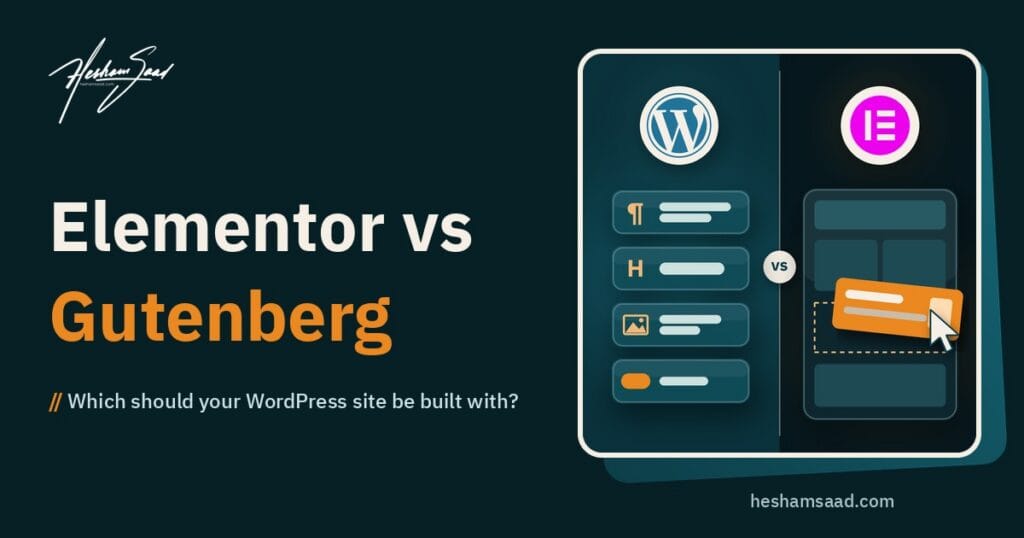
Elementor vs Gutenberg is often the first technical choice a business owner meets when hiring a WordPress designer, and it usually shows up as one line in a proposal: “built with Elementor Pro” or “built with the block editor”. That line decides how your team will edit pages, what you pay for every year, how easily another developer can take over, and how much work a redesign will be in three years. This guide explains the difference in plain terms so you can ask the right questions before you sign.
It is written for business owners in Egypt, Saudi Arabia and the Gulf who are comparing designers or agencies. You do not need to know any code to follow it.
The short answer
Both can produce a professional business site. Neither one is automatically faster, cheaper or better for SEO. The right choice depends on three things:
- Who will edit the site after launch, and how often they build new layouts.
- Whether you are comfortable with a yearly licence for the tool your pages depend on.
- How long you plan to keep the site, and how easily you want to switch developers later.
The rest of this article walks through each point, then gives you a checklist to use in your next call with a designer.
What each one actually is
Gutenberg: the editor built into WordPress
Gutenberg is the project name for the block editor that ships with WordPress itself. It arrived in WordPress 5.0 in December 2018, and every paragraph, image, button or table on a page became a separate “block”. Since WordPress 5.9, block themes extend the same idea to the whole site: headers, footers, archive pages and the 404 page are all built from blocks and edited in the Site Editor.
Around the editor, WordPress has added tools that matter for business sites:
- Styles and theme.json, which hold your brand colours, fonts and spacing in one place.
- Patterns, ready-made groups of blocks such as a services section or a call to action. A synced pattern updates everywhere it is used.
- The Font Library, added in WordPress 6.5, which lets you install and manage fonts for block themes without code.
- Block locking, added in 5.9, so a designer can stop a block from being moved or removed by mistake.
All of this comes with WordPress at no extra cost. You still pay for design, development, hosting and any premium plugins, but not for the editor.
Elementor: a page builder plugin
Elementor is a separate plugin that replaces the editing screen with its own drag and drop editor. On WordPress.org it shows more than 10 million active installations, which makes it one of the most used plugins in the directory. It comes in two parts:
- Elementor (free), with the visual editor and more than 40 basic widgets such as heading, image, button and gallery.
- Elementor Pro (paid subscription), which adds the Theme Builder for headers, footers and templates, Forms, the Popup Builder, the WooCommerce Builder, custom fonts and icons, custom CSS and more.
Elementor says it works with any theme that follows WordPress coding standards and recommends its own lightweight Hello theme as a blank canvas. A common setup is Hello plus Elementor Pro, with almost all of the design living inside Elementor.
Elementor vs Gutenberg: the differences that matter to a business owner
Feature lists change with every release. These are the differences that tend to affect your budget and your team, not just the designer’s preferences.
| Question | Gutenberg (block editor) | Elementor |
|---|---|---|
| Where does it come from? | Part of WordPress core | Third-party plugin, free and Pro versions |
| Yearly licence for the editor? | No | Yes, for Pro features (renews yearly by default) |
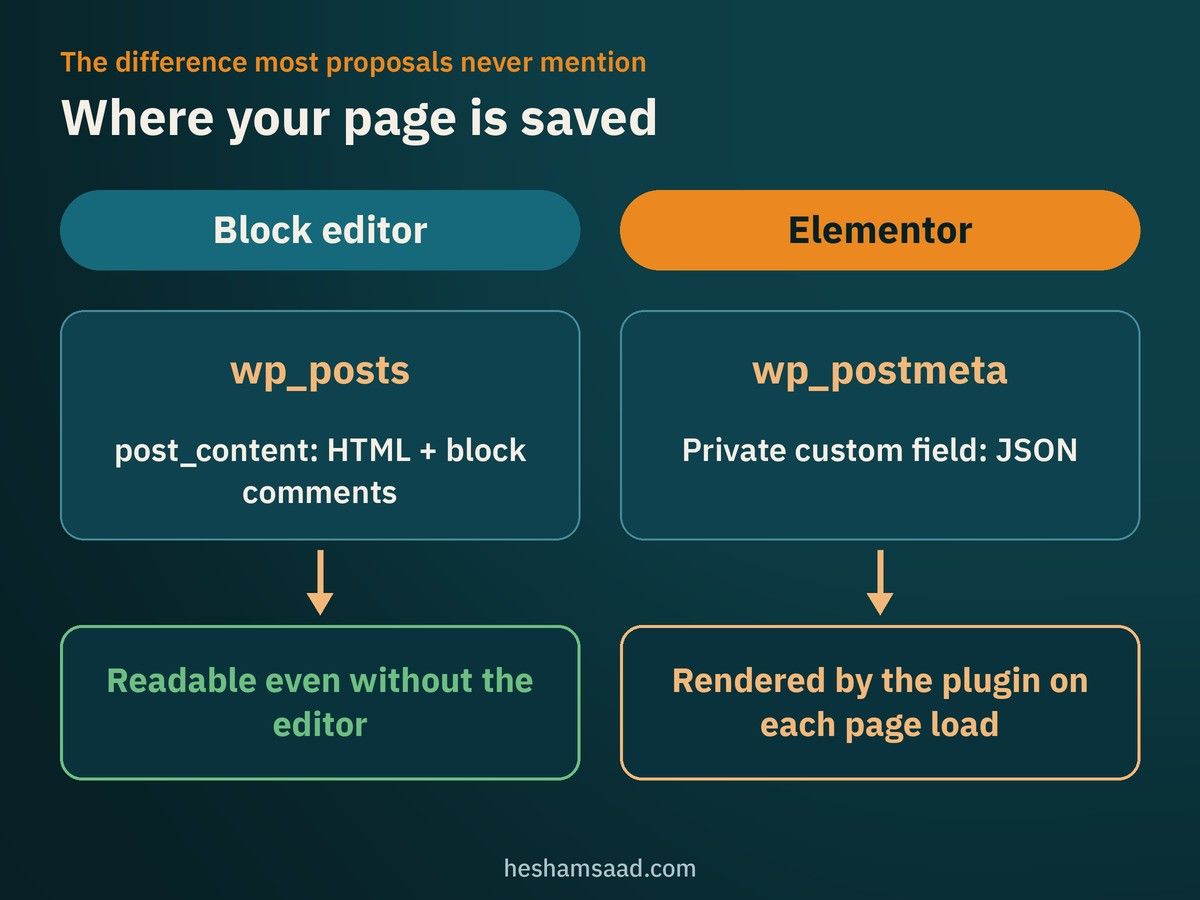
| Where is the page layout saved? | In the post content, as HTML with block comments | As JSON in a hidden custom field, rendered by the plugin |
| Header, footer and templates | Site Editor with a block theme | Theme Builder, a Pro feature |
| Forms and popups | Through separate plugins | Built into Pro |
| Custom fonts (including Arabic) | Font Library in block themes since 6.5 | Custom fonts is a Pro feature |
| If the tool is removed later | Content stays readable | Layouts stop rendering until the plugin is back |
| Editing feel for your team | Structured blocks and patterns | Free-form visual canvas |
Where your content lives, and why it matters later
This is the difference most proposals never mention, and it is the one you will feel in a redesign or a developer change.
The block editor saves your page into the normal WordPress post content as HTML, with small comments that mark where each block starts and ends. The WordPress developer documentation explains that this was done on purpose: the post stays readable even on a theme or system that does not understand blocks.
Elementor works differently. Its developer documentation says the page layout is saved as JSON in a private custom field in the database, and the plugin’s front end reads that data to build the page each time. Your content is not lost if Elementor is turned off, but the designed layout will not show until Elementor is active again.
What this means for you:
- Moving off Elementor later usually means rebuilding pages, not flipping a switch. Plan for that if you expect a WordPress website redesign in a few years.
- Taking over an Elementor site is normal work, but the new developer needs to know Elementor and have access to an active Pro licence. Our guide to a WordPress website takeover covers what to collect.
- Block content travels more easily between block themes, because the layout lives in WordPress itself.
The licence question
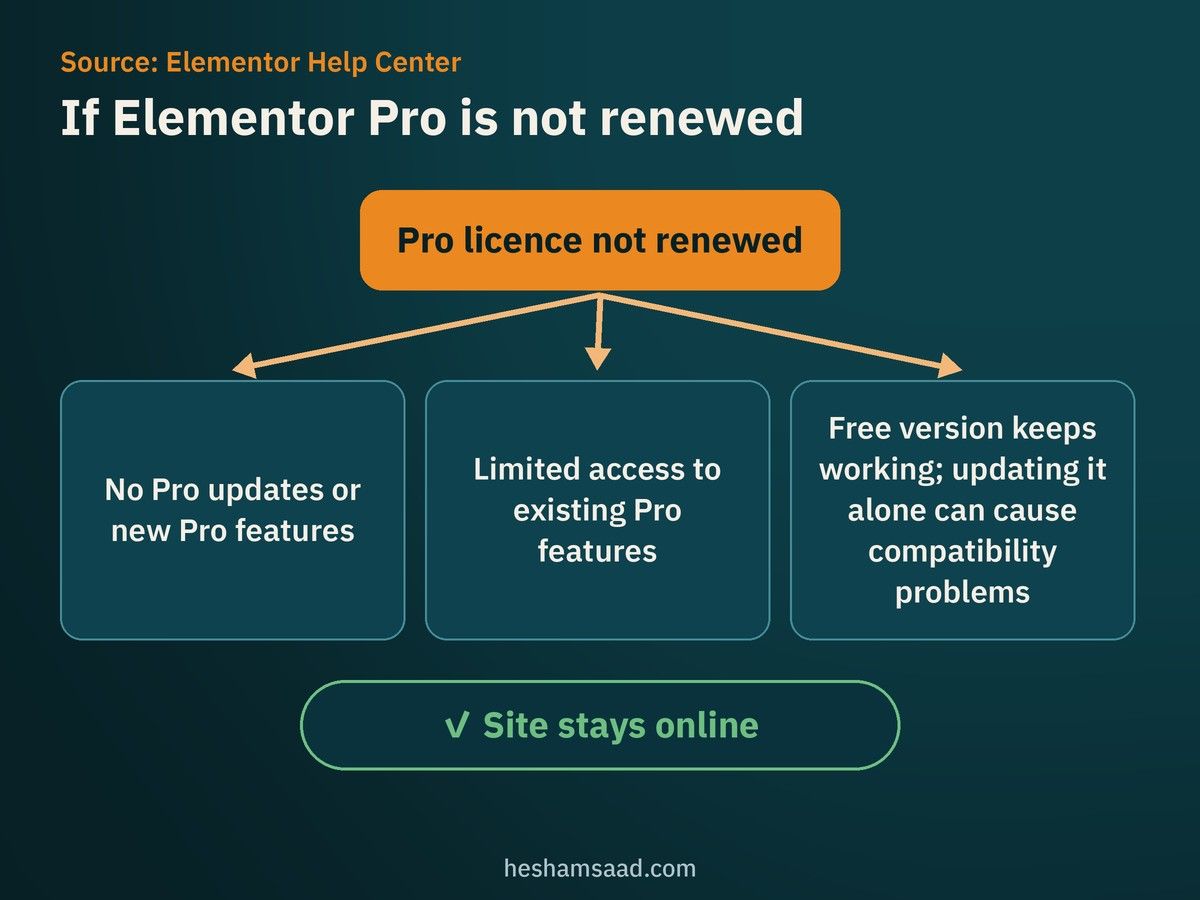
An Elementor Pro subscription renews every year by default. Elementor’s own help centre explains what happens if you stop paying:
- You can no longer update Elementor Pro or add Pro features to your site.
- You may have only limited access to existing Pro features.
- The free version keeps working and can still be updated, but updating it without updating Pro can cause compatibility problems.
Your site does not go offline when a licence expires, but an unmaintained Pro plugin is a real risk for a business site, especially for security updates. Before you sign, settle these points in writing:
- Whose account holds the Pro licence: yours or the designer’s?
- Who pays the renewal, and is it included in a maintenance plan?
- What happens to the licence if you part ways with the designer?
The same ownership rules apply to every premium theme and plugin. We cover them in how to hire a WordPress designer.
Speed and Core Web Vitals
You will hear strong opinions on both sides. The honest answer is that the tool is only one part of speed. Hosting, images, fonts, the theme and the number of plugins usually matter just as much.
What we can say from official sources:
- WordPress can load the styles only for blocks actually used on a page. In block themes this works out of the box.
- Elementor lists its own performance work on its plugin page, such as reduced DOM output, loading CSS and JS only on demand, and element caching.
- Google measures real user experience with Core Web Vitals. A good result is LCP within 2.5 seconds, INP under 200 milliseconds and CLS under 0.1.
Instead of arguing about the editor, ask the designer to open two or three of their live sites in PageSpeed Insights during the call, on mobile. That tells you more than any claim. For the full picture on Arabic sites, read how to speed up WordPress for Arabic sites.
Arabic and bilingual sites
Both tools can build right-to-left pages. The problems we see on Arabic sites come from details, not from the choice of editor:
- Arabic fonts. With a block theme you can add fonts through the Font Library. In Elementor, uploading custom fonts is a Pro feature. Either way, ask which Arabic font is used and how many weights load.
- Mirrored layouts. Icons, arrows, sliders and number alignment need to flip correctly. Check the Arabic version on a real phone, not only the English demo.
- Two languages, one design. Ask how a change to the header or a section reaches both languages. With templates and synced patterns this is usually one edit. With copied layouts it can become two.
If your current site already has layout bugs in Arabic, our guide to fixing WordPress RTL issues lists the common causes, and translating a WordPress site to Arabic covers the multilingual setup.
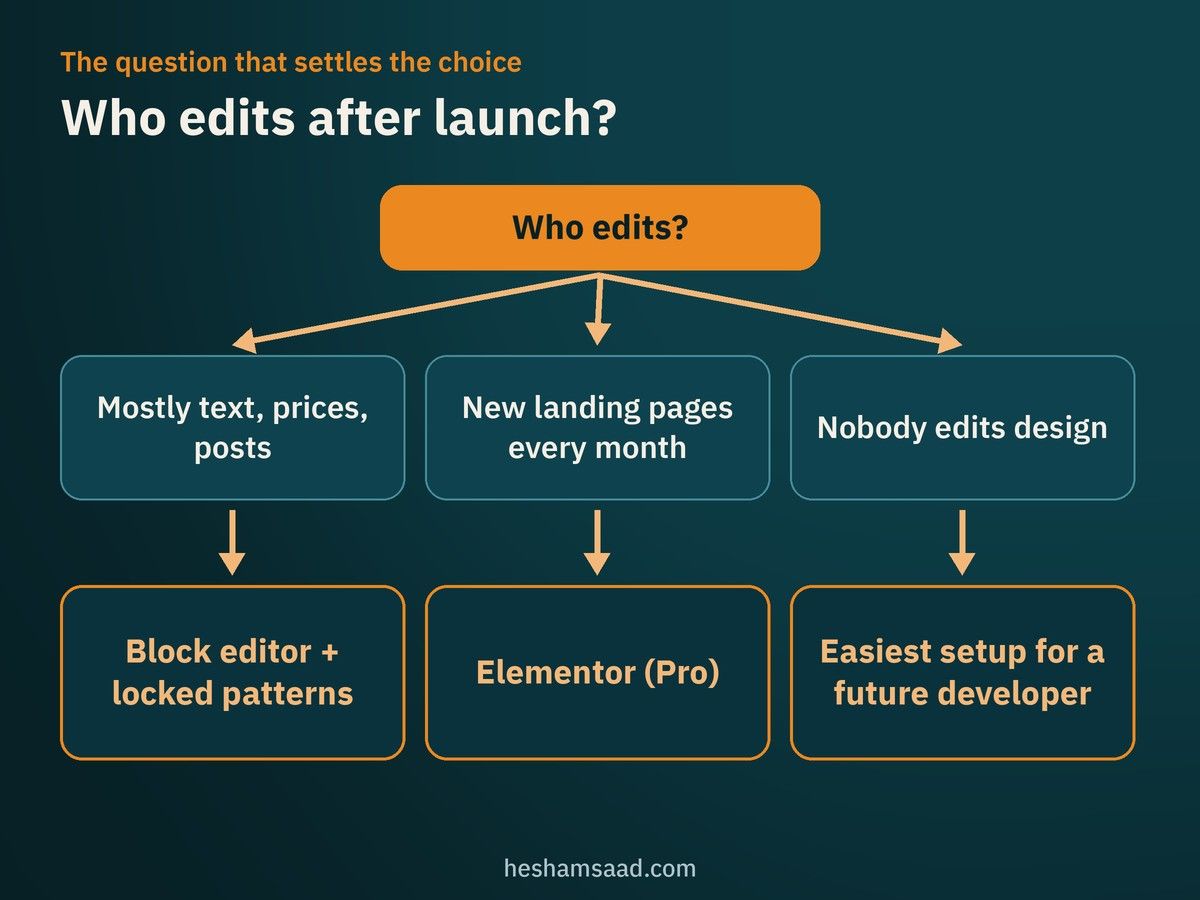
Who will edit the site after launch?
This question settles more decisions than any feature list.
- If your team mostly updates text, prices, team members and blog posts, the block editor with well-made patterns is usually enough. WordPress patterns support content-only editing, so staff can change text and images without breaking the layout.
- If your marketing team builds new landing pages every month and wants to drag sections around freely, Elementor’s visual canvas can be easier for them to learn. Elementor Pro also has Components with controlled content editing for the same purpose.
- If nobody on your side will edit the design, pick the option that is easiest for any future developer to maintain.
One practical detail: Elementor’s FAQ says that editing blog posts with Elementor needs Elementor Pro. Most sites write posts in the block editor anyway, but it is worth knowing.
Elementor or Gutenberg for a business website: when each makes sense
Choose Elementor when
- Your team will build many campaign or landing pages without a developer.
- You want forms, popups and a WooCommerce shop designed in one tool.
- Your designer is genuinely strong in Elementor and can show fast live sites built with it.
- You accept a yearly Pro licence as a fixed running cost.
Choose the block editor when
- You want fewer moving parts and no licence for the editor itself.
- Your team edits content more than layout.
- You want content that stays portable across themes and developers.
- You are planning a custom WordPress theme built around your brand.
Mixing is also possible. Elementor states that it works alongside the block editor and that you can decide which editor to use for each page. Many sites use Elementor for a few marketing pages and the block editor for posts. Just keep the rule clear, so your team knows which pages open in which editor.
Questions to ask your WordPress designer before you sign
| Question | What a good answer sounds like |
|---|---|
| Which editor and theme will you use, and why for my site? | A reason tied to your team and goals, not “we always use it” |
| Which paid plugins or licences will the site need? | A full list, with who owns each account |
| Can you show live sites built the same way? | Real URLs you can test on mobile and in PageSpeed Insights |
| How will my team edit pages after launch? | A short training session or video, plus locked patterns or templates |
| How do you handle Arabic fonts and RTL? | Named fonts, limited weights, tested Arabic pages |
| What would it take to move away from this setup later? | An honest answer about rebuild work |
| Who updates the editor and plugins after launch? | A clear maintenance plan, ideally tested on a staging copy first |
For the update question, a WordPress staging site lets updates be tested before they reach your live site.
Red flags in a proposal
- The proposal names a page builder but not the theme, the licences or who owns them.
- Several page builders or add-on packs are stacked on one site “for extra widgets”.
- The designer cannot explain how your team will edit pages without help.
- Speed is promised with a score, but no live site is shown.
- Arabic is described as “automatic” with no mention of fonts or RTL testing.
Frequently asked questions
Can I switch from Elementor to Gutenberg later?
Yes, but expect to rebuild the designed pages in blocks. Your text and images stay in WordPress, while the Elementor layouts need to be recreated. Budget for it as a small redesign, not a setting change.
Is Gutenberg completely free?
The block editor is part of WordPress and costs nothing. You may still pay for a premium block theme, pattern packs or plugins for forms and other features.
Is one of them better for SEO?
Google’s guidance focuses on helpful, people-first content and good page experience, not on which editor built the page. Both tools can deliver those, and both can ruin them with bloated pages or thin content.
Can my in-house team learn either one?
Yes. Elementor’s drag and drop canvas feels familiar to people used to design tools. The block editor feels closer to writing a document. A one-hour handover session on your own site matters more than the tool.
Your next step
If you are comparing proposals and want a neutral view on which setup suits your business, our WordPress development team builds with both and can explain the trade-offs for your site. You can also book a free consultation before you decide anything.
References
- WordPress 5.0 “Bebo”, WordPress News
- WordPress 5.9 “Josephine”, WordPress News
- WordPress 6.5 “Regina”, WordPress News
- Block themes, WordPress documentation
- Site Editor, WordPress documentation
- Block Patterns, WordPress documentation
- Global Settings and Styles (theme.json), Theme Handbook
- Data Flow and Data Format, Block Editor Handbook
- Block styles loading enhancements in WordPress 5.8, Make WordPress Core
- Elementor Website Builder, WordPress.org plugin directory
- Frequently Asked Questions, Elementor
- What will happen to my website if I don’t renew Elementor Pro?, Elementor Help Center
- Activate or deactivate auto-renewal, Elementor Help Center
- Data Structure, Elementor Developers
- Core Web Vitals and Google Search results, Google Search Central
- Creating helpful, reliable, people-first content, Google Search Central
- PageSpeed Insights, Google