هذا المقال متوفر باللغة العربية — اقرأ بالعربية
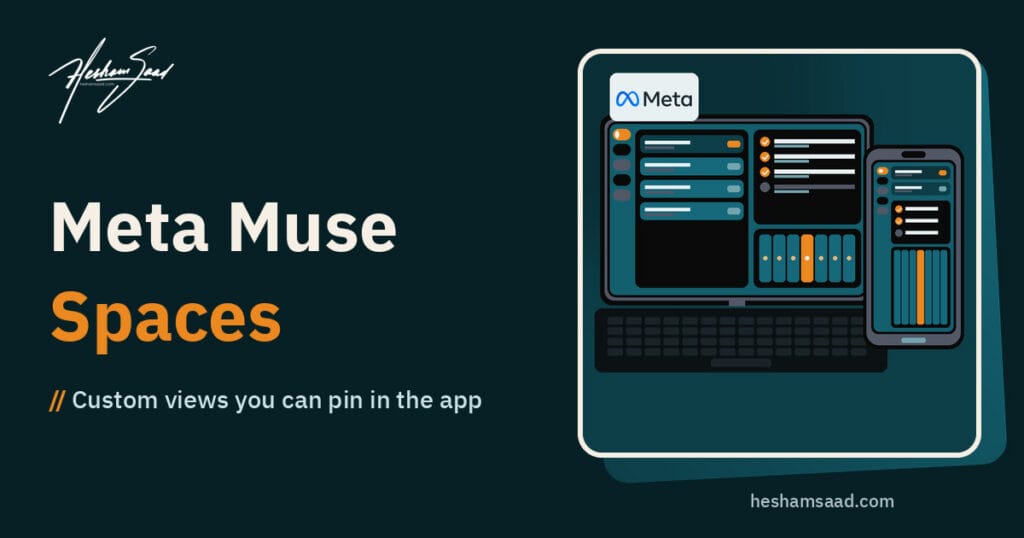
Meta Muse Spaces is a new product feature inside the Muse app that turns a plain-language idea into a custom interactive view you can keep, edit, and return to whenever you need it. Announced by Meta on November 6, 2026, the update shifts part of the Muse experience away from disposable chat threads and toward persistent personal tools shaped around your daily routines, goals, and interests.
This release is an application feature update rather than a new developer API, standalone model weight release, or website plugin. Instead of giving developers code to embed on external sites, Meta is giving end users inside the Muse app a way to generate custom boards, trackers, and mini-tools by describing what they want.
For business owners, freelancers, and teams managing digital operations, the announcement raises practical questions. Below, we break down what changed in the Muse app, how spaces work, what Meta charges, how privacy rules apply, how rival tools compare, and why a personal space inside Muse serves a very different purpose than a WordPress website or online store.
What changed in the Muse app on November 6
In its November 6, 2026 announcement titled “Design the Muse App, Just for You”, Meta introduced spaces as custom experiences that you design inside Muse simply by describing your idea. Meta points to everyday examples such as a holiday gift tracker, a daily word game, or a planning board for a do-it-yourself project. According to Meta, these views can be practical or entertaining, and every space you build becomes a persistent part of your Muse app.
The release arrives one day after Meta announced Meta Muse voice and expressive avatars on November 5, 2026, which began rolling out in the United States on mobile, web, and Mac. While both updates expand the consumer and personal productivity side of the Muse app, they differ from earlier model-level news such as Meta Muse Spark Open.
Alongside the interface changes, Meta states that it is rolling out specialized versions of its models to Muse, trained with learnings from Muse Wonder, to improve the overall experience. That is a vendor claim from Meta, and the company has not published technical benchmarks, model sizes, or architecture details to explain how those specialized versions differ in practice.
How Meta Muse Spaces works inside the app
Building with Meta Muse Spaces follows an iterative workflow rather than a one-shot prompt. You start by telling Muse your idea, and the app builds an initial version of the space for you. Meta frames that first version as a starting point that you refine over time by talking with Muse to add missing elements, try a new visual look, or change how the space works.
Once a space exists, it does not get buried in an old conversation log. You control how and when it appears in your interface, how it stays updated, and how you interact with the items inside it:
- Describe and build: Tell Muse what you want to track, plan, or play, and let it assemble the initial view.
- Adjust and redesign: Ask Muse to add new sections, revise the layout, or modify how the tool behaves as your needs change.
- Place and organize: Add spaces to your sidebar, move your most important ones into the main tabs, or hide the ones you do not currently need.
- Schedule visibility: Set when specific spaces appear so your app adapts to your routine. Meta gives the example of keeping a weekly planner up front during the workweek and swapping it for weekend plans on Saturday.
- Connect apps for background updates: Link the apps you use so your spaces keep themselves up to date in the background. Meta notes that a space can surface new concert dates, price changes, or savings progress without manual prompting.
- Check off items and save notes: Check tasks off, add personal notes, and make direct edits inside the space, with everything saved and waiting when you return.
Nine example builds Meta showcased for spaces
To show how flexible a space can be, Meta listed nine concrete example builds in its launch post. They span personal shopping, family logistics, entertainment, creative production, and small business administration:
- Shopping hub: Brings together gift ideas, wishlists pulled from Instagram saves, and your Marketplace listings and buyer messages in a single view.
- School dashboard: Finds kids’ events mentioned in school emails and adds them to your calendar.
- Music tracker: Follows new releases and upcoming live shows from artists you care about.
- Wedding planner: Organizes an RSVP list, vendor invoices, and pending to-dos in one place.
- Trivia game: Creates a custom playable game view for entertainment.
- Podcast studio: Keeps episode ideas, background research, and scripts together for creators.
- Small business order tracker: Displays new orders, customer messages, and what needs to ship today.
- Freelance client hub: Tracks active projects, upcoming deadlines, and client invoices.
- Trip planner: Consolidates flights, hotel details, reservations, and a day-by-day travel itinerary.
Notice how several of these examples rely on data living in other Meta surfaces or external accounts, such as Instagram saves, Marketplace buyer messages, school emails, and calendars. The practical value of a space depends heavily on which connectors are available to your account.
Availability, regional limits, and why sharing is still missing
On rollout, Meta wrote one direct sentence: “Starting today, spaces are available everywhere Muse is available.” However, you have to read that statement alongside Meta’s official subscription and help documentation to understand who can actually open the app today.
According to the Meta Help Center, both Muse and Muse subscriptions remain in limited testing and are not available in all locations yet. Subscription benefits can vary by region and account, and subscribing requires a Meta account and being at least 18 or the age of majority in your country. Meta has not published a country list or supported language list for Muse or for spaces, so there is no confirmed support for MENA countries or Arabic interfaces at this stage.
Collaboration is another major boundary to keep in mind. Right now, a space is strictly for your own use inside your own account. Under its “Looking Ahead” note, Meta stated that it is exploring ways to share spaces with others for a more collaborative experience, meaning sharing is not launched and has no release date.
Strengths and practical limits of building with spaces
In our view, turning natural language descriptions into persistent interface tabs solves a real frustration with standard AI chat tools. In a standard chat interface, even if the assistant formats a neat project checklist or itinerary, that table scrolls out of sight as soon as you start ten new conversations.
Based on the features Meta confirmed at launch, here are the clear advantages of the spaces approach:
- No-code visual customization: You describe what you want, and you can ask Muse to change the look or add missing pieces later without rebuilding from scratch.
- Pinned and scheduled access: Putting tools in the sidebar or main tabs, and scheduling a work planner for weekdays and a personal view for Saturdays, keeps the interface uncluttered.
- Stateful interaction: Checking items off, editing entries, and leaving notes directly inside the view makes it act like a lightweight personal dashboard rather than a static text reply.
- Proactive background refreshes: Connected apps can feed updates into the space so you do not have to re-prompt the assistant every morning.
At the same time, the current drawbacks limit where you can rely on it:
- Single-user lock-in: Because sharing is only being explored, you cannot hand a space over to a client, co-founder, or fulfillment staff member.
- Limited testing footprint: If your Meta account or region does not have Muse access yet, you cannot test spaces at all.
- Closed ecosystem: Spaces live exclusively inside the Muse app, with no announced option to export code, embed a widget on an external site, or connect via a custom API.
Pricing, weekly token quotas, and the unanswered usage question
Meta did not announce any separate fee for spaces, and the only published pricing is the existing Muse subscription structure documented in the Meta Help Center. Muse is free to use up to a usage limit; once you hit that cap, you can either wait for your limit to refresh or upgrade to a paid plan in the mobile app or at muse.ai.
For users in regions where paid plans are available, Meta offers two monthly tiers:
- Power plan: Costs 20 dollars per month and includes 500M Muse tokens per week.
- Maximum plan: Costs 100 dollars per month and includes 3B Muse tokens per week.
The catch for heavy users is that the official subscription help page does not mention spaces at all. Meta has not stated how generating a space, redesigning its layout, or letting connected apps update a space in the background counts against the free usage limit or the 500M and 3B weekly token allowances.
Privacy, cloud isolation, and data controls in Muse
Because spaces can pull information from emails, calendars, Instagram saves, and Marketplace messages, privacy and security rules matter before you connect work accounts. Meta’s help page titled “How Muse handles your privacy, safety and security” outlines the safeguards for Muse as a whole, though it does not mention spaces specifically.
According to that help documentation, Muse runs an isolated cloud virtual machine for each user. Meta states that Muse does not share your conversations or virtual machine data with Meta ad systems. When you connect accounts, your login credentials are stored in a Secure Credentials Store where the AI model cannot see your passwords.
Connectors to Meta services and third-party apps exchange only the data needed to perform a task. Some connectors share information proactively, such as a calendar connector, and Muse identifies those before you connect them. For high-impact actions like sending an email or making a purchase, Muse asks for your confirmation first. You can also delete individual messages and files, use the forget skill, or reset Muse completely.
One setting requires immediate attention from business users: the option allowing Meta to use your interactions to improve Meta AI models is turned ON by default. You can turn it off under Settings and Data controls, and Meta notes that turning it off also applies to your previous interactions.
How spaces compare with ChatGPT GPTs, Gemini Gems, and Claude Projects
In our view, the clearest way to evaluate spaces is to look at how major AI rivals handle repeatable workflows. OpenAI, Google, and Anthropic have all built features around saved instructions, reference files, and workspaces, while Meta is positioning spaces as custom interactive app-like views pinned inside the Muse app. Because these tools take different structural approaches, you should not assume feature parity across them.
- OpenAI ChatGPT custom GPTs and plugins: According to OpenAI’s help documentation, custom GPTs are built through a conversational builder or manual configuration combining instructions, knowledge files, and capabilities like web search, canvas, and connected apps. They remain chat assistants rather than pinned visual dashboards. More importantly, OpenAI plans to retire custom GPTs, with standard retirement scheduled for December 11, 2026, and move creators to plugins that combine reusable instructions, reference files, and connected apps. In addition, new GPT creation and publishing are not available on personal accounts (Free, Go, Plus, and Pro).
- Google Gemini Gems and skills: Google’s help center explains that Gems are saved custom instructions paired with optional knowledge files. Gems can be shared with others, though they cannot be used with Gemini Live for now. Like OpenAI, Google is changing its setup: starting in November 2026, Gems are going away on personal Google accounts and transitioning to skills.
- Anthropic Claude Projects: According to Claude’s help documentation, projects are self-contained workspaces with their own chat histories and knowledge bases. They are available to all users, with free users capped at five projects, while project sharing is available on Team and Enterprise plans. Anthropic also offers a beta version of projects that runs parallel threads in the cloud for select Pro, Max, and Ultra users starting with Claude Code.
Compared with those text-and-file workspaces, Meta is emphasizing visual customization, tab scheduling, and check-off lists inside a personal consumer and productivity app, and unlike Claude projects on Team and Enterprise plans, a space cannot be shared with anyone yet. Teams that need shared, managed agents built for business systems are looking at a different category of tool, such as the one we covered in our post on Mistral Studio agents.
On the model side of Anthropic’s lineup, our Claude Fable 5.2 guide explains how Fable 5.2 differs from Mythos 5.2, which is limited to verified cybersecurity and life sciences organizations.
What Meta has not published yet
When evaluating a new tool for daily work, what a vendor leaves out is just as important as what is in the press release. As of November 6, 2026, Meta has not published details on any of the following points:
- The exact list of countries or languages supported by Muse or spaces, including whether MENA markets or Arabic are supported.
- How building, editing, or background-refreshing a space counts against the free usage cap or the 500M and 3B weekly token plans.
- Whether there is a maximum number of spaces you can create, pin, or schedule in one account.
- A complete directory of supported third-party app connectors beyond the examples named in the announcement, or how often background updates run.
- A target launch date for sharing spaces with other users.
- Technical specifications for the specialized models trained with learnings from Muse Wonder.
- Any developer API, SDK, export format, website embed, or WordPress plugin or integration.
Where spaces fit for a WordPress business and where they stop
Two of Meta’s official example builds speak directly to independent business owners: the order tracker for a small business (which brings together new orders, customer messages, and what needs to ship today) and the client hub for freelance work (which tracks projects, deadlines, and invoices), alongside the shopping hub that includes Marketplace listings and buyer messages.
In our view, if you have access to Muse, those examples make sense as a personal morning scratchpad. A solo founder or freelancer can schedule a client hub space to appear on weekday mornings, check off follow-up notes, or review buyer messages from Meta channels in one private view.
However, it is important not to confuse a personal space in the Muse app with business website infrastructure. A space is a single-user view inside your private Meta account. It is not a customer-facing website feature, it is not an e-commerce store backend, and Meta has announced no WooCommerce or WordPress integration. Your customers cannot log into your space to check their order status, and your warehouse or accounting staff cannot share that space to process refunds or update inventory.
If your business needs a real order management workflow, automated stock updates, regional payment gateways, bilingual Arabic and English product catalogs, or a shared client portal on your own domain, that requires custom WordPress and WooCommerce development. If you want to map out which workflows belong in personal AI tools and which should be built directly into your website, book a free consultation and we will review your setup together.
Frequently asked questions
What is Meta Muse Spaces and how do you create a space?
Meta Muse Spaces is a feature inside the Muse app that turns a plain text description into a custom interactive view. You tell Muse what you want to build, such as a weekly planner, trivia game, or small business order tracker, and the app generates a starting version. From there, you can ask Muse to adjust the layout, connect supported apps for background updates, and pin the space to your sidebar or main tabs.
Where is Meta Muse Spaces available right now?
Meta states that spaces are available everywhere the Muse app is available starting November 6, 2026. However, Muse itself and its paid subscriptions remain in limited testing and have not rolled out to all regions yet. Paid plans require a Meta account and being 18 or the age of majority. Meta has not published a list of supported countries or languages, so availability across MENA markets or in Arabic is not confirmed.
Does Meta charge extra for spaces or count them against subscription limits?
Muse offers a free tier with a usage cap alongside paid Power and Maximum monthly plans that provide weekly token allowances. You can subscribe through the mobile app or at muse.ai where testing is active. However, the official subscription help page does not mention spaces at all, so Meta has not explained how building a space or running background updates counts against your free usage cap or weekly token quota.
How does Muse handle privacy and connected app data?
According to Meta help documentation for Muse, each user gets an isolated cloud virtual machine, and conversations or machine data are not shared with Meta ad systems. Passwords stay in a Secure Credentials Store unseen by the AI model, while app connectors exchange only needed data and ask confirmation before actions like sending an email. Using interactions to train Meta AI models is on by default, but you can turn it off in Data controls.
Can a space replace a WordPress client portal or WooCommerce store backend?
No, a space is a personal view inside your own Muse app and cannot replace a public website or store backend. While Meta highlights an order tracker for a small business and a client hub for freelance work, those spaces only help one person organize daily shipping checklists, messages, or deadlines. Sharing spaces with team members or clients is not launched yet, and Meta has not announced any WordPress or WooCommerce integration.
References
- Meta Newsroom: Design the Muse App, Just for You (Published November 6, 2026)
- Meta Help Center: About Muse subscriptions
- Meta Help Center: How Muse handles your privacy, safety and security
- Meta Newsroom: Give Your Muse a Voice (Published November 5, 2026)
- OpenAI Help Center: Creating and editing GPTs
- Google Gemini Apps Help: Use Gems in Gemini Apps
- Anthropic Claude Help Center: What are projects?