---
id: 14607
title: "Wedding Venue Website WordPress: Dates, Packages and Deposits"
slug: "wedding-venue-website-wordpress"
lang: "en"
url: "https://heshamsaad.com/en/wedding-venue-website-wordpress/"
markdown_url: "https://heshamsaad.com/en/wedding-venue-website-wordpress.md"
translations: {"ar":"https://heshamsaad.com/ar/wedding-venue-website-wordpress/"}
description: "Build a wedding venue website WordPress couples trust. Show live hall availability, list packages, and collect booking deposits online in MENA."
author: "Safya"
date_published: "2026-11-08T19:01:17Z"
date_modified: "2026-11-11T18:13:27Z"
categories: ["WooCommerce"]
tags: ["Bilingual Website","Booking Deposits","Event Venue Website","Wedding Venue Website","WooCommerce Bookings"]
featured_image: "https://heshamsaad.com/wp-content/uploads/2026/11/093-wedding-wedding-og-en.jpg"
word_count: 3710
reading_time_min: 19
content_sha256: "6da6d403e016228ecf503956d67c8a2213cd84c749d1317fec57c305d6c6e477"
---
# Wedding Venue Website WordPress: Dates, Packages and Deposits
Building a wedding venue website WordPress couples and their families can use to check open dates, compare hall packages, and pay a reservation deposit saves your sales team hours of repetitive phone calls every week. When an engaged couple starts shortlisting banquet halls or outdoor gardens in Cairo, Riyadh, Dubai, or Doha, their first question is almost always whether their preferred Thursday or Friday evening is still open. If your website only offers a static phone number and a generic contact form, impatient couples move on to the next venue on their list.
As a venue owner, your business model depends on filling fixed physical spaces on peak dates. An unbooked weekend night cannot be stored and sold later. Your website has to act as a 24-hour showroom and reservation desk that filters out casual browsers, answers capacity and catering questions upfront, and brings qualified families to your door for an in-person tour.
WordPress gives wedding hall and event venue owners full ownership over their booking rules, photo galleries, and payment processing without charging per-booking marketplace commissions. Below is a practical breakdown of how to structure your site, choose the right calendar and deposit plugins, connect regional payment gateways, and rank in local search results.
## Why a venue website works differently from an event planner site
Many web designers treat every wedding industry business the same way, slapping full-screen floral photos onto a portfolio template and calling the job done. That approach might work for an independent decorator or coordinator who sells creative direction and flexible service hours. If you want to see how service-focused portfolios and vendor coordination workflows are built, read our guide on creating an [event planning website on WordPress](https://heshamsaad.com/en/event-planning-website-wordpress/).
Owning a physical wedding hall, hotel ballroom, or open-air villa creates a completely different set of operational challenges. You are managing square footage, seating layouts, parking limits, kitchen turnaround times, and strict fire or municipal capacity rules. A couple booking a venue needs concrete logistical facts before they ever ask about flower arrangements.
- Date and slot scarcity: You only have one Grand Ballroom on a given Friday night, or one afternoon slot and one evening slot if you run split-shift receptions.
- Multi-decision-maker browsing: Across the MENA region, parents and extended family members heavily influence venue selection and budgeting, meaning your site must be easy to read in both Arabic and English on mobile phones.
- Tiered package pricing: Venue pricing rarely consists of a single flat fee; it combines base hall rental with per-person buffet menus, lighting setups, and seasonal weekend rates.
- Tour-first sales cycles: Most families will check dates online, request a private walkthrough of the hall, and then pay a deposit to lock the date.
## Showing real date availability without double-booking
Putting a live availability calendar on your website immediately separates your hall from competitors who force couples to send a WhatsApp message just to ask if a month is booked. You do not even have to require online card payments on day one to benefit from an availability calendar. Many venue owners start with an inquiry-based calendar that shows free and reserved dates, lets couples submit a reservation hold request, and waits for the venue manager to approve the booking in the dashboard.
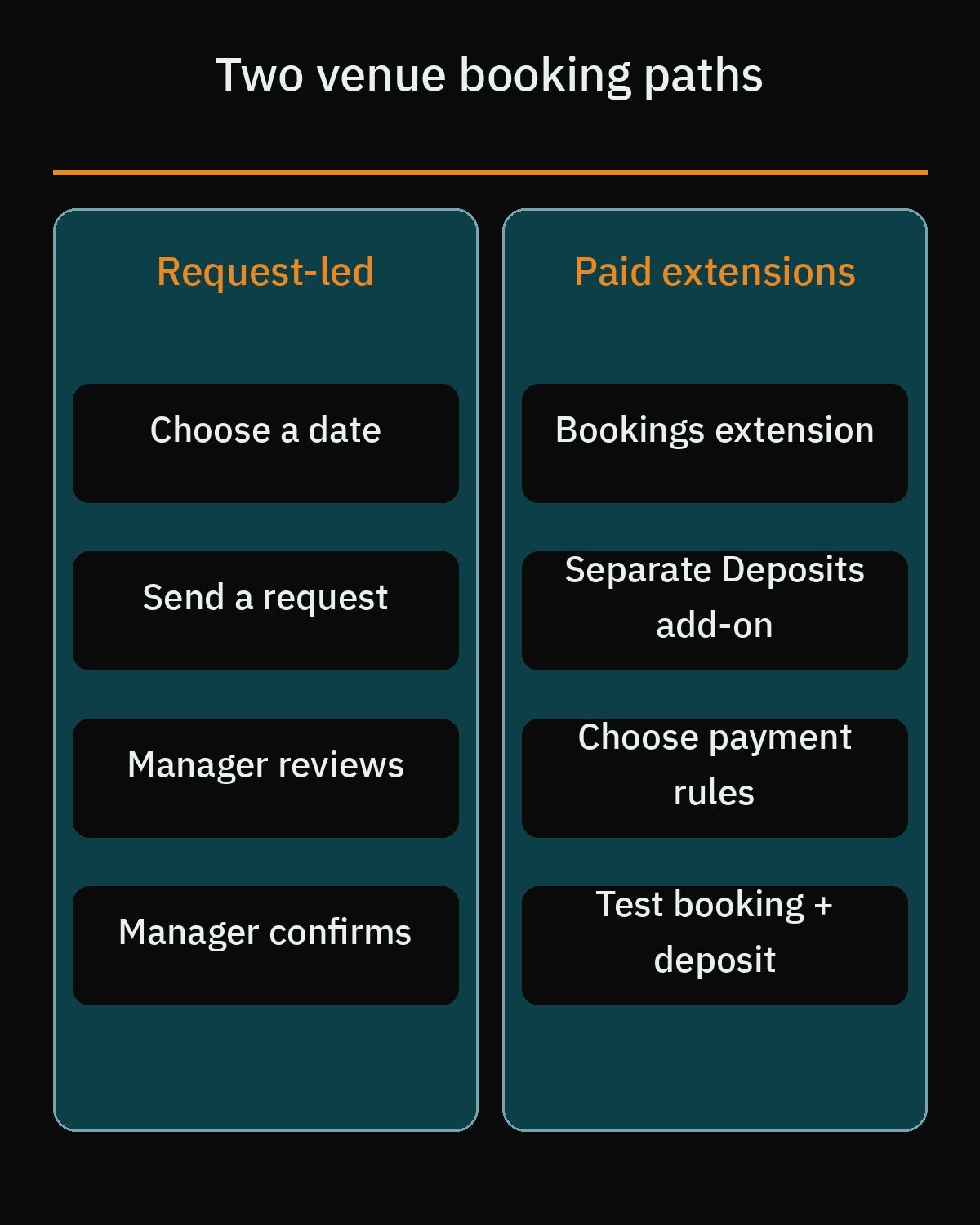If you want a proven free starting point from the official WordPress.org directory, the Booking Calendar plugin by wpdevelop is an established plugin on WordPress.org. Its free core version lets you embed a responsive availability calendar using a Gutenberg block or shortcode and prevents double-booking by locking out reserved dates or time slots automatically. It supports both full-day bookings and split time-slot bookings, which fits venues that host an afternoon reception and a separate evening wedding on the same day.
Booking Calendar also includes a customizable front-end inquiry submission form, an admin dashboard where your staff can approve or decline requests, automated email notifications for both your team and the client, and two-way .ics calendar synchronization with Google Calendar event import. Keep in mind that accepting online payment gateways or managing multiple independent halls under one installation requires upgrading to one of their paid editions. Another free option on WordPress.org is WP Booking System, which is an established plugin on WordPress.org and focuses on daily rental calendars. For a broader comparison of calendar tools across industries, check our breakdown of how to build a [WordPress booking website](https://heshamsaad.com/en/wordpress-booking-website/).
## Structuring wedding packages, halls, and guest capacity
When your venue has multiple event spaces or sells structured wedding packages with online deposit checkout, a basic inquiry calendar is no longer enough. Suppose your property includes a 500-seat indoor ballroom and a 250-seat garden pavilion, and you offer Silver, Gold, and Royal catering packages for each space. If a couple books the Gold Package for the indoor ballroom on October 15, your website must immediately mark the indoor ballroom as unavailable inside the Silver and Royal packages for that exact date while keeping the garden pavilion open.
This is where the official WooCommerce Bookings extension shines. Instead of treating each package as an isolated calendar, WooCommerce Bookings lets you configure three critical layers of venue logic: availability rules, shared resources, and person counts. Because plugin prices change over time, check the official WooCommerce Bookings product page for current annual licensing costs before planning your software budget.
### Availability rules and turnaround buffers
WooCommerce Bookings lets you define custom availability ranges by month, week, day, or specific time slots. You can enforce minimum and maximum advance booking windows so couples cannot book a wedding for tomorrow night or reserve a date five years in advance. You can also set mandatory buffer periods between bookings to give your housekeeping, catering, and staging crews enough hours to clean and reset the hall before the next event starts, alongside global store availability rules to block out religious holidays or annual maintenance weeks across all packages at once.
### Shared hall resources and guest counts
Inside WooCommerce Bookings, physical assets such as Ballroom A, the Garden Pavilion, or an on-site event manager are configured as Resources. Each resource carries its own availability schedule and quantity, and a single resource can be linked to multiple bookable products. For a shared exclusive hall or room, you must create one global resource record with an available quantity of 1 and link it to every product that uses that space, so bookings draw from the same capacity. However, each product keeps its own start times, duration, and buffer, as these settings are not synchronized across products, so you should test overlaps (for example, hourly versus full-day bookings) and cross-product buffers on a staging site. You can let the couple select their preferred hall from a dropdown menu or assign the resource automatically based on package selection.
To handle guest capacity and buffet pricing, the Persons feature in WooCommerce Bookings lets you set minimum and maximum guest counts and create separate person types such as Adults and Children. Each person type can carry its own base cost and block cost, and you can choose whether the guest count multiplies the total package price and consumes your hall capacity limits.
If the couple also needs a wedding cake, our guide to a [bakery website on WordPress](https://heshamsaad.com/en/bakery-website-wordpress/) covers pre-orders for wedding cakes, custom design details and delivery time slots that can be collected on the bakery's own site.
## Collecting booking deposits and installment plans online
Even when couples find their dream wedding hall and confirm that their date is open, almost nobody pays the entire wedding bill in a single online card transaction. High transaction limits, family budgeting habits, and the desire to sign a physical contract mean that online venue payments are almost always partial reservation deposits or staged installment schedules.
One technical detail catches many venue owners and inexperienced developers off guard: WooCommerce Bookings cannot process partial payments or deposits on its own. To collect a down payment when a couple reserves a date, you must install the separate WooCommerce Deposits extension alongside WooCommerce Bookings. Once both extensions are active on your site, a dedicated Deposits tab appears inside your bookable product settings. As with Bookings, plugin prices change, so verify the current annual subscription fee on the official WooCommerce Deposits page.
Combining these two official extensions gives your venue flexible payment collection options that match how wedding halls actually operate in the real world:
- Fixed or percentage deposits: Charge a flat reservation fee to hold the date for seven days, or require a percentage of the estimated package total at checkout.
- Structured payment plans: Break the total wedding cost into custom installment schedules spread across days, weeks, or months leading up to the wedding night. Note that WooCommerce Deposits does not charge customers automatically: later installments and the remaining balance are invoiced (or marked paid offline) and the customer pays them, with no automatic debit.
- Required or optional deposit rules: Force checkout to collect only the deposit upfront, or give couples the choice at checkout between paying the deposit or settling the full balance.
- Automated payment reminders: Use the built-in Payment Plan Reminder Notification email to alert clients a configurable number of days before their next installment or final balance is due, since WooCommerce Deposits does not charge customers automatically and later installments or the remaining balance are invoiced (or marked paid offline) for the customer to pay.
## Connecting MENA payment gateways to your checkout
An online deposit system only works if your payment gateway supports local bank settlement in your country and accepts the cards and digital wallets your clients carry. Many international WordPress tutorials tell you to install Stripe and move on, but direct Stripe merchant onboarding in the MENA region has strict geographical limits that every venue owner needs to know before building a checkout flow.
The official WooCommerce Stripe Payment Gateway plugin on WordPress.org is an established plugin on WordPress.org, yet within the MENA region Stripe officially supports direct local merchant accounts only in the United Arab Emirates. If your wedding hall is registered in Egypt, Saudi Arabia, Kuwait, Qatar, Bahrain, or Oman, you cannot open a direct local Stripe account unless you incorporate a foreign legal entity through a service like Stripe Atlas. For most regional venue owners, using a licensed MENA payment processor is faster, simpler, and settles funds directly into your local corporate bank account.
- Paymob: The official Paymob for WooCommerce plugin page on WordPress.org lists Egypt, the United Arab Emirates, Oman, and Saudi Arabia among its markets. Its official plugin, Paymob for WooCommerce, is available directly on the WordPress.org plugin directory and is an established plugin on WordPress.org.
- Tap Payments: Actively serves merchants across Saudi Arabia, Kuwait, the United Arab Emirates, Bahrain, and Qatar. Regarding Egypt, Tap announced a Central Bank of Egypt license in 2025 and publishes an Egypt offering on its site, but its public support article on supported countries still says it does not accept new merchants from Egypt, so the guidance conflicts and an Egyptian business should confirm merchant eligibility directly with Tap. Note that Tap Payments distributes its official WooCommerce integration through its developer portal and official GitHub repository (Tap-Payments/Plugin-WooCommerce-All-in-one) rather than maintaining a standalone primary listing on WordPress.org, so your developer should install the verified package directly from Tap's official source.
## Building a fast photo gallery that sells the space
Couples fall in love with a wedding venue through photographs long before they read your catering terms. They want to see how the ballroom looks with round banquet tables, where the bride and groom entrance staircase leads, how the Kosha stage lighting reflects across the dance floor, and what the bridal suite and parking entrance look like. However, uploading fifty uncompressed photos from a professional camera into a bloated third-party slider plugin will make your pages crawl on mobile data connections.
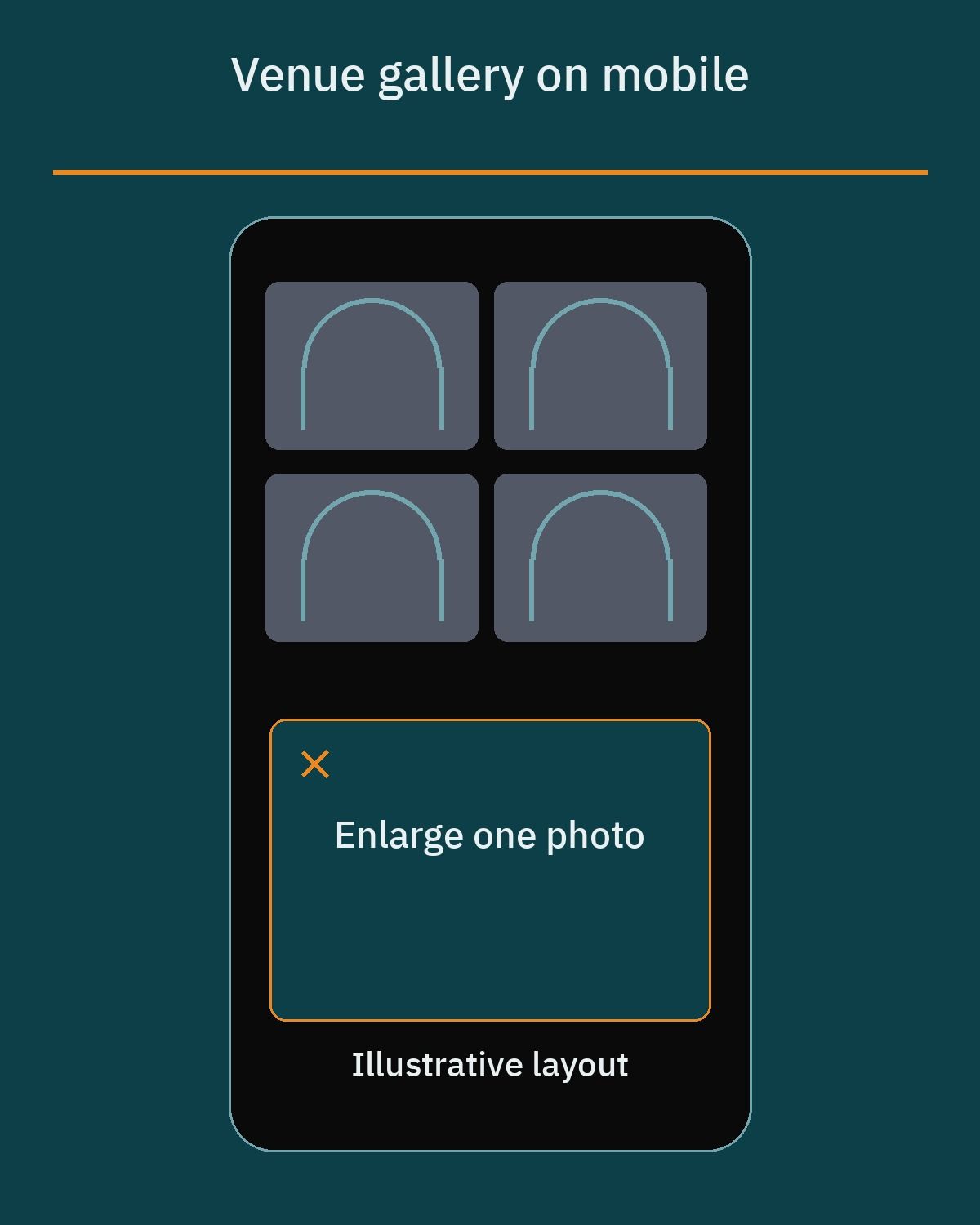Modern WordPress Core includes native image and gallery features that display high-resolution venue photography cleanly without needing heavy external gallery plugins. The core Gallery Block lets you arrange photos into 1 to 8 responsive columns, toggle the "Crop images to fit" setting so mixed horizontal and vertical shots align into a neat uniform grid, and add individual image captions to label specific lighting setups or table arrangements.
Both the core Gallery Block and the individual Image Block include a native lightbox feature labeled "Enlarge on click" (or "Expand on click"). Enabling this setting allows couples to tap any photo on their phone and inspect it in a full-screen modal overlay without leaving the page or loading heavy JavaScript libraries.
Under the hood, WordPress Core handles image delivery performance automatically when your theme follows standard coding practices. Since WordPress 5.5, core automatically adds native browser-level `loading="lazy"` attributes to content images and iframes so off-screen gallery photos wait to load until the visitor scrolls down. Enhancements introduced in WordPress 5.9 and 6.3 automatically skip lazy loading on the first image or Largest Contentful Paint (LCP) element and assign `fetchpriority="high"` so your top ballroom banner renders immediately. In addition, WordPress 6.7 automatically adds `sizes="auto"` to lazy-loaded images so mobile browsers download the right image dimensions for each screen size.
## Turning online visitors into private venue tours
Even when your website displays live calendar availability and accepts online deposits, the majority of wedding bookings in the MENA region still involve an in-person site visit. Couples want to walk the floor with their parents, test the air conditioning, see the restroom facilities, and meet the banquet manager face to face before committing their budget.
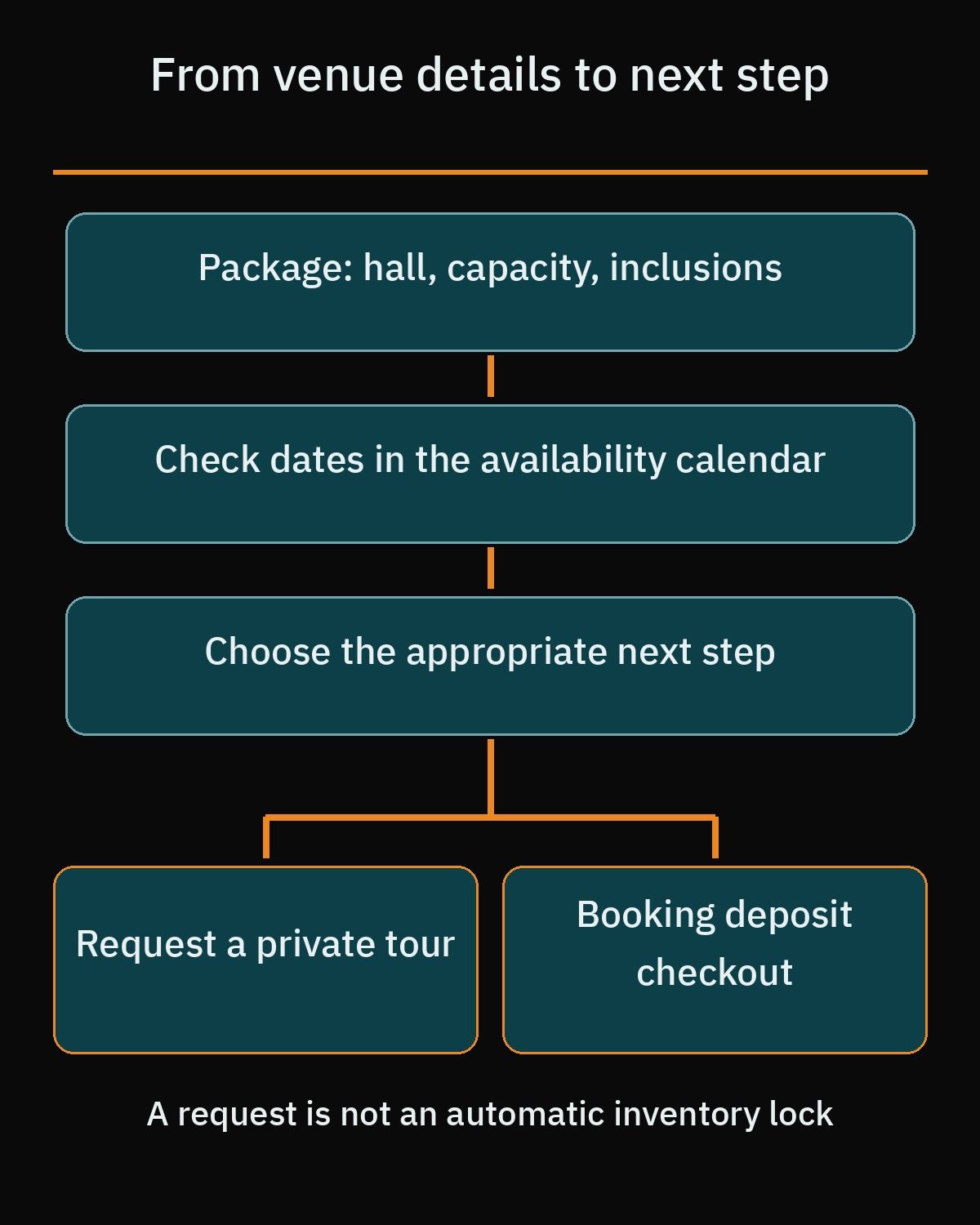Because of this, every hall page on your website should pair its availability calendar with a clear "Schedule a Private Tour" call to action. Instead of a blank message box that leads to five back-and-forth phone calls, design your tour request form to capture the exact details your sales coordinator needs to prepare a printed quote before the family arrives:
- Preferred wedding date or target month, plus whether they are open to mid-week dates for lower package rates.
- Estimated guest count so your coordinator knows immediately which halls on your property fit their party size.
- Space preference, such as indoor ballroom, open-air garden, poolside area, or segregated men's and women's halls.
- Preferred day and hour for the 30-minute walkthrough during your staffed opening hours.
Running a bilingual Arabic and English website makes this step far smoother for local families. While a bride or groom may search in English, parents comparing package PDFs and tour details often prefer clear Modern Standard Arabic. When your developer builds a bilingual WordPress setup, both language versions must connect to the same underlying hall resources and availability rules so a booking or date hold entered on the Arabic page immediately updates the English calendar as well.
## Local search and Google Business Profile for wedding halls
Most couples start their search with location-specific queries on Google Search and Google Maps. To help search engines understand your venue's location and capacity, your website should output accurate structured data. In the Schema.org vocabulary, the `EventVenue` type sits under the hierarchy `Thing`, `Place`, `CivicStructure`, and `EventVenue`, supporting properties such as `name`, `address`, `geo`, `telephone`, `maximumAttendeeCapacity`, `openingHoursSpecification`, and `photo`.
However, there is an important technical distinction in Google Search Central's documentation: because `EventVenue` inherits from `Place` and `CivicStructure` rather than `LocalBusiness`, commercial wedding halls should implement `LocalBusiness` structured data or use a combined type declaration (`"@type": ["LocalBusiness", "EventVenue"]`) to qualify for Google local knowledge panels, Maps integrations, and local rich results. Avoid applying `Event` structured data to your main venue pages. Google reserves `Event` markup strictly for scheduled public gatherings with specific start and end dates, such as an annual bridal fair or open-house showcase where your hall is nested inside the `location` property.
Alongside on-site schema, your Google Business Profile must follow Google's strict guidelines for physical venues to avoid sudden suspension during peak booking season:
- Verified physical address and signage: Your venue must display permanent exterior signage matching your business name at an exact street address, and staff must be present to meet clients during your stated business hours; PO Boxes and unstaffed virtual offices are not allowed.
- Clean brand name: Enter only your real-world legal or brand name without stuffing promotional keywords like "Best Wedding Hall in Cairo" into the title field, which regularly triggers profile suspension.
- Accurate categories: Set your primary category to "Wedding Venue" (or "Event Venue") and add relevant secondary categories such as "Banquet Hall" or "Reception Hall".
For the full local checklist, including Google Business Profile setup and the on-page signals that help a venue appear in map results, see our guide to [WordPress local SEO](https://heshamsaad.com/en/wordpress-local-seo/).
## Planning your wedding venue website WordPress project
Before you buy plugins or hire an agency, match your technical setup to how your sales team actually closes contracts. If you operate a single banquet hall and always require couples to sign a paper contract in your office before paying, a fast bilingual site using the free Booking Calendar plugin, core WordPress galleries, and a structured tour request form will serve you well at a low annual running cost.
If you manage multiple ballrooms or outdoor areas, offer tiered catering packages by guest count, and want couples to lock in dates online using Paymob, Tap Payments, or Stripe in the UAE, investing in a custom WooCommerce Bookings and WooCommerce Deposits configuration pays for itself by eliminating double-bookings and manual payment follow-ups. A skilled developer will configure shared hall resources, test installment reminder emails, synchronize Arabic and English calendars, and validate your hybrid `LocalBusiness` and `EventVenue` schema.
If you want a venue website that fills your calendar without giving up commission fees to third-party directories, explore our professional [WordPress development services](https://heshamsaad.com/en/wordpress-development/) or book a [free consultation](https://heshamsaad.com/en/free-consultation/) to review your halls, booking rules, and payment gateway options.
## Frequently asked questions
What affects the cost and timeline of building a wedding venue website on WordPress?The project budget and timeline depend on whether you only need a visual availability calendar with a tour request form or a complete online deposit system. A single hall using a free booking calendar takes much less setup than a multi-ballroom venue using WooCommerce Bookings, WooCommerce Deposits, and regional payment gateways. Because extension prices change over time, you should check the official plugin pages for current annual licensing fees before finalizing your budget.
How can I stop two couples from booking the same wedding hall on the same date?You prevent double-booking by linking every package that uses the same space to one shared hall resource, or by using a calendar plugin that locks reserved dates. In WooCommerce Bookings, set each exclusive ballroom or garden as one global resource with an available quantity of 1. Each package still keeps its own start times, duration and buffer, so test overlapping bookings on a staging site before launch.
Can couples pay a partial reservation deposit online instead of the full wedding package price?Yes. Pair WooCommerce Bookings with the separate WooCommerce Deposits extension to take a fixed fee, a percentage, or a payment plan. Deposits can email a reminder before the next payment is due, but it does not charge the customer automatically. Later installments and the remaining balance are invoiced, and the couple pays them or you mark them paid offline.
Will high-resolution wedding hall photos make my WordPress website load slowly on mobile phones?Your galleries will stay fast if you use native WordPress Gallery and Image blocks instead of heavy third-party slider plugins. WordPress Core automatically applies browser-level lazy loading to content images, skips lazy loading on the main top image with high fetch priority, and adds automatic responsive sizing attributes. You can also turn on the built-in lightbox option so visitors can expand photos to full screen without slowing down the initial page load.
Should a wedding venue in the MENA region build a bilingual Arabic and English website?A bilingual website helps your venue reach both local families browsing in Arabic and international couples or corporate planners searching in English. When couples compare halls with their parents, clear Arabic package details, right-to-left calendar layouts, and local payment gateways like Paymob or Tap Payments build immediate trust. Making sure your hall availability and booking rules stay synchronized across both languages prevents scheduling conflicts for your staff.
## References
- [WooCommerce Bookings Product Page](https://woocommerce.com/products/woocommerce-bookings/)
- [WooCommerce Bookings Availability Rules Documentation](https://woocommerce.com/document/bookings/)
- [WooCommerce Bookings Resources Documentation](https://woocommerce.com/document/bookings/resources/)
- [WooCommerce Bookings Persons Documentation](https://woocommerce.com/document/bookings/persons/)
- [WooCommerce Bookings and Deposits Integration](https://woocommerce.com/document/woocommerce-deposits/)
- [WooCommerce Deposits Product Page](https://woocommerce.com/products/woocommerce-deposits/)
- [Booking Calendar Plugin on WordPress.org](https://wordpress.org/plugins/booking/)
- [WP Booking System Plugin on WordPress.org](https://wordpress.org/plugins/wp-booking-system/)
- [WordPress.org Gallery Block Documentation](https://wordpress.org/documentation/article/gallery-block/)
- [WordPress.org Image Block Documentation](https://wordpress.org/documentation/article/image-block/)
- [Make WordPress Core: Lazy-loading Images in 5.5](https://make.wordpress.org/core/2020/07/14/lazy-loading-images-in-5-5/)
- [Make WordPress Core: Enhanced Lazy Loading Performance in 5.9](https://make.wordpress.org/core/2021/12/29/enhanced-lazy-loading-performance-in-5-9/)
- [Make WordPress Core: Auto Sizes for Lazy-loaded Images in WordPress 6.7](https://make.wordpress.org/core/2024/10/18/auto-sizes-for-lazy-loaded-images-in-wordpress-6-7/)
- [Schema.org EventVenue Specification](https://schema.org/EventVenue)
- [Google Search Central: Local Business Structured Data](https://developers.google.com/search/docs/appearance/structured-data/local-business)
- [Google Search Central: Event Structured Data](https://developers.google.com/search/docs/appearance/structured-data/event)
- [Google Business Profile Guidelines](https://support.google.com/business/answer/3038177)
- [Paymob for WooCommerce on WordPress.org](https://wordpress.org/plugins/paymob-for-woocommerce/)
- [Paymob Official Website](https://paymob.com/)
- [Tap Payments Official Website](https://tap.company/)
- [Tap Payments Official GitHub](https://github.com/Tap-Payments)
- [WooCommerce Stripe Payment Gateway on WordPress.org](https://wordpress.org/plugins/woocommerce-gateway-stripe/)
- [Stripe Global Availability](https://stripe.com/global)
- [Tap Payments: Egypt Central Bank license (2025)](https://blog.tap.company/tap-payments-egypt-central-bank-license-2025/)
- [Tap Payments Egypt](https://www.tap.company/en-eg)
- [Tap Payments support: supported countries](https://support.tap.company/en/support/solutions/articles/153000140298-what-countries-are-supported-by-tap-payments-)
- [WooCommerce Subscriptions: payment gateways](https://woocommerce.com/document/subscriptions/payment-gateways/)