---
id: 14815
title: "Kindergarten Website WordPress: Trust Pages, Enrollment and Visits"
slug: "kindergarten-website-wordpress"
lang: "en"
url: "https://heshamsaad.com/en/kindergarten-website-wordpress/"
markdown_url: "https://heshamsaad.com/en/kindergarten-website-wordpress.md"
translations: {"ar":"https://heshamsaad.com/ar/kindergarten-website-wordpress/"}
description: "Plan a kindergarten website WordPress parents trust: staff and safety pages, photo privacy, waitlist forms, tour booking, and bilingual RTL layout."
author: "Safya"
date_published: "2026-11-12T18:05:05Z"
date_modified: "2026-11-12T18:05:05Z"
categories: ["WooCommerce"]
tags: ["education","kindergarten website","nursery website","online enrollment","WordPress"]
featured_image: "https://heshamsaad.com/wp-content/uploads/2026/11/kindergarten-website-wordpress-kindergarten-og-en.jpg"
word_count: 2942
reading_time_min: 15
content_sha256: "89db44ae50ac4d6969671ac2be0bff4aade5ed0370b80c1f097d061b9e816d0f"
---
# Kindergarten Website WordPress: Trust Pages, Enrollment and Visits
When mothers and fathers in Cairo, Riyadh, Dubai, or Doha start looking for early childhood care, many of them look at your site on their phones before calling your front desk. A well-structured kindergarten website WordPress build answers their unspoken worries about safety, hygiene, and warmth, turning quiet evening browsing into booked morning tours. Instead of sitting untouched like a static brochure, the right site reassures families while helping your staff track inquiries and waitlists in one place.
Good nursery website design is never about noisy animations or generic stock photos copied from overseas templates. It is about showing your real classrooms, explaining how your teachers care for young children, and giving busy parents a simple way to request a visit.
## What a kindergarten website WordPress build should do for parents
Running a private nursery is very different from managing an older student body. While a project focused on [building a school website on WordPress](https://heshamsaad.com/en/school-website-wordpress/) often highlights academic departments and exam results, a preschool website must first reassure parents who may be leaving their child outside the home for the very first time. Every page needs to communicate calm organization, clean rooms, and attentive care.
For you as the owner, the site has two practical jobs: earning enough parent trust to fill your tour calendar, and organizing inquiries so your coordinator knows which branch and age group each family wants. WordPress fits this daily workflow well because your staff can post announcements, adjust tour availability, and check form entries from one dashboard without calling a developer for routine updates.
Local discovery also depends on accurate fundamentals. Keeping your Google Business Profile updated with your website address, opening hours, and contact phone number helps nearby families reach the right branch from search and maps. Your developer can also add the schema.org ChildCare structured data type, a LocalBusiness subtype that describes your nursery to search engines, though no honest developer will promise specific rankings or rich results from schema alone.
## Trust pages: staff, safety and the daily routine
Most parents want to feel confident that their child will be safe, well fed and comforted throughout the day before they ask about the curriculum. Dedicating clear pages to your staff, your safety protocols, and the daily classroom routine removes uncertainty and sets your nursery apart from competitors that rely only on social media posts.
- Caregivers and leadership: Introduce your director, lead teachers, and classroom assistants by sharing their early childhood qualifications, background checks, and classroom roles without publishing personal staff phone numbers.
- Safety, hygiene, and gate rules: Explain how morning drop-off and authorized pick-up checks work, how play areas and rest mats are sanitized, how food allergies are handled, and what happens when a child feels unwell.
- The daily routine: Walk parents through a normal day from arrival and circle time to outdoor play, meals, quiet rest periods, and creative activities so they can picture their child settling in comfortably.
Writing these pages in plain, reassuring language shows families that your care standards are practiced every day rather than improvised during a tour. It also saves your admissions coordinator from repeating the same explanations on every introductory phone call.
## A gallery that respects children's privacy
Families want to see bright classrooms, shaded outdoor play yards, reading corners, and clean dining spaces before booking a visit. The WordPress core Gallery block lets you group these campus photos in a clean grid with captions that point out safety flooring, child-height sinks, and activity stations.
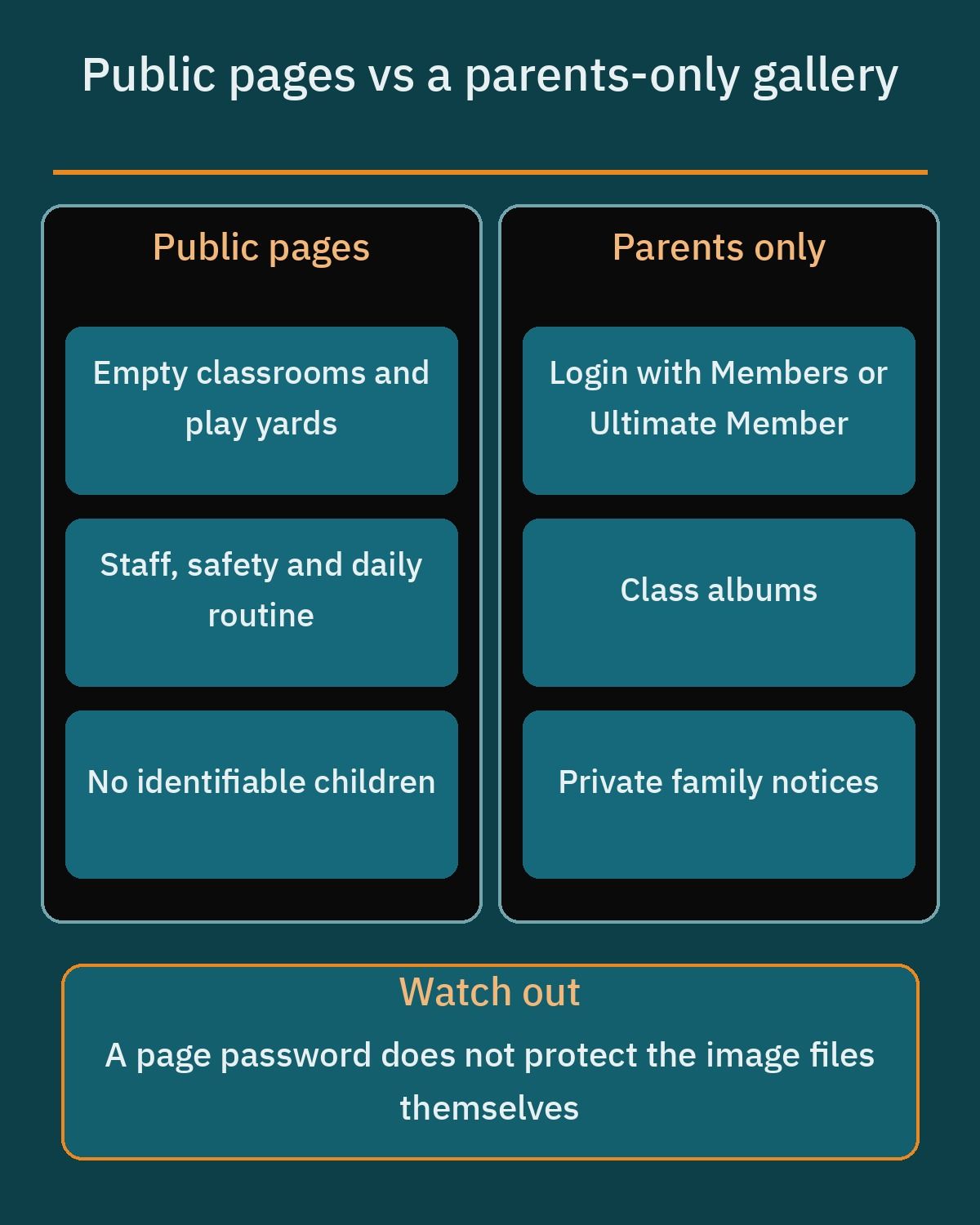When showing active classrooms, privacy must come first. Children's data is sensitive, so you should never publish photos of children on public pages without clear written parent consent, and you should check local data protection rules with a legal advisor. For public pages, prefer wide shots of empty classrooms, activity setups, or angles where children's faces are not identifiable.
Many owners assume that a simple page password locks down classroom albums. In WordPress, posts and pages can be set to Public, Password protected, or Private; password-protected content asks for a password before showing the body, while private content is visible only to logged-in users with the right role. However, images placed inside a password-protected page still have direct file URLs in the uploads folder, and the page password does not protect the image file itself.
Since WordPress 6.4, attachment pages are disabled for new installations so uploads no longer generate separate public pages that could get indexed. Even so, a parents-only gallery needs real login access through free plugins such as Members (which offers a role and capability editor, multiple roles per user, and content restriction by role) or Ultimate Member (which provides front-end registration, login, user profiles, and content restriction for logged-in users or specific roles), paired with careful handling of file links. You should also use Settings > Privacy in WordPress to create your privacy policy page, and use Tools > Export Personal Data and Tools > Erase Personal Data to handle parent data requests after email confirmation.
## Enrollment and waitlist forms
Long application forms are hard to fill in on a phone. At the first step, collect only what your coordinator needs to open an inquiry: the child's age or birth date, the parent's name, a phone number, the preferred start term, and the chosen branch. Medical details and official identity documents belong later in the process, after the family visits the nursery.
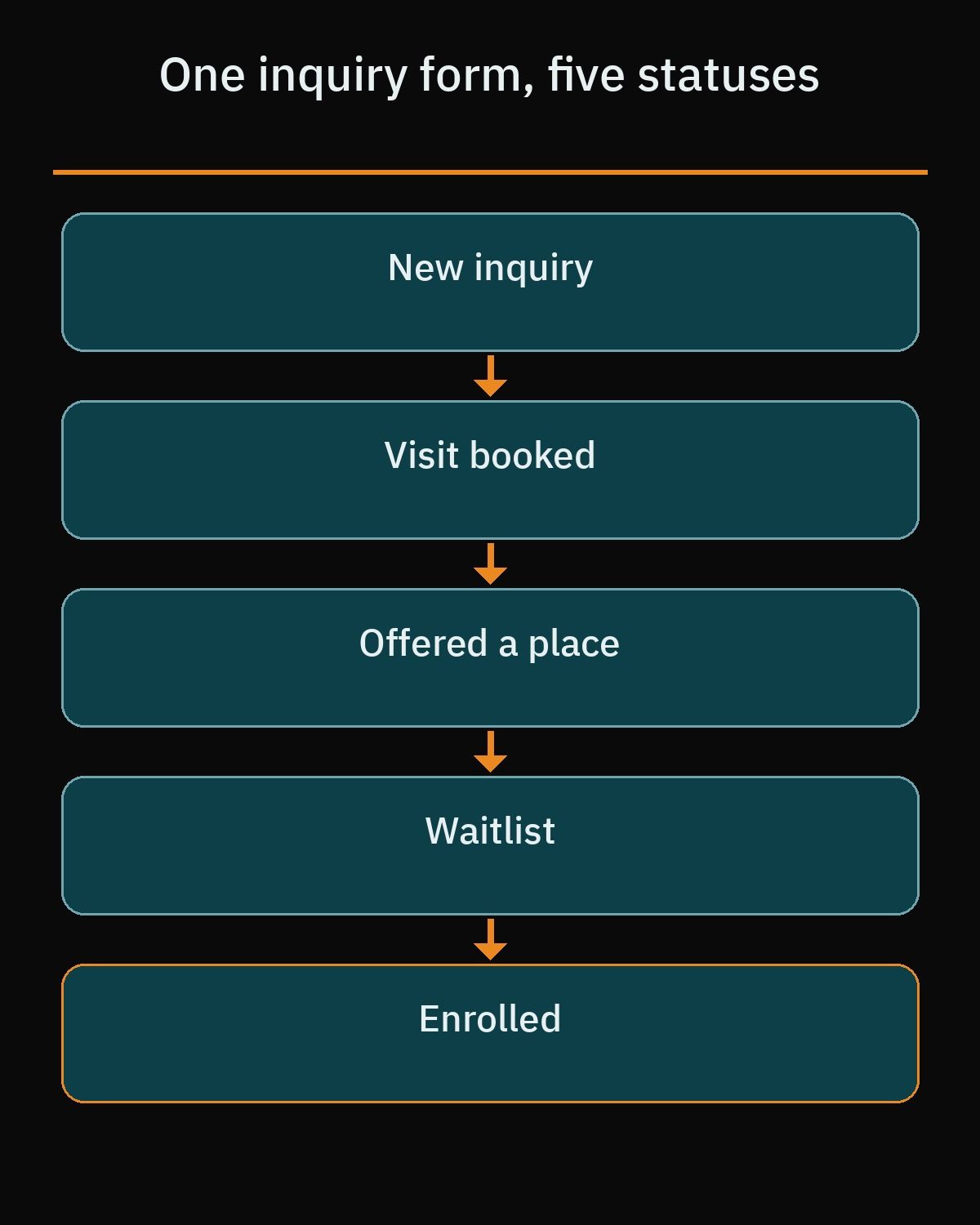Rather than building separate forms for open classes and waiting lists, use one enrollment inquiry form that asks for the intended start term and age group. Your staff can then manage each entry by status, moving families through new, visit booked, offered a place, waitlist, and enrolled. Always include a clear message on the form explaining that submitting an inquiry is not a confirmed place.
For the form tool itself, Fluent Forms in its free WordPress.org version provides a drag-and-drop builder, smart conditional logic, conversational forms, and more than 25 fields, including Time and Date, dropdown, radio, checkbox, text area, address, numeric, and terms and conditions fields. Staff can filter and export entries as CSV, Excel, ODS, or JSON, send email notifications, and use form scheduling and restriction, whereas File Upload, Image Upload, Form Step for multi-step forms, the Phone field, Save and Resume, and Repeat Field are Pro features.
If you look at WPForms Lite, keep in mind that multi-page forms, file uploads, and conditional logic require WPForms Pro. And if your developer uses Contact Form 7, remember that it does not store submitted messages on its own, so it must be paired with Flamingo, the free companion plugin from the same author ecosystem that stores and lists messages in the admin. We apply similar intake workflows when building a [training center website on WordPress](https://heshamsaad.com/en/training-center-website-wordpress/).
## Booking a visit
For most families, enrollment starts with a visit to the nursery. Letting parents book an open morning tour online replaces phone tag and ensures visitors arrive only during hours when classes are settled and your director is free to greet them.
Simply Schedule Appointments in its free Basic Edition offers unlimited booking calendars, customizable email notifications, advanced scheduling options, blackout dates for holidays, and easy Block Editor embedding in a translation-ready package. Another reliable free option is Booking Calendar by wpdevelop, which supports full-day, appointment, and time-slot bookings, displays availability to prevent double bookings, includes customizable booking and inquiry forms, lets staff approve, decline, and edit bookings, sends email notifications to admins and customers, blocks unavailable dates and times, and supports .ics sync plus importing Google Calendar events.
If you need several calendars, for example one per branch, or online payments, the paid editions of Booking Calendar add multiple booking resources and online payments. You can compare scheduling setups further in our guide to creating a [WordPress booking website](https://heshamsaad.com/en/wordpress-booking-website/).
## A fees page without guesswork
Tuition is one of the first topics parents discuss at home, yet some nursery websites either ignore fees completely or leave families confused about extra charges. Whether you list your tuition openly or provide a fees-on-request form, a dedicated fees page shows parents that your administration is organized and transparent.
Use the page to explain clearly what each fee category covers without inventing vague bundles. Break the structure down into the exact categories your nursery uses, such as initial registration, term fees, uniforms, bus transport, daily meals, and optional activities, so families know what is included before they visit.
Always display the date of the last update prominently on the fees page. Parents comparing nurseries across their neighborhood appreciate seeing that your fee structure reflects the current term.
## WhatsApp for quick questions
In Egypt and the Gulf, parents naturally reach for WhatsApp to ask whether your bus covers their district or what hours afternoon care runs. Adding a click-to-chat button with the official https://wa.me/ link format using your full international number without a plus sign, leading zeros, brackets, or dashes, plus an optional URL-encoded ?text= prefilled message, lets families reach your receptionist in one tap.
On the nursery phone, the WhatsApp Business app helps your coordinator stay organized with a dedicated business profile, saved quick replies for common questions, automated away messages outside working hours, and chat labels to sort inquiries.
Set a firm boundary for your staff: keep WhatsApp for quick questions and directions, and route every enrollment inquiry through your website form so family data is recorded cleanly. Never ask parents to send child documents or medical records on WhatsApp.
## Arabic first, English when you need it
Even when a nursery teaches an English or bilingual curriculum, local parents in Egypt and the Gulf often prefer reading safety policies and registration steps in Arabic, while expat families rely on an English version. Setting Arabic as your default language welcomes local families immediately while keeping an English language switcher visible in the header.
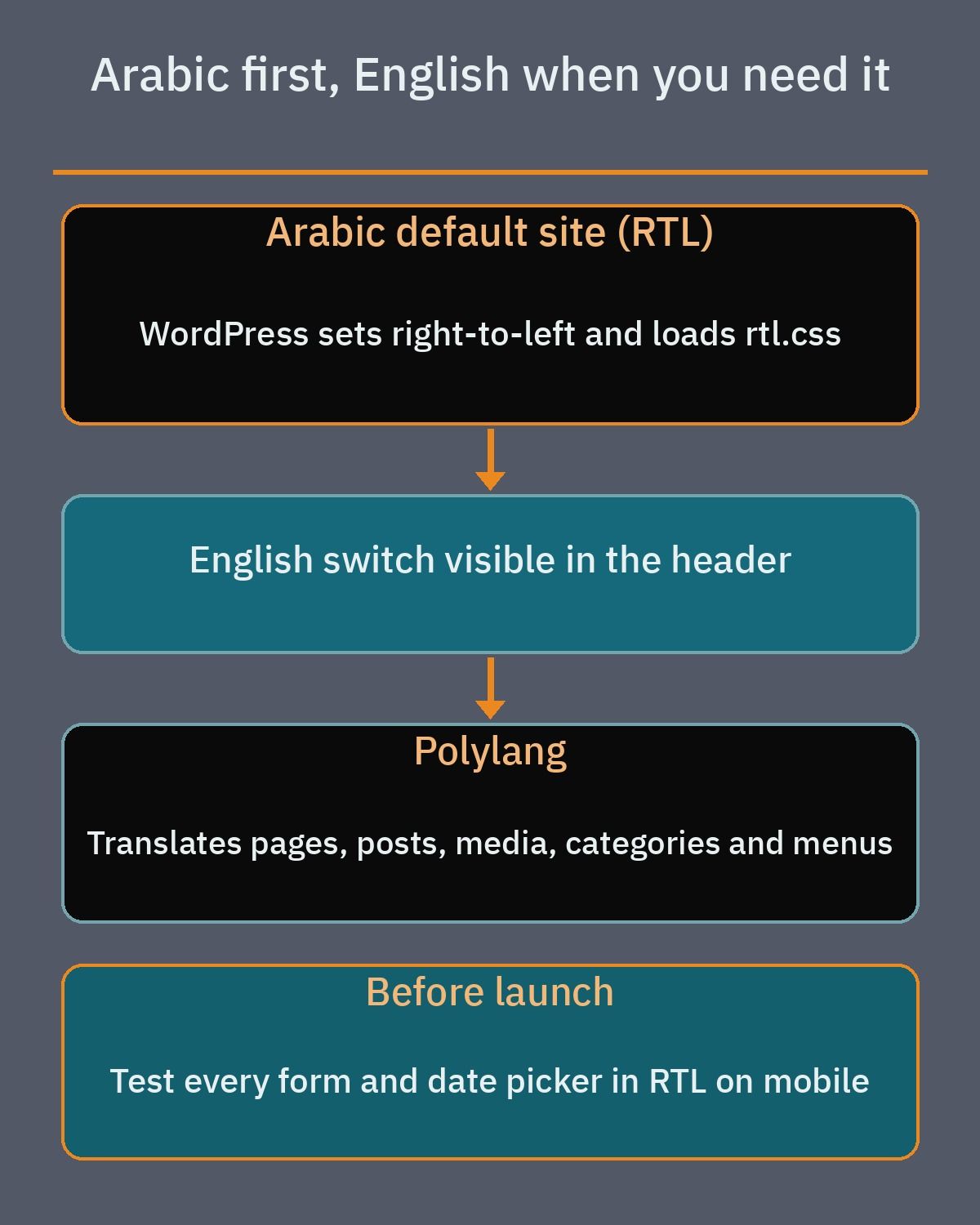When the site language is Arabic, WordPress automatically sets right-to-left direction and themes load their rtl.css stylesheet when present. Using the free Polylang plugin from WordPress.org, your developer can translate posts, pages, media, categories, and menus with full right-to-left script support, organizing languages by URL code, subdomain, or domain.
Ask your developer to test every enrollment form, calendar date picker, and phone number field in right-to-left mode before launch. Careful RTL testing prevents misaligned labels and reversed numbers on mobile phones.
## A parents news section
A fresh news section shows prospective families that your kindergarten is active while giving current parents a reliable place to check dates. Using standard WordPress posts sorted into categories such as announcements, events, and the weekly menu keeps updates structured and easy to browse.
Your developer can place the WordPress core Query Loop block on the home page to show the latest public announcements automatically. If you want parents to receive updates by email, MailPoet offers a free plan using your own sending method, with MailPoet branding, that handles newsletters and automatic notifications whenever a new post is published.
Keep public news separate from internal family notices. Open-day announcements and general term calendars work well as public posts, whereas private notices for enrolled families belong inside a logged-in parent area.
## Fast on a parent's phone
Mothers and fathers browsing on mobile data between errands lose patience quickly with a slow nursery site. Google measures page speed and stability through Core Web Vitals at the 75th percentile, where good thresholds require Largest Contentful Paint (LCP) of 2.5 seconds or less, Interaction to Next Paint (INP) of 200 milliseconds or less, and Cumulative Layout Shift (CLS) of 0.1 or less.
Because kindergarten sites rely on classroom photography, compressing gallery images is one of the most effective ways to keep pages fast. Plugins such as Smush (which provides image compression, lazy load, and WebP conversion) or Imagify (which optimizes images into WebP and AVIF formats) reduce file weights without sacrificing clarity.
Skip heavy sliders and video autoplay on the home page, since both slow down mobile browsers and push your booking buttons out of view. Always test your pages and forms on a mid-range phone before launch.
## What drives the cost, and choosing a developer
When you compare quotes for a nursery website, the project budget depends on how much custom setup, content organization, and privacy work your branches need rather than a flat template fee.
- Pages, branches, and languages: The total number of pages, single-campus versus multi-branch structure, and bilingual Arabic and English content with right-to-left layout testing.
- Forms and tour scheduling: Conditional fields in your enrollment form, waitlist status workflows, and configuring your visit booking calendar and notifications.
- Parent access and photo privacy: Building a logged-in member area for enrolled parents and configuring gallery restrictions carefully.
- Creative, licensing, and upkeep: Original campus photography, custom visual design, annual paid plugin licenses when Pro features are required, hosting, and ongoing maintenance and content updates.
When choosing a developer, ask how they handle children's photo privacy on WordPress, how they structure waitlist statuses, and how they test Arabic right-to-left forms on mobile screens. You can review our [WordPress development services](https://heshamsaad.com/en/wordpress-development/) to see how we build fast, practical websites for education and service businesses across the region.
Start by listing your branches, deciding how you will explain your fee categories, and selecting classroom photos that protect children's privacy. When you are ready to map out your pages, waitlist workflow, and tour booking calendar, book a [free consultation](https://heshamsaad.com/en/free-consultation/) and we will help you plan your nursery website step by step.
## Frequently asked questions
What pages do parents look for first on a nursery website?Parents look first for clear pages covering your teaching and caregiving staff, your daily schedule, and your health and gate security routines. These pages explain caregiver qualifications, check-in and pick-up procedures, sanitation habits, and how the day flows from arrival through meals, play, and rest. Writing these details clearly builds trust before a family books a campus tour and saves your staff time on repetitive phone calls.
Does a WordPress password-protected page keep children's photos private?No, setting a WordPress page to password protected only asks visitors for a password before showing the page body, while the uploaded image files still have direct URLs that the page password does not protect. Because children's data is sensitive, you should never put identifiable photos on public pages without clear written parent consent. A parents-only gallery needs real login access with role restrictions and careful handling of file links.
How should we handle online enrollment and waitlists on WordPress?Use a single enrollment inquiry form that asks only for basic details at the first step, including the child's age or birth date, parent name, phone number, preferred start term, and branch. Your admissions staff can then track each entry by status, moving families from new inquiry to visit booked, waitlist, offered a place, or enrolled. Always tell parents on the form that submitting an inquiry is not a confirmed place.
Should a private kindergarten publish its tuition fees on the website?You can either list your fees openly or offer a fees-on-request form, as long as you explain clearly what each fee category covers. Break down registration fees, term tuition, uniforms, bus transport, daily meals, and extra activities so parents understand what is included before they visit. Whichever approach you choose, always show the date the page was last updated so families know the information is current.
What affects the cost of building a kindergarten website on WordPress?The budget depends on the number of pages and branches, whether you need bilingual Arabic and English content with right-to-left testing, and how your enrollment and tour booking forms are configured. Adding a logged-in member area for parents, custom gallery privacy controls, original photography, custom design, annual paid plugin licenses, hosting, and ongoing maintenance also shapes the total project scope.
## References
- [WordPress Documentation: Content Visibility](https://wordpress.org/documentation/article/content-visibility/)
- [Make WordPress Core: Changes to Attachment Pages](https://make.wordpress.org/core/2023/10/16/changes-to-attachment-pages/)
- [WordPress Documentation: Gallery Block](https://wordpress.org/documentation/article/gallery-block/)
- [WordPress Plugin Directory: Members](https://wordpress.org/plugins/members/)
- [WordPress Plugin Directory: Ultimate Member](https://wordpress.org/plugins/ultimate-member/)
- [WordPress Documentation: Tools Export Personal Data Screen](https://wordpress.org/documentation/article/tools-export-personal-data-screen/)
- [WordPress Documentation: Tools Erase Personal Data Screen](https://wordpress.org/documentation/article/tools-erase-personal-data-screen/)
- [WordPress Plugin Directory: Fluent Forms](https://wordpress.org/plugins/fluentform/)
- [WordPress Plugin Directory: Contact Form 7](https://wordpress.org/plugins/contact-form-7/)
- [WordPress Plugin Directory: Flamingo](https://wordpress.org/plugins/flamingo/)
- [WordPress Plugin Directory: WPForms Lite](https://wordpress.org/plugins/wpforms-lite/)
- [WordPress Plugin Directory: Simply Schedule Appointments](https://wordpress.org/plugins/simply-schedule-appointments/)
- [WordPress Plugin Directory: Booking Calendar](https://wordpress.org/plugins/booking/)
- [WhatsApp Help Center: How to Use Click to Chat](https://faq.whatsapp.com/5913398998672934)
- [WhatsApp Business: Official Overview](https://www.whatsapp.com/business/)
- [WordPress Theme Handbook: Template Files (rtl.css)](https://developer.wordpress.org/themes/classic-themes/basics/template-files/)
- [WordPress Plugin Directory: Polylang](https://wordpress.org/plugins/polylang/)
- [WordPress Documentation: Query Loop Block](https://wordpress.org/documentation/article/query-loop-block/)
- [WordPress Plugin Directory: MailPoet](https://wordpress.org/plugins/mailpoet/)
- [Google web.dev: Core Web Vitals](https://web.dev/articles/vitals)
- [WordPress Plugin Directory: Smush Image Optimization](https://wordpress.org/plugins/wp-smushit/)
- [WordPress Plugin Directory: Imagify Image Optimization](https://wordpress.org/plugins/imagify/)
- [Google Business Profile Help: Edit Your Business Information](https://support.google.com/business/answer/3039617)
- [Schema.org: ChildCare Type Definition](https://schema.org/ChildCare)